A web proxy looks like a single click from the outside — paste a URL, get a page. Underneath, there are three separate network conversations happening in sequence, and understanding them explains almost every question people ask about proxies: what the network sees, whether the destination site knows, why the loading spinner takes an extra beat, and how much of your privacy actually changes.
Here is exactly what happens when you open a page through a web proxy, hop by hop.
The three hops
The whole flow is short:
- Browser → Proxy. Your device makes a TLS-encrypted request to the proxy’s own domain. For AnyProxy that is
anyproxy.siteand then a regional server such assg.anyproxy.site. The site you want travels inside the encrypted request. - Proxy → Destination. The proxy server opens a fresh TLS connection to the destination site (say,
youtube.com) and fetches the page as if it were an ordinary visitor. - Proxy → Browser. The proxy rewrites the page’s internal links and asset URLs so that everything on it continues to route through the proxy, then sends the result back to your tab over the same TLS connection from hop 1.
The browser stays where it started. Nothing changes about your operating system, your DNS settings, or your extensions. Only the traffic pattern shifts.
Hop 1 — Browser to proxy
Your browser opens a standard HTTPS connection to the proxy. This looks — from the network’s point of view — identical to visiting any other website. The TLS handshake reveals only the proxy’s hostname, not what you plan to do next.
The site you want to open travels inside that encrypted connection. On AnyProxy you start from a site’s address, such as youtube.com or chatgpt.com; a pasted deep link opens that site’s home page, by design, and you navigate from there. Local network filters, ISP loggers and hotel Wi-Fi can see that you talked to the proxy, and many filters block proxy sites as a category. Without TLS inspection they cannot see which pages you opened. Your own browser history can: proxied addresses look like sg.anyproxy.site/_o/ followed by the real site address in base64.
This is the hop that a DNS-level filter loses at. If the filter blocks youtube.com, changing DNS servers routes around it — but if the filter is deeper (IP-level or DPI on YouTube specifically), you need a proxy or VPN to move the request path off the filtered network. Both work here.
Hop 2 — Proxy to destination
Now the proxy makes a fresh TLS connection outward to the real site. The proxy server has its own IP address in its region, and the destination site sees that IP as the visitor.
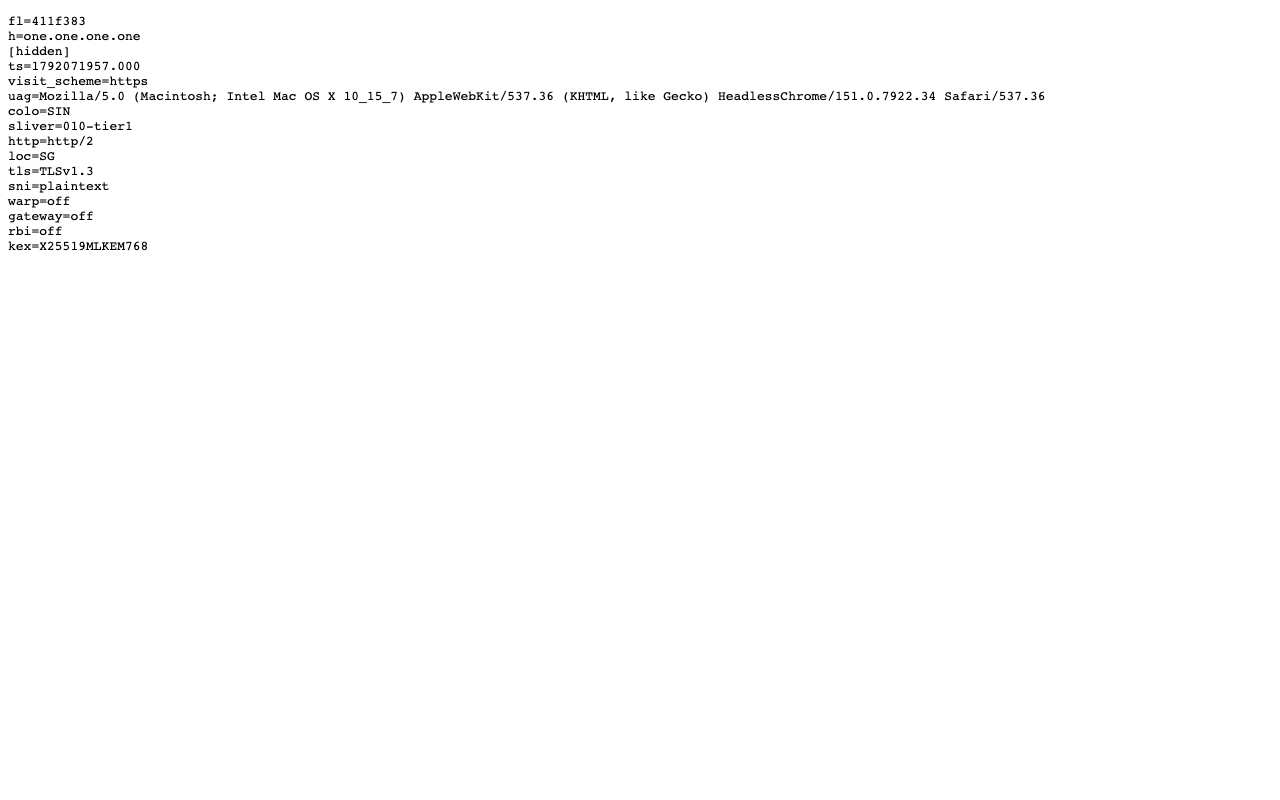
Caption: Cloudflare’s trace page (one.one.one.one/cdn-cgi/trace) opened through AnyProxy Singapore, 15 October 2026. The site saw a visitor in Singapore (loc=SG) and the test browser’s own user agent; the IP line is hidden.
Two consequences follow:
- Geographic reach. Country checks that key off the request IP see the proxy’s country instead of yours. That also cuts the other way: through Frankfurt, Google and YouTube show EU cookie-consent screens, and services with their own account and licence checks (Netflix, Disney+) are not supported.
- Datacenter address. Some sites treat proxy and datacenter addresses with suspicion. On 15 October 2026 Reddit refused every AnyProxy region, Google Search showed an “unusual traffic” CAPTCHA, and Instagram sent public profiles to its login page.
- Cookies and sessions. The site does not get your IP, but it still gets your browser’s details (the trace above shows the user agent passing through) and any cookies it sets during the proxied session. If you sign in, the site knows exactly who you are, from a new IP.
Hop 3 — Proxy back to browser (with a rewrite)
Once the destination sends the page back, the proxy does the work most people never notice: it rewrites the page so that every internal link, script src, image URL, form action, and asynchronous fetch continues to route through the proxy.
The math is quiet but exhaustive. On AnyProxy a link like <a href="/watch?v=xyz"> ends up under the proxy’s own address, something like sg.anyproxy.site/_o/aHR0cHM6Ly93d3cueW91dHViZS5jb20=/watch?v=xyz, where the middle part is https://www.youtube.com in base64. An <img src="https://i.ytimg.com/vi/xyz/hqdefault.jpg"> becomes a proxy-relative URL that fetches the same file through the same tunnel. Every asset the destination page requested — thumbnails, JavaScript bundles, WebSocket URLs — passes through the same rewrite.
This is why a modern web proxy can handle single-page applications such as YouTube and TikTok: the rewrite covers not just the initial HTML but every follow-up request the JavaScript on the page makes. When it works well, the page looks the same as it does directly.
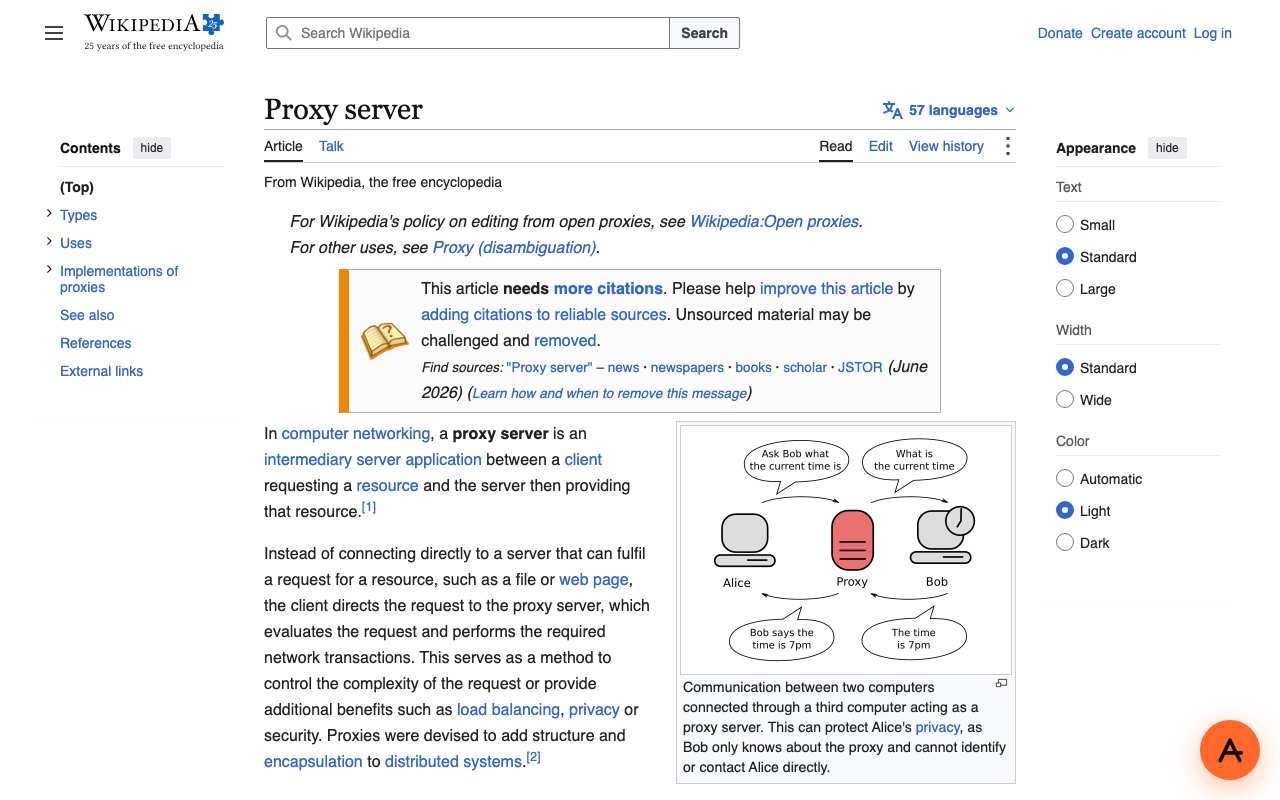
Caption: Wikipedia’s “Proxy server” article opened through AnyProxy Singapore, 15 October 2026. Styles, images and menus all came through the rewritten addresses.
When it does not work well, you see the tell: an image missing, a video that will not play, a “sign in with Google” popup that never resolves. Those are the pages where the rewrite missed a URL or the destination site pushes back with bot checks, CAPTCHAs or account checks. In our 15 October 2026 run, regular YouTube videos played but a YouTube Short stayed black.
What each layer sees, in one table
| Layer | Can see |
|---|---|
| Your local network | An encrypted connection to anyproxy.site and its regional servers; more if the device has TLS inspection |
| Your ISP | Encrypted connections, proxy hostnames only |
| Your device | Proxied addresses in browser history, with the real site encoded in them |
| The proxy server | Both sides — your original request and the destination page |
| The destination site | A request from the proxy’s IP address and region, with your browser’s details. Browser features such as WebRTC (used for video calls) can still reveal your real IP to the page, because the proxy does not carry that traffic |
| Whoever you sign in as | A logged-in session from a new IP (if you choose to sign in on the real destination) |
The proxy is the trust hinge. It holds two separate encrypted connections and handles the decrypted page in between, so it is the only party in the chain that sees both ends. That is why a specific statement of what is recorded matters more than a “no logs” slogan. AnyProxy’s privacy policy says it is not a no-logs service and lists what service operation can record.
Latency — where the extra time actually goes
A proxy adds one hop. How much that costs depends mostly on distance: how far you are from the proxy server, and how far the server is from the site.
- Hop 1 (browser → proxy) is short when you pick a region near you and long when you pick one on another continent.
- Hop 2 (proxy → destination) depends on where the site is served from. If the destination has a CDN edge near the proxy, this hop is quick; if not, you pay the transit.
- Hop 3 (proxy → browser) is the same round-trip as hop 1, in reverse.
We measured it once, from India on 15 October 2026, timing Wikipedia over four runs per route. Median page load: 1.15 s direct, 1.41 s through AnyProxy Singapore, 2.42 s through Frankfurt, 3.65 s through Virginia. The nearest region cost about a quarter of a second; the farthest roughly tripled the time. That is one location and one site, not a benchmark, but it shows why a region picker matters: pick the closest region where the site you want is available. Pages that make many small requests pay the extra distance more visibly than simple pages.
The bottom line
A web proxy is three network conversations chained together, with one rewrite pass in the middle to keep the destination page’s follow-up requests routing through the proxy. Your browser stays where it is, your operating system is untouched, and the destination site sees a visit from the proxy’s region.
If you want to see this happen live, open AnyProxy with a link. The tab that opens is the destination page, delivered through the flow above.