Unblock YouTube.
From anywhere.
Free YouTube proxy. No install. Works on a Chromebook, a phone, and any managed browser.
Verified · 2026-10-15
YouTube is blocked nationwide in China (since 2009) and Iran (since 2006) and has been restricted in Pakistan, Russia and Turkey — yet Google's Transparency Report shows traffic from Iran rising every month since January 2023, all of it through circumvention tools.
Source: verification.
What we tested through AnyProxy
What works on YouTube, and what doesn't
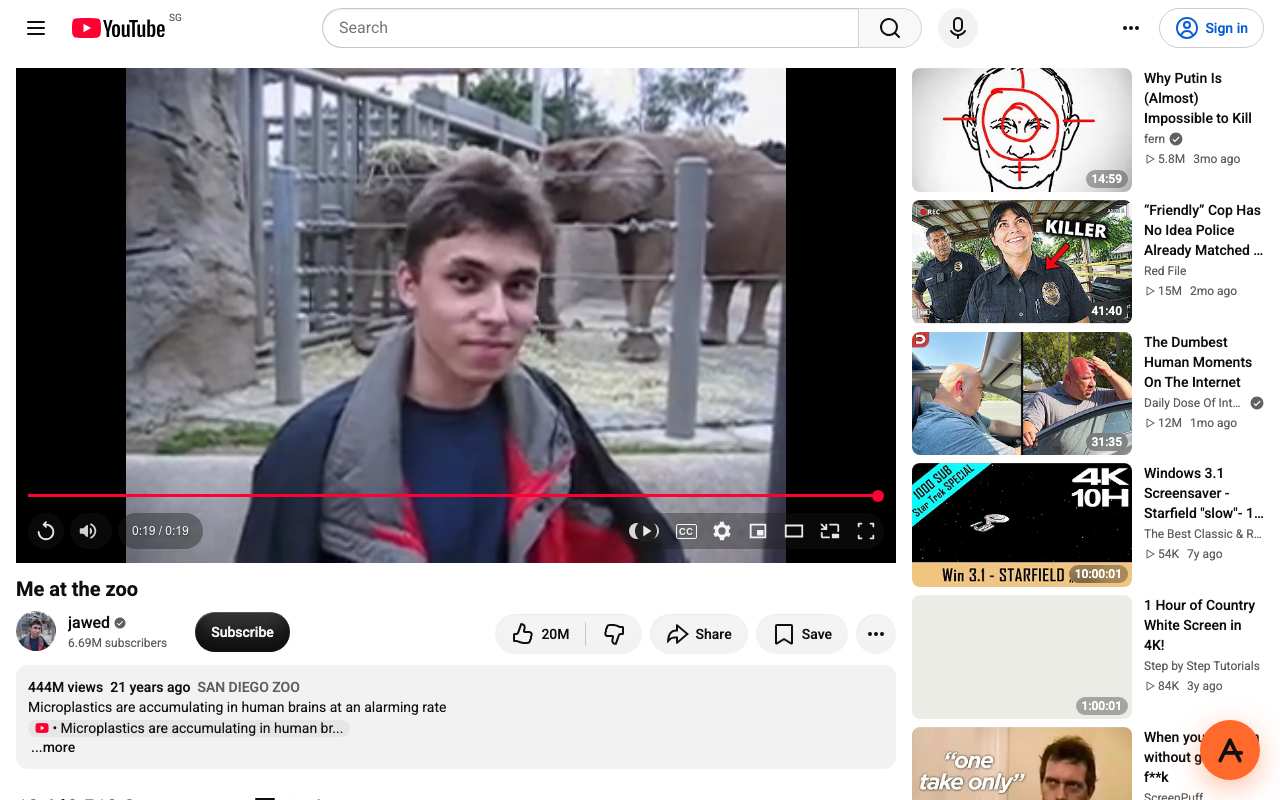
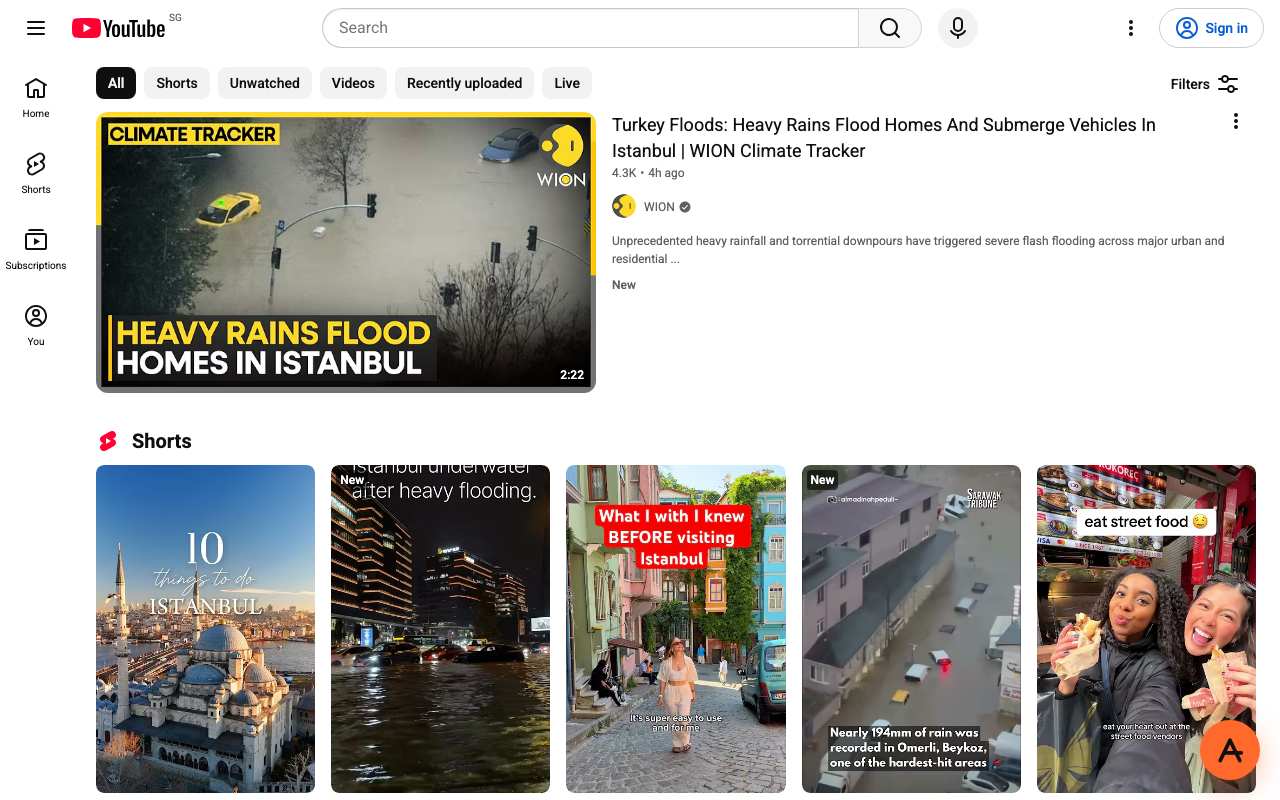
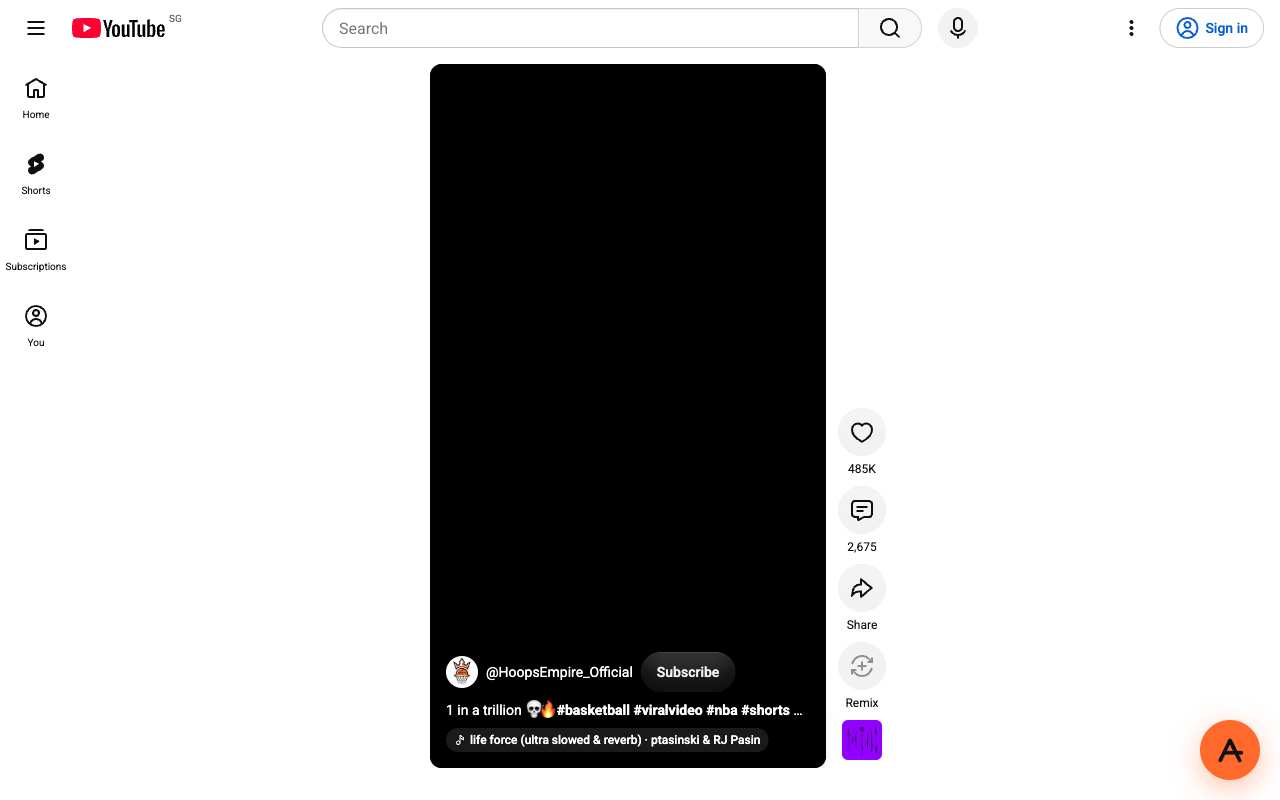
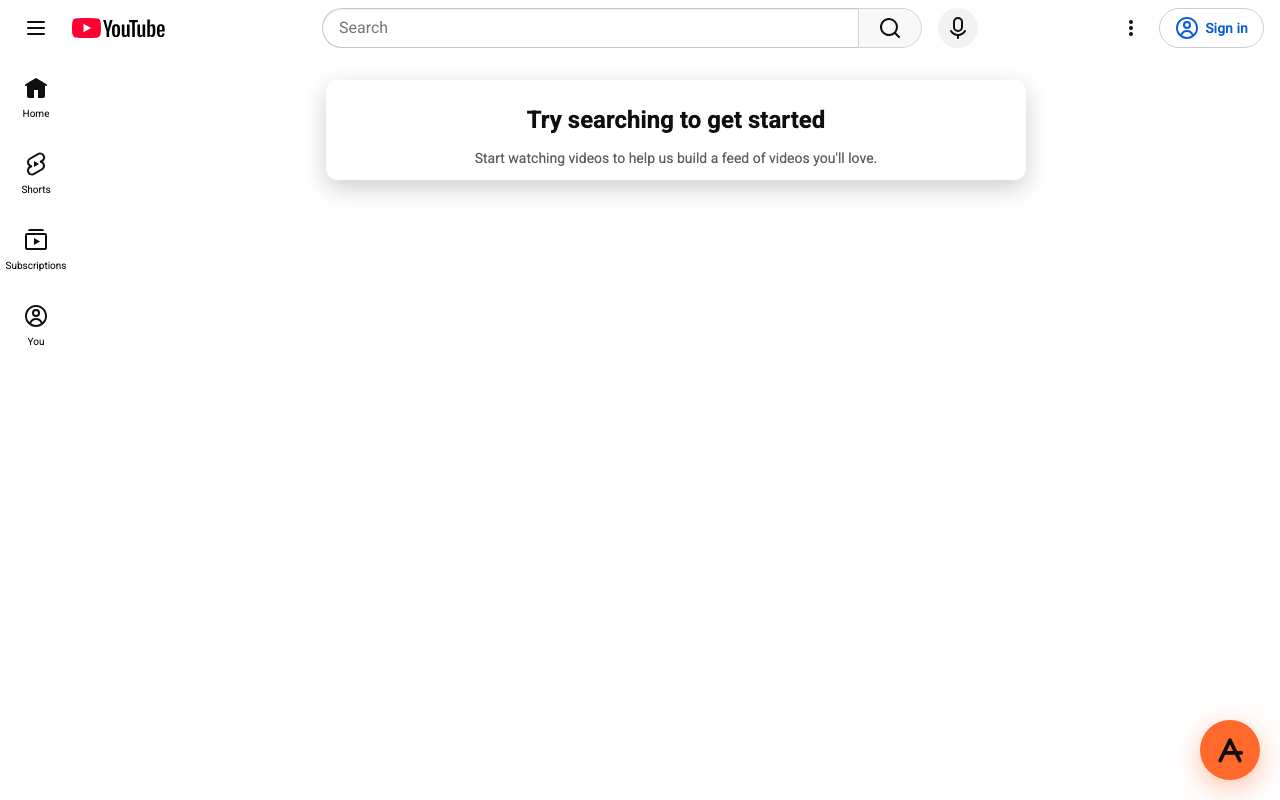
Tested from our proxy exits with a fresh browser, no account. Results can change when YouTube changes.
What is a YouTube proxy?
The short answer
A YouTube proxy is a server that fetches YouTube for you and returns the page through your browser. Instead of your device asking youtube.com directly, your browser asks anyproxy.site, and we ask YouTube on your behalf. The site sees our server, not you. Your network sees anyproxy.site, not YouTube.
That single hop is what lets a blocked YouTube page open. No app to install, no account to make. Six regions, sorted by real latency.
YouTube infrastructure, verified
YouTube itself is healthy
When YouTube will not load, YouTube's own servers are rarely the cause. Here is a dated snapshot of the real youtube.com infrastructure from DomainScan on 2026-10-05 — compare against your network's symptoms.
15 of 15 public DNS resolvers returned an address for youtube.com in this snapshot. A resolver with no answer is not proof of blocking anywhere. If your own network returns nothing or a different address, the problem is more likely on your network than at YouTube.
Where YouTube is blocked
YouTube block map, with mechanism
The countries that actively block YouTube, how they do it, and when. Rows link to their source where we have one; rows without a link are not independently verified.
From your country
Where YouTube is restricted
How to unblock YouTube
Three steps, no account
Type youtube.com
It is already in the box above. AnyProxy opens the site's home page; go deeper from there.
Pick your region
We start you on the nearest server. A closer region means smoother loading.
Browse
YouTube opens in this tab. The tests on this page show which features worked for us.
YouTube — the timeline
Dated events in YouTube's censorship history
- Feb 2005YouTube founded by Chad Hurley, Steve Chen and Jawed Karim.
- Oct 2006Google acquires YouTube for $1.65B. Same year, Iran adds YouTube to its national block list.
- Mar 2009Great Firewall of China fully blocks YouTube after Tibet protest footage circulates. source
- Sep 2012Pakistan blocks YouTube nationwide over the "Innocence of Muslims" film. Full block held until Jan 2016 when a local YouTube.pk launched for takedown compliance. source
- May 2008 → 2010Turkey blocks YouTube over Atatürk-insult videos; block lifted Oct 2010 after takedowns negotiated. source
- Jan 2023Google Transparency Report begins showing a steady monthly rise in Iranian YouTube traffic — all via circumvention tools.
- Aug 2024Russia throttles YouTube to ~128 kbps on major mobile ISPs. Google says ageing equipment; Roskomnadzor says Google infrastructure fault; measurements point to intentional throttling. source
- Dec 2024Iran's Supreme Council of Cyberspace unblocks WhatsApp and Google Play but leaves YouTube blocked. source
- Jan 2026Iran's "Barracks Internet" shutdown cuts ~85 million citizens from the global web for 16+ days — all international platforms including YouTube inaccessible. source
What the proxy cannot do for YouTube
Honest caveats
- YouTube's mobile app does NOT route through a browser proxy. On a phone, open youtube.com in Chrome or Safari, not the YouTube app.
- DRM-protected content (YouTube Movies rentals, some studio-uploaded music videos with Widevine protection) refuses proxied playback. Regular user-uploaded videos are unaffected.
- We have not tested YouTube Live playback. In our 15 October 2026 test, Shorts did not play (the feed loaded, the video stayed black); regular watch pages played.
- If you sign in to a Google account from a region different to where you normally sign in, Google may trigger a security email or temporary account lock. Sign in from your local IP first, then switch to the proxy.
- Phone-number verification for uploads uses Google-side SMS delivery. Iranian / Pakistani / Chinese mobile numbers may not receive the verification SMS — a known Google-side limitation, not something a proxy fixes.
Need every app on your device covered, not just one browser tab? That is a VPN's job — see proxy vs VPN for when each is the right tool.
FAQ
YouTube, specifically
On managed networks
Open YouTube on managed devices
Managed networks — managed Wi-Fi, café PCs, hostel internet — often filter YouTube at the DNS or IP level. Content filters used by schools and companies sort sites into categories such as "video", and administrators choose which categories to block.
Because AnyProxy is a website — not an app or extension — a Chromebook or managed browser that restricts installs still opens it in Chrome. Type youtube.com and YouTube opens in the same tab, as far as the site allows it; see the tests above. Note: your organisation's acceptable-use policy still applies; check it before use.
Related
Unblock these too
By country
Country-specific evidence
Historical reports describe particular dates and networks. They are not live availability tests. Country context does not select an exit server.
IndiaRestricted · occasional court orders
MeitY-ordered takedowns of specific videos; college/exam-season network filters
IndonesiaRestricted · occasional
Kominfo PSE registration enforcement + managed-network filtering
PakistanRestricted · 2012-2016 (ongoing selective)
PTA DNS blocks on specific content; occasional full blackouts during political events Source
TurkeyRestricted · blocked 2008–2010 and 2014; throttled during 2025 protests
Short event-driven throttling (OONI: slow TLS handshakes on TTNet, Superonline, TurkNet) plus DNS blocking on TurkNet in Sep 2025. 99.4% of OONI tests normal Jul–Oct 2026. Source
Turkey has blocked YouTube outright twice. An Ankara court order kept it offline from May 2008 to October 2010 over videos judged insulting to Atatürk; in December 2015 the European Court of Human Rights ruled that ban violated freedom of expression. A second block in late March 2014 followed leaked recordings about government officials and ended about two months later, after Turkey's Constitutional Court ruled it unlawful. Since then the pattern has changed from long bans to short slowdowns during protests: OONI measured YouTube being throttled on 19–20 March 2025, after the arrest of Istanbul's mayor, and again on 8 September 2025, during the police blockade of the CHP's Istanbul office. In April 2026 parliament passed a bill that lets authorities restrict the bandwidth of large platforms that do not carry out removal and blocking orders.
Recent restrictions have been throttling rather than a hard block. OONI found that TLS handshakes to www.youtube.com took much longer than handshakes to 30 other Google-hosted names on the same networks, which points to YouTube being singled out and slowed. On TurkNet (AS12735) the September 2025 measurements also showed DNS answers pointing to 195.175.254.2, an address associated with blocking. Through a web proxy your ISP sees a connection to anyproxy.site, not to youtube.com or googlevideo.com, so filters keyed to those names should not apply. We have not been able to test that during a live throttling event.
Networks
- Türk Telekom / TTNet: AS9121. 4,773 OONI tests in the last three months, 3 anomalies. TTNet's AS47331 was one of the networks where OONI measured throttling in 2025.
- Turkcell Superonline: AS34984. 3,135 tests, 4 anomalies. One of the networks where OONI measured YouTube throttling in 2025.
- TurkNet: AS12735. 2,552 tests, 30 anomalies, the highest share of the Turkish networks we checked. In September 2025 TurkNet also blocked YouTube by DNS.
What works
We loaded YouTube through AnyProxy on 15 October 2026 from two regions. Frankfurt is the closest region to Turkey, but YouTube treats a Frankfurt visitor as being in the EU: the page shows a "Before you continue to YouTube" cookie consent screen first. After pressing "Reject all", the test video played to the end. Through Singapore there is no consent screen and the same video played straight away. Search results loaded on both. In either case YouTube shows recommendations for the exit country (the logo reads DE or SG), not Turkish trending videos.
- YouTube Shorts did not play in our test: the Shorts feed loaded but the video stayed black, in both a headless and a regular Chrome window. Open normal watch pages instead.
- Through Frankfurt you get an EU cookie consent screen before every new session. Choose Singapore or Virginia if you want to skip it.
- We did not test signing in. Logging in to a Google account from a new country can trigger extra security checks.
- Recommendations and trending lists follow the proxy region, not Turkey.
- We have not tested AnyProxy during an actual Turkish throttling event.
Timeline
- May 2008Ankara court order blocks YouTube over videos judged insulting to Atatürk. Source
- Oct 2010Access to YouTube restored. Source
- Mar 2014YouTube blocked again after leaked recordings about government officials appear on it. Source
- May–Jun 2014Constitutional Court rules the block unlawful; access is restored. Source
- Dec 2015European Court of Human Rights rules the 2008–2010 ban violated freedom of expression. Source
- 19–20 Mar 2025YouTube and other platforms throttled after the arrest of Istanbul's mayor. Source
- 7–8 Sep 2025YouTube throttled in Istanbul for about 21 hours during the CHP office blockade; DNS-blocked on TurkNet. Source
- 22 Apr 2026Parliament passes a bill allowing bandwidth restrictions on large platforms that ignore removal and blocking orders. Source
- Jul–Oct 2026OONI: 14,677 of 14,761 tests of www.youtube.com from Turkey load normally. Source
Is YouTube banned in Turkey in 2026?
No. OONI measurements from Turkish networks between July and October 2026 show 14,677 of 14,761 tests of www.youtube.com loading normally. The last measured restriction was throttling in Istanbul on 7–8 September 2025.
Why was YouTube so slow in Turkey on 8 September 2025?
It was deliberately throttled. OONI found TLS handshakes to www.youtube.com taking far longer than to other Google services on the same networks, during the police blockade of the CHP's Istanbul office. TurkNet also returned a blocking DNS answer for YouTube.
Which AnyProxy region is best for YouTube from Turkey?
Frankfurt is the closest, but YouTube shows an EU cookie consent screen there. Singapore had no consent screen in our test and played video straight away.
Do YouTube Shorts work through AnyProxy?
Not in our 15 October 2026 test. The Shorts feed loaded but the video did not start. Regular watch pages played normally.
Research updated . Availability may have changed.
IranBlocked · 2006
DNS tampering + TLS SNI reset (Irancell AS44244); fake IP 10.10.34.35 Source
YouTube has been blocked at the Iranian national level since 2006, when it was first added to the Supreme Council of Cyberspace block list. The block was hardened in December 2009 after protest footage from the Green Movement circulated on the platform. In December 2024 the SCC unblocked WhatsApp and Google Play but deliberately kept YouTube blocked, alongside Instagram, X, Facebook and Telegram. Despite 18 years of continuous blocking, Google's Transparency Report shows Iranian YouTube traffic has risen steadily since January 2023 — demand grows while the block stays in place, and Filterwatch estimates roughly 8.5% of Iranians over 18 and 50.4% of state university students still use the platform via circumvention.
OONI measurements document three layers of enforcement inside Iran. (1) DNS tampering: Iranian ISPs intercept queries for youtube.com and return the fake IP 10.10.34.35 instead of Google's real edge addresses. (2) TLS SNI inspection: on Irancell (AS44244) the majority of OONI measurements show a TCP reset immediately after the ClientHello that carries "youtube.com" or "googlevideo.com" as SNI. (3) Country-wide protocol whitelisting during tightening periods — observed in full force during the January 2026 "Barracks Internet" shutdown. A web proxy over ordinary HTTPS to a non-blocked domain defeats all three layers because your browser never resolves, speaks SNI for, or sends packets destined to youtube.com — only to anyproxy.site, which handles the lookup and TLS termination from Frankfurt.
Networks
- MCI (Hamrah-e-Aval): Largest Iranian mobile ISP, AS197207. DNS poisoning primary enforcement. Frankfurt is the closest AnyProxy region at ~110 ms.
- Irancell: AS44244. OONI documents TLS reset after SNI inspection as majority mechanism — ClientHello carrying youtube.com SNI gets reset. Peak-hour throttling adds visible latency.
- Shatel: AS31549. ADSL fixed broadband. Filter enforcement identical to mobile ISPs — DNS tampering plus SNI inspection on heavily-trafficked platforms.
- RighTel: AS57218. Smaller mobile ISP. Less aggressive DPI historically but same block scope. DNS tampering primary mechanism.
What works
Open anyproxy.site in any browser from Iran, type youtube.com or paste a full video URL, keep Frankfurt region (closest at ~110 ms), press Browse. YouTube loads inside the same tab, fetched from Germany. 720p on the free tier plays reliably; 1080p on Pro for HD-heavy watching. Live streams work. Sign-in to a Google account is safe on the real YouTube page after the proxy loads it — expect a "new location" security email since the login originates from Germany.
- During a nationwide shutdown (like the January 2026 "Barracks Internet" blackout, when roughly 85 million Iranians lost global internet access for 16+ days), no proxy or VPN works because the connection to the outside internet is severed at the TIC backbone. Normal periods: AnyProxy works.
- Iranian regulators occasionally add specific circumvention domains to their blocklist. If anyproxy.site becomes unreachable from your ISP, switching to a different region's subdomain (or a mobile hotspot on a different ISP) usually restores access.
- Sign-in to Google from an Iranian IP first, then use the proxy afterwards — Google's security systems occasionally lock accounts that show sudden foreign-region logins without prior local sign-in.
- DRM-protected YouTube content (YouTube Movies rentals, some studio-uploaded music videos) refuses proxied playback. Regular user-uploaded videos are unaffected.
- The YouTube mobile app does NOT use the browser and is not proxied — AnyProxy covers browser traffic only. Open youtube.com in Chrome or Safari, not the app.
- Users are responsible for compliance with Iranian law. AnyProxy operates as an ordinary web service and makes no political claims.
Timeline
- 2006YouTube first added to the Iranian national block list under the Supreme Council of Cyberspace. Source
- Dec 2009Block hardened after Green Movement protest footage circulated on the platform.
- Jan 2023Google Transparency Report begins recording a steady monthly rise in Iranian YouTube traffic — all via circumvention.
- Dec 2024Supreme Council of Cyberspace unblocks WhatsApp and Google Play but leaves YouTube blocked alongside Instagram, X, Facebook and Telegram. Source
- Jan 2026"Barracks Internet" nationwide shutdown — 16+ days of blackout, ~85 million Iranians cut off from the global web, Starlink crippled by military GPS jammers. Source
- Aug 2026Iranian executive agencies lose unilateral blocking power; new blocks must now be submitted to the president, but YouTube block remains in effect. Source
Is YouTube officially blocked in Iran?
Yes. YouTube has been blocked at the national level by the Supreme Council of Cyberspace since 2006, hardened in December 2009 after the Green Movement protests. In December 2024 the SCC lifted the WhatsApp and Google Play blocks but kept YouTube blocked. As of August 2026, Iranian executive agencies can no longer unilaterally block platforms — any new block requires president-level approval — but existing blocks including YouTube remain in effect.
How reliable is YouTube through a web proxy from Iran?
Very reliable for pre-recorded video. Frankfurt region handles YouTube consistently at 720p (free) or 1080p (Pro). Live streams work but consume more bandwidth. The bottleneck is usually your Iranian ISP latency, not the proxy itself — Frankfurt sits at ~110 ms from most Iranian networks.
Why does a web proxy work when Iran's filter is this strict?
Iran blocks YouTube mostly via ISP DNS tampering — your local ISP replies with the fake IP 10.10.34.35 instead of Google's real IPs. A web proxy performs the DNS lookup in Frankfurt, so the fake IP never reaches your browser. On Irancell networks that also do SNI inspection, the proxy wins because your browser never emits "youtube.com" as the TLS SNI — it emits "anyproxy.site", which is not on any Iranian blocklist.
Which YouTube proxy is fastest from Iran?
AnyProxy Frankfurt region at ~110 ms. Other proxies with EU regions perform similarly on latency; the differentiators are ad load inside the session and how each proxy handles YouTube.
Does AnyProxy work during an Iranian internet blackout?
Only if you can reach anyproxy.site at all. During the January 2026 "Barracks Internet" blackout — 16+ days, ~85 million Iranians cut off — all international traffic was severed at the TIC backbone and no proxy or VPN worked. Normal (non-blackout) periods: yes, AnyProxy works.
Can I upload to YouTube from Iran through a proxy?
Uploads work but face two challenges. First, YouTube requires phone-number verification for uploads — an Iranian phone number may not receive the verification SMS from Google. Second, large uploads benefit from Pro tier priority routing to complete reliably. For a Google account you signed up outside Iran, uploads through a proxy work normally.
Research updated . Availability may have changed.
ChinaBlocked · 2009
Great Firewall: DNS poisoning + IP block + DPI on googlevideo.com SNI Source
RussiaRestricted · Aug 2024 (throttling)
Roskomnadzor throttling to ~128 kbps on mobile ISPs; full block during political events Source
VietnamResearch notes
Q1 2023: Vietnam's Ministry of Information says Google removed 1,670 YouTube videos at its request (93% compliance); Meta removed 1,096 posts, TikTok 323 links. Jul 2023: Ministry reports Google removed 1,052 more YouTube videos (91% compliance). 9 Nov 2024: Decree 147/2024/ND-CP on internet services and online information is signed, replacing Decree 72/2013. 25 Dec 2024: Decree 147 takes effect: platforms must verify users by Vietnamese phone number or ID; only verified accounts may post; illegal content must be removed on request. Jul–Oct 2026: OONI: 7,606 of 7,635 tests of www.youtube.com from Vietnam load normally; 0 confirmed blocks.
Vietnam does not block YouTube; it sends takedown requests that Google largely complies with (HRW World Report 2024 citing the Ministry of Information), and Decree 147/2024 adds identity verification and mandatory removal of content authorities deem illegal (Global Voices). Earlier rules reported by Access Now (2022) require 'illegal' content to be removed within 24 hours and illegal livestreams within 3 hours. The restriction is therefore on videos and on posting, not on watching youtube.com.
Networks
- VNPT: AS45899. 2,050 OONI tests, 2,039 ok, 5 anomalies, 0 confirmed
- Viettel: AS7552. 1,666 tests, 1,659 ok, 4 anomalies
- HTTVSERVER Technology: AS140815. 1,551 tests, 1,547 ok, 3 anomalies; server/hosting network
- FPT Telecom: AS18403. 1,294 tests, 1,290 ok, 3 anomalies
- MobiFone: AS131429. 327 tests, all ok
- Viettel (second ASN): AS24086. 325 tests, 324 ok, 1 anomaly
What works
In our tests through AnyProxy on 15 October 2026, these worked: Search YouTube in Vietnamese for 'tin tức' (news); Play a video. Details and screenshots are below.
- Through Singapore YouTube shows the SG region; trending and recommendations will not be Vietnamese.
- Decree 147 applies to posting: commenting or uploading on platforms operating in Vietnam requires a verified account, whatever network you use.
- Videos removed at the government's request are removed for everyone or restricted for Vietnam; a proxy does not restore removed videos.
- Through Frankfurt YouTube shows an EU cookie consent screen first (seen on youtube-tr tests).
Timeline
- Q1 2023Vietnam's Ministry of Information says Google removed 1,670 YouTube videos at its request (93% compliance); Meta removed 1,096 posts, TikTok 323 links. Source
- Jul 2023Ministry reports Google removed 1,052 more YouTube videos (91% compliance). Source
- 9 Nov 2024Decree 147/2024/ND-CP on internet services and online information is signed, replacing Decree 72/2013. Source
- 25 Dec 2024Decree 147 takes effect: platforms must verify users by Vietnamese phone number or ID; only verified accounts may post; illegal content must be removed on request. Source
- Jul–Oct 2026OONI: 7,606 of 7,635 tests of www.youtube.com from Vietnam load normally; 0 confirmed blocks. Source
Is YouTube blocked in Vietnam in 2026?
No. 7,606 of 7,635 OONI tests from Vietnamese networks loaded YouTube normally between July and October 2026, with no confirmed blocks.
What is Decree 147 in Vietnam?
Decree 147/2024/ND-CP, in force since 25 December 2024, requires social platforms to verify users by Vietnamese phone or ID number, lets only verified accounts post, and requires removal of content authorities deem illegal.
Does YouTube remove videos at Vietnam's request?
Yes. Vietnam's Ministry of Information said Google removed 1,670 YouTube videos at its request in Q1 2023, a 93% compliance rate.
Research updated . Availability may have changed.
ThailandResearch notes
4 Apr 2007: Thailand's ICT Ministry blocks YouTube after Google declines to remove a clip ridiculing King Bhumibol. May 2007: Google agrees to remove four videos but refuses two it called political rather than insulting to the King. 31 Aug 2007: Ban lifted after YouTube agrees to block clips that break Thai law for Thai viewers and to give ISPs a way to block sensitive videos. 2011: Google's Transparency Report shows the Thai Ministry of Information asked for 374 YouTube videos to be taken down for allegedly insulting the monarchy. 24 Sep 2020: Thailand files its first Computer Crime Act complaints against Facebook and Twitter for missing court takedown deadlines; no action against Google because it removed all the YouTube videos in the order the night before. Jul–Oct 2026: OONI: 5,473 of 5,510 tests of www.youtube.com from Thailand load normally; 0 confirmed blocks.
Since 2007 Thailand restricts individual YouTube videos, not the site. Authorities obtain court orders or send requests under the Computer Crime Act and lèse-majesté law; Google then restricts the video for viewers in Thailand (geo-blocking) or removes it (Global Voices 2012; Malay Mail/Reuters 2020). Because the restriction is applied by YouTube based on the viewer's country, a proxy outside Thailand changes what YouTube sees — but viewing content that is illegal in Thailand remains illegal for you.
Networks
- AIS Fibre: AS133481. 1,556 OONI tests, 1,553 ok, 2 anomalies, 0 confirmed
- Triple T Broadband (3BB): AS45758. 1,433 tests, 1,429 ok, 0 anomalies
- True Online: AS17552. 1,008 tests, 1,000 ok, 1 anomaly
- TOT (now NT): AS23969. 592 tests, 591 ok, 1 anomaly
- AWN (AIS): AS45458. 226 tests, 225 ok
What works
In our tests through AnyProxy on 15 October 2026, these worked: Search YouTube in Thai for ข่าว (news); Play a video. Details and screenshots are below.
- Autoplay does not always start through the proxy; press play if the player sits at 0:00.
- Through Singapore, YouTube shows Singapore's region (SG badge), so trending lists and recommendations are not Thai.
- Videos restricted for Thailand under lèse-majesté are illegal to share there regardless of how you reach them; the Computer Crime Act still applies to you.
- Through Frankfurt YouTube shows an EU cookie consent screen (seen on the youtube-tr tests); Singapore is closer to Thailand and showed none.
Timeline
- 4 Apr 2007Thailand's ICT Ministry blocks YouTube after Google declines to remove a clip ridiculing King Bhumibol. Source
- May 2007Google agrees to remove four videos but refuses two it called political rather than insulting to the King. Source
- 31 Aug 2007Ban lifted after YouTube agrees to block clips that break Thai law for Thai viewers and to give ISPs a way to block sensitive videos. Source
- 2011Google's Transparency Report shows the Thai Ministry of Information asked for 374 YouTube videos to be taken down for allegedly insulting the monarchy. Source
- 24 Sep 2020Thailand files its first Computer Crime Act complaints against Facebook and Twitter for missing court takedown deadlines; no action against Google because it removed all the YouTube videos in the order the night before. Source
- Jul–Oct 2026OONI: 5,473 of 5,510 tests of www.youtube.com from Thailand load normally; 0 confirmed blocks. Source
Is YouTube blocked in Thailand in 2026?
No. 5,473 of 5,510 OONI tests from Thai networks between July and October 2026 loaded YouTube normally, with no confirmed blocks.
When was YouTube banned in Thailand?
From 4 April to 31 August 2007, after Google declined to remove a clip mocking King Bhumibol. It was lifted when YouTube agreed to block videos that break Thai law for viewers in Thailand.
Why does a YouTube video say it is not available in Thailand?
Thai authorities ask Google to restrict specific videos, mostly under lèse-majesté and the Computer Crime Act. Google restricts them for Thai viewers rather than blocking YouTube.
Can I search YouTube in Thai through AnyProxy?
Yes. In our 15 October 2026 test a Thai-language search through Singapore returned live Thai news channels.
Research updated . Availability may have changed.
Saudi ArabiaOpen
Open nationally per CITC; specific content categorically filtered.
U.A.E.Open
Open nationally per TRA; some content filtered; VoIP on YouTube Shorts calls restricted.