Unblock TikTok.
From anywhere.
Free TikTok proxy. No install. Works on a Chromebook, a phone, and any managed browser.
Verified · 2026-10-15
The US avoided a TikTok ban when the TikTok USDS Joint Venture LLC deal closed on 22 January 2026: Oracle, Silver Lake and MGX hold 15% each and ByteDance 19.9%. TikTok remains banned nationally in India (since June 2020), Afghanistan and Jordan.
Source: verification.
What we tested through AnyProxy
What works on TikTok, and what doesn't
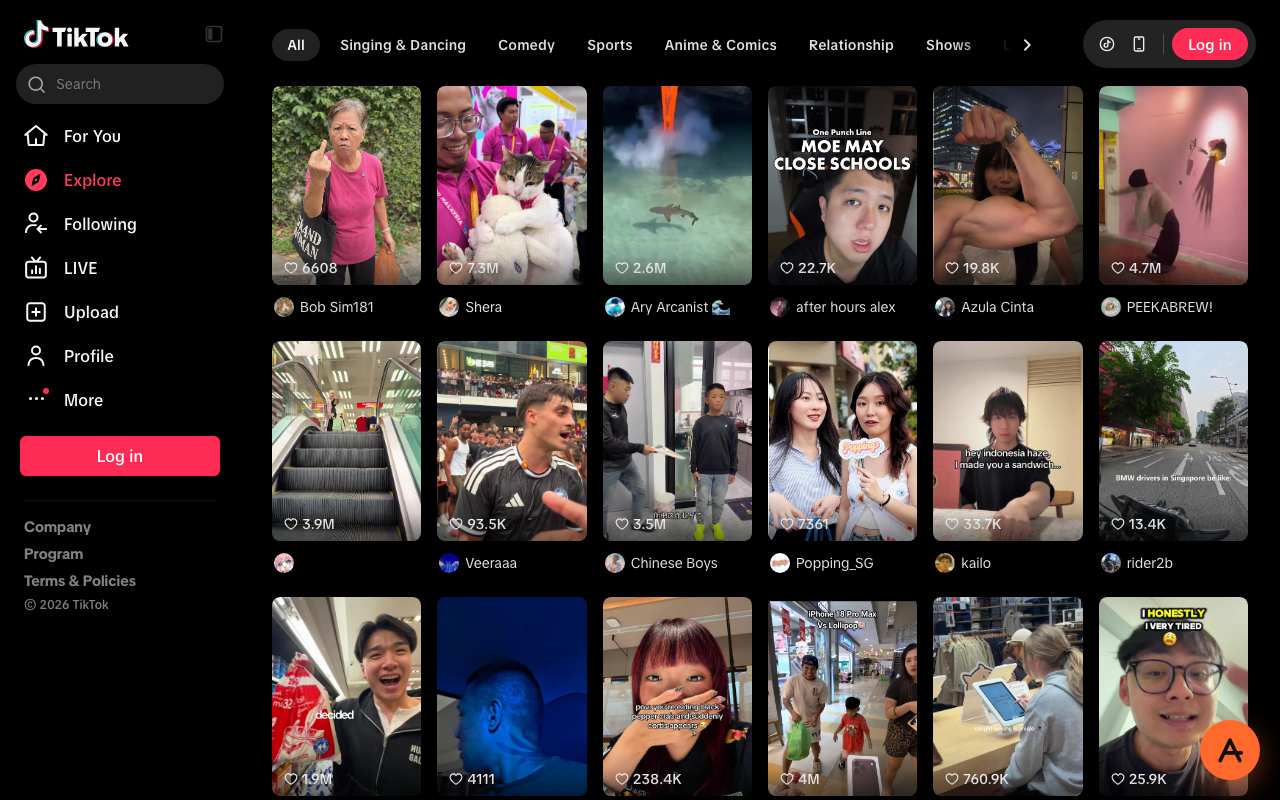
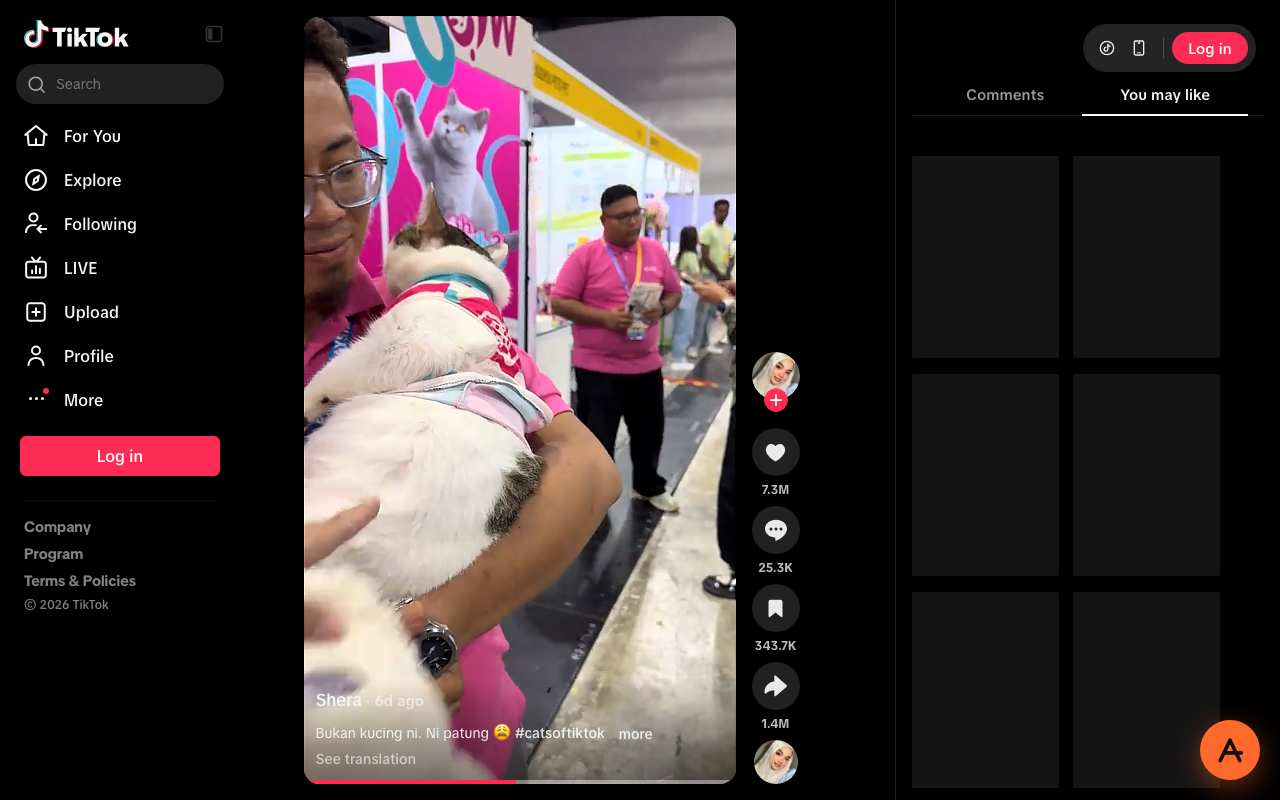
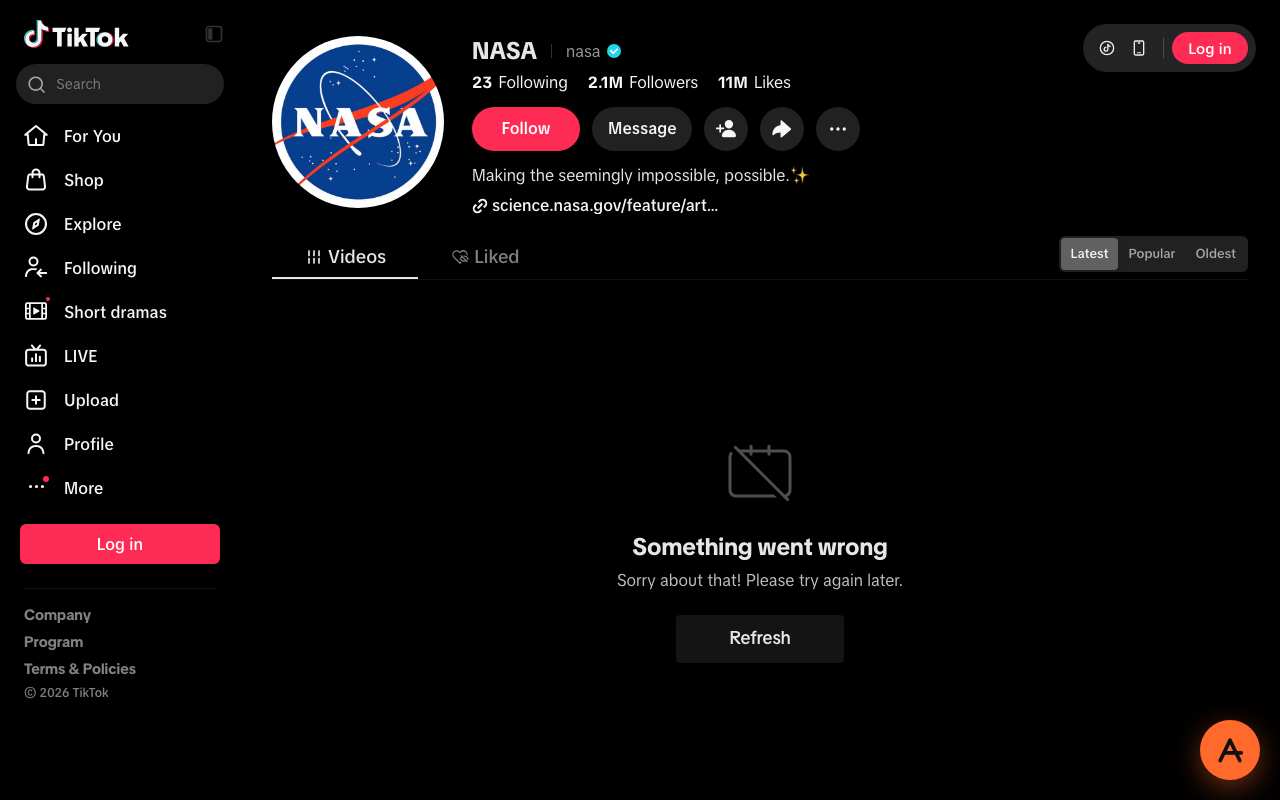
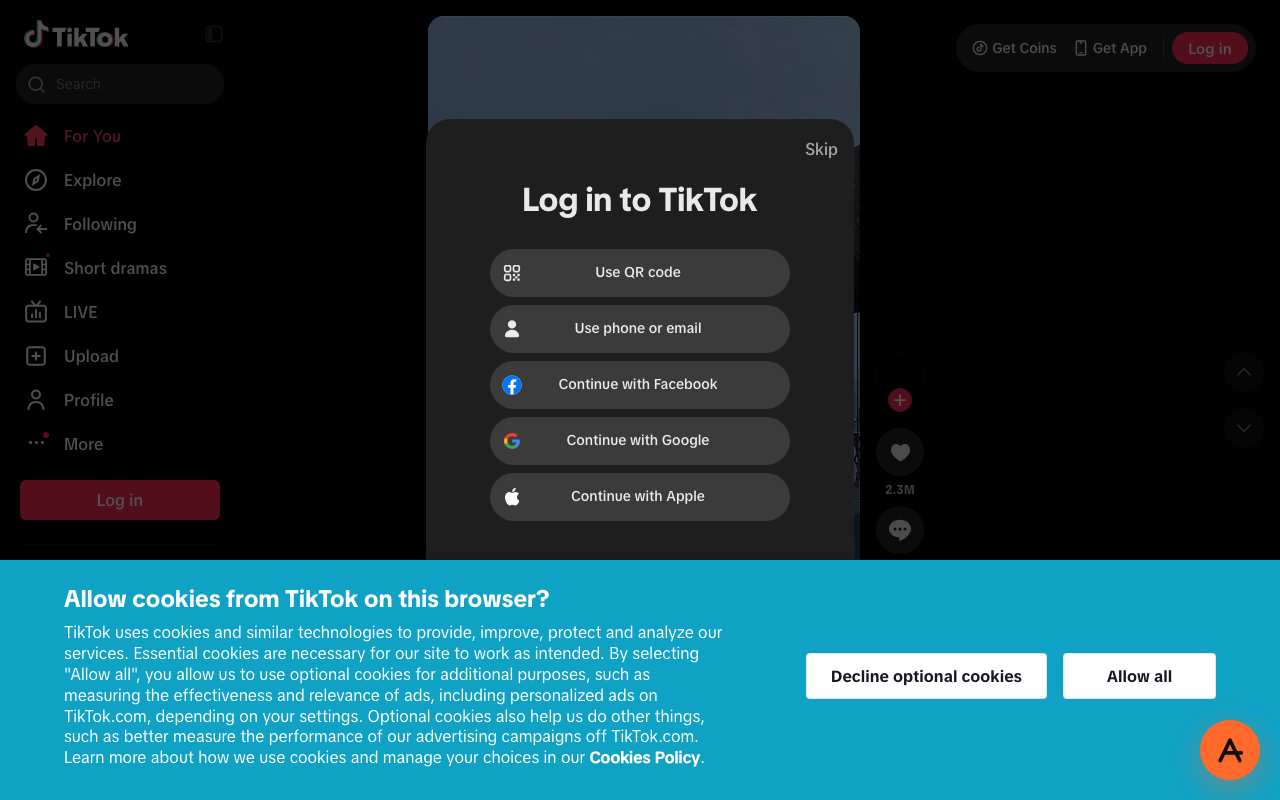
Tested from our proxy exits with a fresh browser, no account. Results can change when TikTok changes.
What is a TikTok proxy?
The short answer
A TikTok proxy is a server that fetches TikTok for you and returns the page through your browser. Instead of your device asking tiktok.com directly, your browser asks anyproxy.site, and we ask TikTok on your behalf. The site sees our server, not you. Your network sees anyproxy.site, not TikTok.
That single hop is what lets a blocked TikTok page open. No app to install, no account to make. Six regions, sorted by real latency.
TikTok infrastructure, verified
TikTok itself is healthy
When TikTok will not load, TikTok's own servers are rarely the cause. Here is a dated snapshot of the real tiktok.com infrastructure from DomainScan on 2026-10-05 — compare against your network's symptoms.
15 of 15 public DNS resolvers returned an address for tiktok.com in this snapshot. A resolver with no answer is not proof of blocking anywhere. If your own network returns nothing or a different address, the problem is more likely on your network than at TikTok.
Where TikTok is blocked
TikTok block map, with mechanism
The countries that actively block TikTok, how they do it, and when. Rows link to their source where we have one; rows without a link are not independently verified.
From your country
Where TikTok is restricted
How to unblock TikTok
Three steps, no account
Type tiktok.com
It is already in the box above. AnyProxy opens the site's home page; go deeper from there.
Pick your region
We start you on the nearest server. A closer region means smoother loading.
Browse
TikTok opens in this tab. The tests on this page show which features worked for us.
TikTok — the timeline
Dated events in TikTok's censorship history
- Sep 2016Douyin launched by ByteDance in China; international TikTok version launches in 2017.
- 2018ByteDance merges TikTok with Musical.ly, consolidating international teen user base.
- Jun 2020India bans TikTok nationwide under Section 69A of the IT Act after the Galwan Valley border clash. Ban remains in effect. source
- 2020-2022Pakistan imposes multiple intermittent TikTok bans under PTA moral-content provisions.
- Apr 2022Afghanistan Taliban government bans TikTok citing youth "misguidance". source
- Dec 2022Jordan blocks TikTok after a protest-related death; the ban cites platform "misuse". source
- Nov 2023Nepal bans TikTok citing "disruption to social harmony"; ban lifted 2024 after moderation deal.
- Feb 2024Senegal quietly restores TikTok, about six months after banning it in August 2023. source
- Apr 2024US Protecting Americans from Foreign Adversary Controlled Applications Act (PAFACA) signed, setting a 19 Jan 2025 deadline for ByteDance to divest or face a US ban; the deadline was later extended by executive orders.
- Mar 2025Albania imposes a one-year ban after a schoolyard killing linked to a TikTok dispute.
- Jan 2026The TikTok USDS Joint Venture LLC deal closes on 22 Jan; Oracle, Silver Lake and MGX hold 15% each and ByteDance 19.9%. source
- Feb 2026Albania's cabinet lifts its almost year-long TikTok ban, citing new safety mechanisms, while a court challenge was pending. source
- Feb 2026Gabon's media regulator suspends all social media 'until further notice' on 18 Feb, making TikTok and Facebook unavailable. source
What the proxy cannot do for TikTok
Honest caveats
- TikTok's mobile app does NOT route through a browser proxy. On a phone, open tiktok.com in Chrome or Safari. In our 15 Oct 2026 tests Explore and a single video played logged out; the For You feed opened behind a login dialog (with a Skip link), and a profile's video grid showed 'Something went wrong' in Virginia. We have not tested comments.
- The first load of TikTok can sit on AnyProxy's security-check or 'site is a little slow' screen for 15–30 seconds; wait before retrying.
- We have not tested TikTok Live or DMs; they need a login. Starting a Live broadcast relies on WebRTC, which does not tunnel cleanly through a browser proxy.
- Signing in from a region different to your usual IP occasionally triggers TikTok security — expect a 2FA code or temporary verification. Sign in from your local IP first, then switch to the proxy if possible.
- In India specifically: using a proxy or VPN to access banned platforms sits in a legal grey area. Users are responsible for compliance with local law — this page describes technical function only.
Need every app on your device covered, not just one browser tab? That is a VPN's job — see proxy vs VPN for when each is the right tool.
FAQ
TikTok, specifically
On managed networks
Open TikTok on managed devices
Managed networks — managed Wi-Fi, café PCs, hostel internet — often filter TikTok at the DNS or IP level. Content filters used by schools and companies sort sites into categories such as "video", and administrators choose which categories to block.
Because AnyProxy is a website — not an app or extension — a Chromebook or managed browser that restricts installs still opens it in Chrome. Type tiktok.com and TikTok opens in the same tab, as far as the site allows it; see the tests above. Note: your organisation's acceptable-use policy still applies; check it before use.
Related
Unblock these too
By country
Country-specific evidence
Historical reports describe particular dates and networks. They are not live availability tests. Country context does not select an exit server.
IndiaBlocked · 29 Jun 2020
MeitY banned under Section 69A of the IT Act citing data-sovereignty concerns post-Galwan Valley clash; ISP-level DNS + IP blocks Source
On 29 June 2020, two weeks after the Galwan Valley border clash with China, India's IT ministry banned TikTok and 58 other Chinese apps under Section 69A of the IT Act, citing threats to sovereignty, integrity and national security. The list later grew past 200 apps. TikTok was pulled from Indian app stores and its website blocked by Indian ISPs. In August 2025 the website briefly became reachable for some users — AliExpress's did too — while the apps stayed blocked; officials said nothing had been unblocked, and TikTok confirmed the ban was still in place.
Section 69A orders go to platforms and to ISPs, and each ISP applies them in its own systems. Researchers have observed Jio blocking by cutting the TLS handshake for listed hostnames (SNI filtering), while other networks block mainly by DNS or HTTP. Because the lists and methods are not identical, a misconfiguration on one network can briefly let a banned site through — which is what the August 2025 TikTok episode looked like. A web proxy fetches tiktok.com from a server outside India, so the Indian ISP only ever sees a connection to anyproxy.site.
Networks
- Jio: AS55836. SNI-based blocking observed by researchers — the connection is cut as soon as the TLS handshake names tiktok.com.
- Airtel: AS9498. Mainly DNS and HTTP blocking of the listed domains.
- Vi (Vodafone Idea): AS38266. DNS-based blocking of the listed domains.
- BSNL: AS9829. State-owned; DNS-based blocking.
What works
Pick a region outside India. An exit in India is subject to the same Section 69A order, so TikTok stays blocked there; Singapore is the nearest region outside India. Open anyproxy.site, type tiktok.com, choose Singapore and press Browse. The For You feed, profiles, search and comments load in the browser tab.
- Choose a region outside India — an Indian exit is covered by the same ban.
- The TikTok app is not in Indian app stores and is not proxied by AnyProxy. Use tiktok.com in Chrome or Safari.
- Section 69A orders are aimed at platforms and ISPs; you are still responsible for complying with Indian law when you use any circumvention tool.
- Signing in from a new country can trigger TikTok security checks (a code by email or SMS). Accounts created before the ban may need extra verification.
- LIVE broadcasting and some creator tools rely on the app or WebRTC and may not work in a proxied browser tab.
Timeline
- 15 Jun 2020Galwan Valley border clash between Indian and Chinese troops. Source
- 29 Jun 2020TikTok and 58 other Chinese apps banned under Section 69A of the IT Act. Source
- 2020–2023The Section 69A list of banned Chinese apps grows past 200.
- Aug 2025TikTok's website briefly loads for some users on some networks; the apps stay blocked. Source
- Aug 2025Government sources say no unblocking order was issued; TikTok confirms the ban still stands. Source
Is TikTok still banned in India?
Yes. The June 2020 ban under Section 69A has not been revoked. In August 2025, after the website briefly loaded for some users, government sources said no unblocking order had been issued, and TikTok said the ban still stands.
Why did TikTok's website open in India in August 2025?
It was reported as a network-level misconfiguration: for a short time some users on some networks could load tiktok.com (and AliExpress), while the apps stayed blocked. Indian ISPs each apply the block in their own systems, so one network's mistake can briefly let a banned site through.
Which proxy region should I use for TikTok from India?
Any region outside India. Singapore is the closest. A server in India is subject to the same ban, so TikTok will not load from there.
Why was TikTok banned in India?
India's IT ministry banned TikTok and 58 other Chinese apps on 29 June 2020 under Section 69A of the IT Act, citing sovereignty, integrity and national-security concerns after the Galwan Valley border clash.
Research updated . Availability may have changed.
IndonesiaOpen · TikTok Shop reinstated 2024
TikTok Shop banned Oct 2023 then merged with Tokopedia to resume; main app always allowed.
PakistanRestricted · repeated 2020-2026
PTA bans intermittently invoked under moral-content complaints; typically reversed under conditions. Source
IranBlocked · always
TikTok has never been officially unblocked in Iran; filters it alongside other Western social platforms via DNS tampering.
ChinaBlocked · always
TikTok was never available on mainland China; ByteDance operates separate Douyin for Chinese market under strict content control. Source
Saudi ArabiaOpen
No national block: tiktok.com loaded in 97 of the latest 100 OONI tests from Saudi Arabia (October 2026) Source
TikTok has been generally accessible in Saudi Arabia but faces intermittent restrictions during politically sensitive periods and specific content-category enforcement by CITC (Communications, Space and Technology Commission). Certain hashtag and creator restrictions are enforced at the platform level under agreements with Saudi authorities. Full nationwide blocks have been rumoured but never sustained — the platform's popularity with Gulf youth makes a persistent block politically costly. Corporate networks and government-run Wi-Fi in Saudi Arabia frequently block TikTok wholesale as "distraction" or "social media" category.
When restrictions apply, enforcement is via CITC directives to ISPs, implemented as DNS filtering on tiktok.com and specific content-CDN domains. DPI-based content-category enforcement adds a layer on top. During the intermittent enforcement periods, the block typically targets specific content categories rather than the entire platform — but for users caught in a category filter, the practical effect is the same as a full block. Web proxy over HTTPS defeats DNS-based enforcement; the CITC has not published DPI-based blocking of proxy domains specifically.
Networks
- STC (Saudi Telecom): Largest ISP. TikTok mostly accessible; corporate STC business accounts filter it. Frankfurt proxy region ~88 ms.
- Mobily: Similar to STC. Occasional DNS filtering that Cloudflare 1.1.1.1 defeats when the proxy itself is not needed.
- Zain: Third-largest. Filter policy tracks STC. Some enterprise Zain packages block TikTok wholesale.
What works
Open anyproxy.site, paste tiktok.com, pick Frankfurt region, browse. Feed and search work. Login on the real tiktok.com after it loads. Uploading short videos works from the browser (with camera permission). TikTok Live viewing works; starting Live yourself needs mic/camera and stable connection — Pro tier priority routing helps.
- The TikTok mobile app does not route through a browser proxy. On a phone in Saudi Arabia, use Chrome or Safari with tiktok.com through the proxy — not the TikTok app.
- Content that violates Saudi cybercrime law remains subject to that law regardless of the access method. Users are responsible for compliance.
- When restrictions are intermittent, direct TikTok access works some days and not others. Consistent proxy use avoids the guessing.
Is TikTok banned in Saudi Arabia?
Not officially banned nationwide. Accessible on most consumer ISPs (STC, Mobily, Zain) most of the time. Corporate and government Wi-Fi frequently filter it as a category block. During politically sensitive periods, targeted content restrictions apply. A web proxy handles all three cases (network filter, corporate filter, occasional restriction).
Can I use the TikTok app from Saudi Arabia?
The app installs and works normally from Saudi app stores most of the time. When the app fails due to network filtering, switch to tiktok.com in a browser through a proxy — the app cannot route through a web proxy, but the web version can.
Which proxy region is fastest from Saudi Arabia?
AnyProxy Frankfurt at ~88 ms. Singapore is a backup at higher latency but sometimes has better peering to specific CDNs. Both are on the free tier.
Research updated . Availability may have changed.
U.A.E.Open
Open per TRA; some content filtered.
TikTok is not blocked in the UAE: OONI tests from UAE networks between July and October 2026 loaded it normally in 97.4% of cases. That sets it apart from WhatsApp, Messenger and other apps whose calls fall under the UAE's VoIP rules. What the UAE regulates is content. TDRA publishes prohibited-content categories that etisalat by e& and du enforce, and Federal Decree-Law 34 of 2021 on cybercrime covers online rumours, misinformation and accessing blocked services by hiding your IP. TikTok moderates heavily to stay inside those rules: its Q3 2025 MENA safety report counted 1,032,534 UAE videos removed, 73,702 LIVE hosts banned and 168,205 livestreams interrupted in three months.
There is no national block on tiktok.com — both UAE ISPs resolve and serve it normally. When TikTok will not open for someone in the UAE, it is almost always one of two things. First, the network: hotel, office and other managed Wi-Fi often blocks the whole "social media" category at the DNS or firewall level, so tiktok.com fails before it loads. Second, the content: a specific video or account removed or withheld under TikTok's guidelines or local law shows "not available" while the rest of TikTok works. A web proxy helps with the first case only — it fetches tiktok.com from outside the managed network.
Networks
- etisalat by e&: AS5384. Enforces the TDRA list; tiktok.com is not on it. Calling apps are restricted, but TikTok has no voice-calling feature to block.
- du: AS15802. Same TDRA list and the same result: TikTok loads normally on du home and mobile connections.
- Managed Wi-Fi (hotels, offices): The usual reason TikTok fails in the UAE. Category filters block social media for everyone on that network, regardless of national rules.
What works
If tiktok.com will not load on a hotel, office or other managed network, open it through AnyProxy. In our 15 October 2026 tests, TikTok Explore loaded and a For You video played, while the @tiktok profile page only partly loaded. If a single video says "not available", that video has been removed or withheld for the UAE, and a proxy will not change TikTok's own decision.
- Federal Decree-Law 34 of 2021 fines accessing blocked services with Dh250,000–1 million (Article 50), and masking your IP to commit or hide a crime with Dh500,000–2 million (Article 10). Use a proxy only for content that is legal in the UAE, such as TikTok itself on a network that filters it.
- Do not use a proxy to view videos or accounts that have been removed or withheld in the UAE.
- The TikTok mobile app is not proxied — open tiktok.com in Chrome or Safari instead.
- Signing in from a different country's IP can trigger TikTok's security checks (a code by email or SMS). Sign in on your normal connection first.
- TikTok LIVE is moderated heavily in the UAE — more than 168,000 livestreams were interrupted in Q3 2025 — so a stream ending suddenly is usually moderation, not the proxy.
Timeline
- 2021Federal Decree-Law 34 of 2021 on cybercrime: Dh250,000–1 million for accessing blocked services (Article 50); Dh500,000–2 million for masking an IP address to commit or hide a crime (Article 10). Source
- Q3 2025TikTok removes 1,032,534 UAE videos, bans 73,702 LIVE hosts and interrupts 168,205 livestreams; 48,675 videos are restored on appeal. Source
- Q4 2025TikTok reports 787,133 UAE videos removed, with a 99.9% proactive removal rate and 98.4% removed within 24 hours. Source
Is TikTok banned in the UAE?
No. TikTok is legal and available in the UAE, and both national ISPs serve tiktok.com normally. What is restricted is specific content: TikTok removed 1,032,534 UAE videos in Q3 2025 under its own guidelines and local rules.
Why does a TikTok video say "not available" in the UAE?
That video, or its account, has been removed or restricted. It is not a block on TikTok as a whole — the rest of the app keeps working. A proxy is not the right tool for that case, and using one to reach restricted content can breach UAE law.
Why is TikTok blocked on hotel or office Wi-Fi in the UAE?
Managed networks often block the whole social media category with a DNS or firewall filter. That is the network operator's choice, not a national block. Check the network's acceptable-use policy before using a proxy on it.
How much content does TikTok remove in the UAE?
In Q3 2025: 1,032,534 videos removed (99.0% before any user report, 94.9% within 24 hours), 73,702 LIVE hosts banned, 168,205 livestreams interrupted, and 48,675 videos restored after successful appeals.
Research updated . Availability may have changed.