Unblock WhatsApp Web.
From anywhere.
Free WhatsApp Web proxy. No install. Works on a Chromebook, a phone, and any managed browser.
Verified · 2026-10-15
WhatsApp blocks come in two flavours: full blocks of the messaging service (China since September 2017, North Korea) and call-only blocks where text works but voice/video is cut (UAE). Russia restricted WhatsApp calls from August 2025 and attempted a full block in February 2026. Iran has moved in and out of the first group: blocked in September 2022, lifted in December 2024, and closed off again after its 2026 blackouts, with officials saying in May 2026 that WhatsApp was not being considered for reinstatement.
Source: verification.
What we tested through AnyProxy
What works on WhatsApp Web, and what doesn't
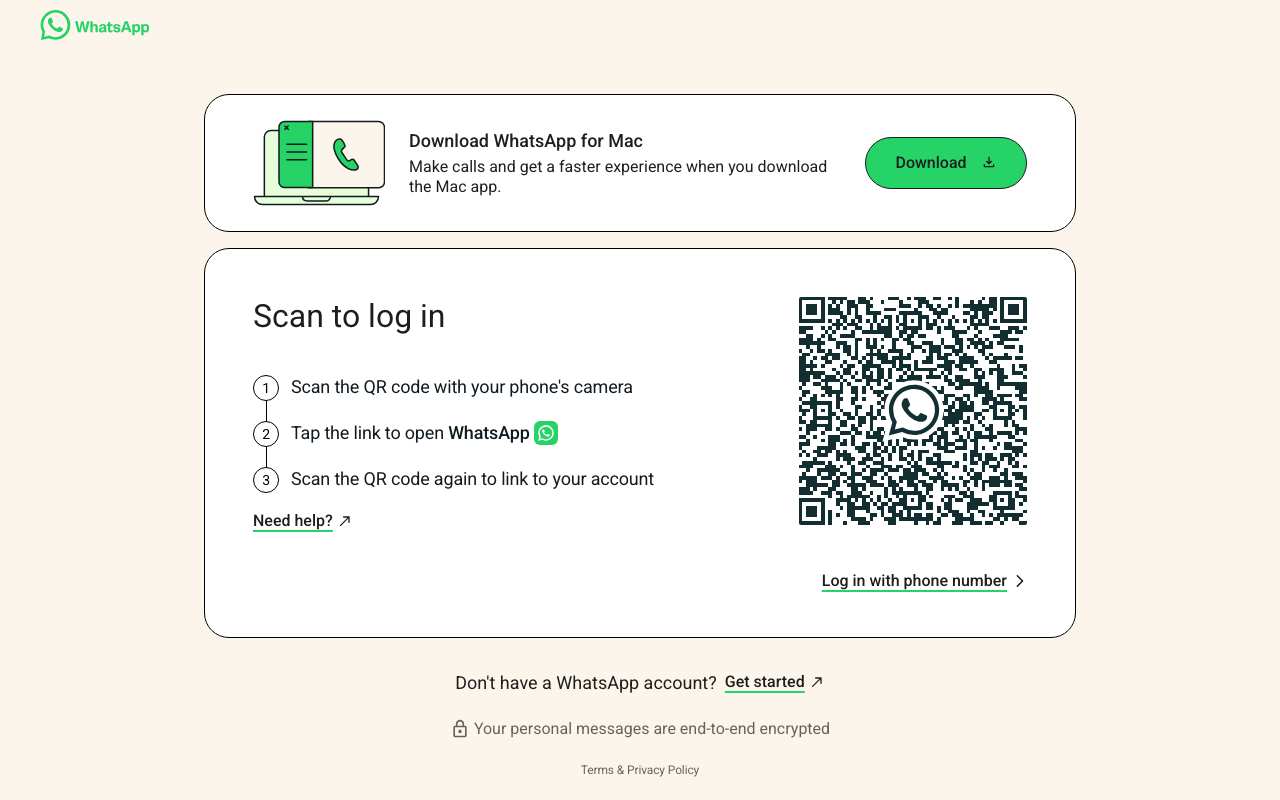
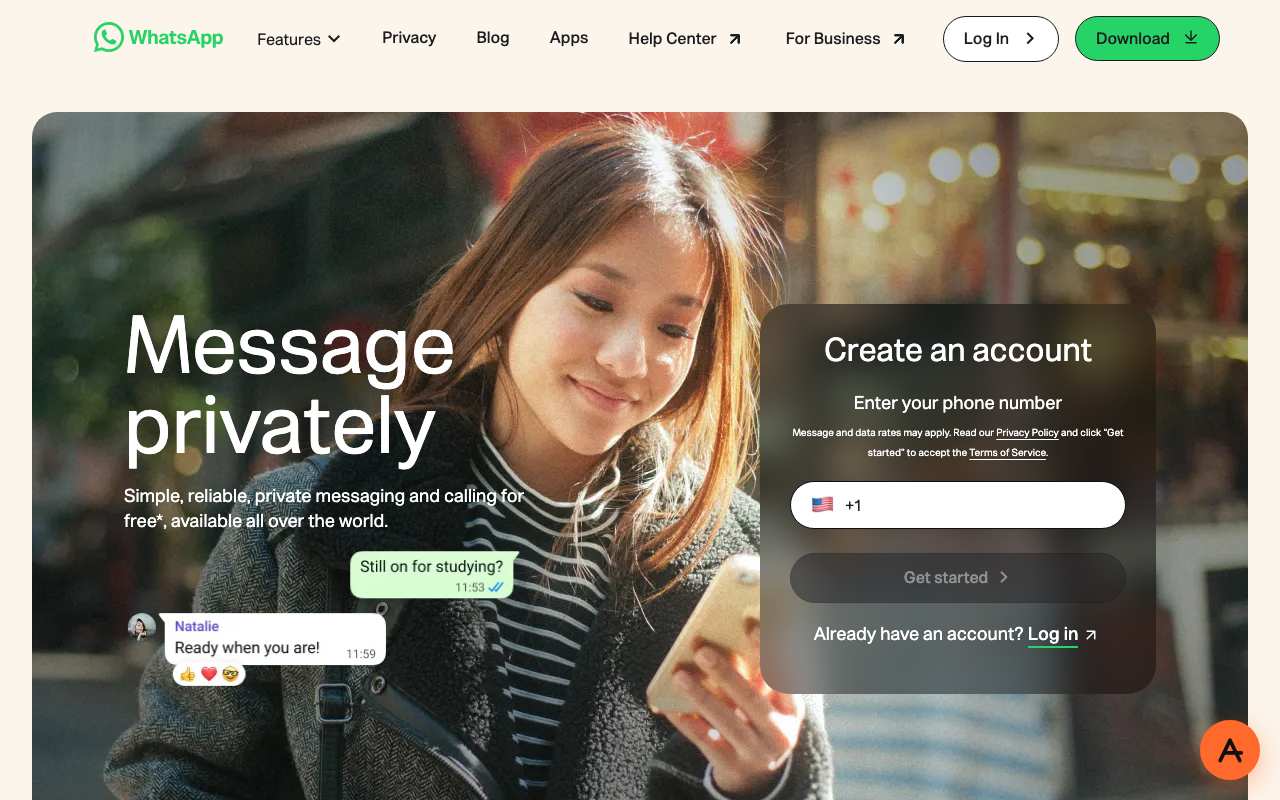
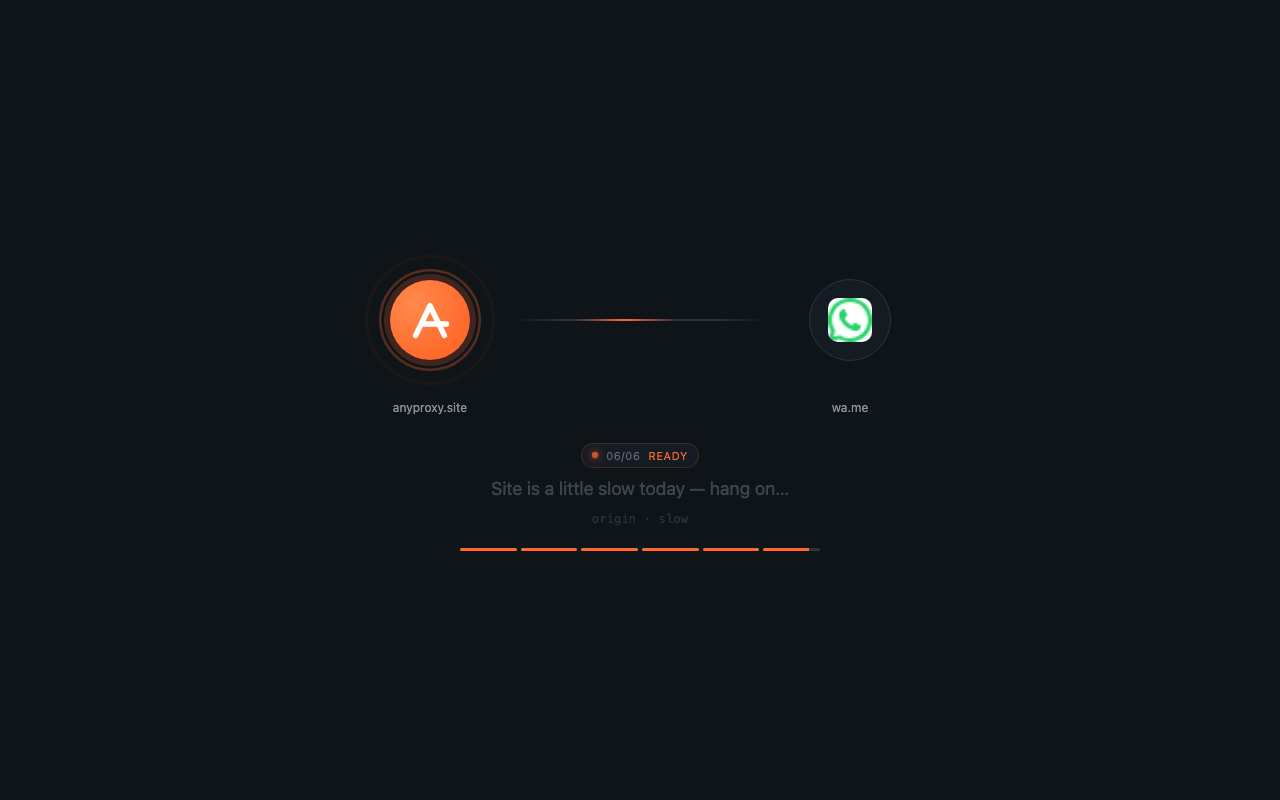
Tested from our proxy exits with a fresh browser, no account. Results can change when WhatsApp Web changes.
What is a WhatsApp Web proxy?
The short answer
A WhatsApp Web proxy is a server that fetches WhatsApp Web for you and returns the page through your browser. Instead of your device asking whatsapp.com directly, your browser asks anyproxy.site, and we ask WhatsApp Web on your behalf. The site sees our server, not you. Your network sees anyproxy.site, not WhatsApp Web.
That single hop is what lets a blocked WhatsApp Web page open. No app to install, no account to make. Six regions, sorted by real latency.
WhatsApp Web infrastructure, verified
WhatsApp Web itself is healthy
When WhatsApp Web will not load, WhatsApp Web's own servers are rarely the cause. Here is a dated snapshot of the real whatsapp.com infrastructure from DomainScan on 2026-10-05 — compare against your network's symptoms.
15 of 15 public DNS resolvers returned an address for whatsapp.com in this snapshot. A resolver with no answer is not proof of blocking anywhere. If your own network returns nothing or a different address, the problem is more likely on your network than at WhatsApp Web.
Where WhatsApp Web is blocked
WhatsApp Web block map, with mechanism
The countries that actively block WhatsApp Web, how they do it, and when. Rows link to their source where we have one; rows without a link are not independently verified.
From your country
Where WhatsApp Web is restricted
How to unblock WhatsApp Web
Three steps, no account
Type whatsapp.com
It is already in the box above. AnyProxy opens the site's home page; go deeper from there.
Pick your region
We start you on the nearest server. A closer region means smoother loading.
Browse
WhatsApp Web opens in this tab. The tests on this page show which features worked for us.
WhatsApp Web — the timeline
Dated events in WhatsApp Web's censorship history
- Feb 2009WhatsApp founded by Jan Koum and Brian Acton.
- Feb 2014Facebook (now Meta) acquires WhatsApp for about $19 billion.
- Jan 2015WhatsApp Web launches — browser access by scanning a QR code with the phone app.
- Dec 2015Brazilian court orders a nationwide WhatsApp block; repeated in May and July 2016. source
- Sep 2017China blocks WhatsApp fully, including WhatsApp Web.
- Sep 2017Saudi Arabia lifts its general ban on internet calls, but WhatsApp and Viber calls stay blocked. source
- Sep 2022Iran blocks WhatsApp and Instagram during the Mahsa Amini protests. source
- Dec 2024Iran's Supreme Council of Cyberspace lifts the WhatsApp and Google Play blocks. source
- Jun 2025Iranian state TV urges people to delete WhatsApp, alleging without evidence that it sends data to Israel; WhatsApp denies it. source
- Aug 2025Russia restricts WhatsApp and Telegram voice calls; text messaging continues. source
- Sep 2025Nepal blocks WhatsApp and 25 other platforms on 4 Sep and lifts the ban on 9 Sep after deadly protests. source
- Nov 2025Roskomnadzor warns WhatsApp could be 'blocked entirely' after outages in Moscow and other regions. source
- Feb 2026WhatsApp says the Russian government 'attempted to fully block WhatsApp' to push users to the state app Max. source
- May 2026Iran partly restores international access after a three-month blackout, but WhatsApp stays closed off with YouTube, Instagram and Telegram. source
What the proxy cannot do for WhatsApp Web
Honest caveats
- WhatsApp Web needs your phone: open web.whatsapp.com through the proxy and scan the QR code with the WhatsApp app on a phone that is already set up. On 15 Oct 2026 the QR code loaded through Singapore; we did not link a phone.
- whatsapp.com now shows a 'Create an account' phone-number box on the web homepage (seen 15 Oct 2026). We have not tested whether sign-up completes in a browser without the app.
- Voice and video calls on WhatsApp Web use WebRTC, which does not route cleanly through a browser proxy. We have not tested messages, photos, voice notes or documents; they need a linked phone.
- wa.me click-to-chat links stalled on our loading screen through Frankfurt on 15 Oct 2026; open web.whatsapp.com directly instead.
- The WhatsApp mobile and desktop apps are not proxied by AnyProxy — only the browser tab.
- If your phone loses connection, WhatsApp Web may disconnect after a period of inactivity. Keep the phone app installed and signed in.
Need every app on your device covered, not just one browser tab? That is a VPN's job — see proxy vs VPN for when each is the right tool.
FAQ
WhatsApp Web, specifically
On managed networks
Open WhatsApp Web on managed devices
Managed networks — managed Wi-Fi, café PCs, hostel internet — often filter WhatsApp Web at the DNS or IP level. Content filters used by schools and companies sort sites into categories such as "chat", and administrators choose which categories to block.
Because AnyProxy is a website — not an app or extension — a Chromebook or managed browser that restricts installs still opens it in Chrome. Type whatsapp.com and WhatsApp Web opens in the same tab, as far as the site allows it; see the tests above. Note: your organisation's acceptable-use policy still applies; check it before use.
Related
Unblock these too
By country
Country-specific evidence
Historical reports describe particular dates and networks. They are not live availability tests. Country context does not select an exit server.
IndiaOpen
Open nationally. Regional internet shutdowns (e.g. during unrest or exams) cut WhatsApp along with everything else; office and college networks often filter web.whatsapp.com
PakistanOpen
Open; PTA has throttled or cut mobile data regionally during protests, taking WhatsApp with it
IranBlocked · Sep 2022; again 2026
Blocked during the Mahsa Amini protests, lifted Dec 2024, closed off again after the 2026 blackouts and left off the May 2026 reinstatement list Source
ChinaBlocked · Sep 2017
Blocked fully, including WhatsApp Web
WhatsApp was never officially welcome in mainland China, but for years it mostly worked. In July 2017 the Great Firewall began blocking WhatsApp photos, file transfers and video chats; by late September 2017, shortly before the 19th Party Congress opened on 18 October, text messages were blocked too and the app stopped working entirely. Security researchers told reporters at the time that China appeared to be using software built specifically to interfere with WhatsApp's encrypted traffic. On 19 April 2024 Apple removed WhatsApp — along with Threads, Telegram and Signal — from its China App Store after the Cyberspace Administration of China cited national security, closing the last easy way to install it inside the country.
The Great Firewall blocks WhatsApp in layers. DNS answers for whatsapp.com and web.whatsapp.com are poisoned, Meta's IP ranges (AS32934) are blocked or dropped, and deep packet inspection targets the encrypted transport the WhatsApp apps use, so even an app that reaches a WhatsApp server IP loses its connection. WhatsApp Web through a web proxy avoids all three: your browser opens an ordinary HTTPS connection to anyproxy.site, and the proxy — outside China — handles DNS, Meta's IP addresses and the WhatsApp Web connection.
Networks
- China Telecom: DNS poisoning plus IP blocking on Meta ranges. Singapore is the closest AnyProxy region, about 78 ms away.
- China Unicom: Same Great Firewall enforcement; proxy connections can slow down during politically sensitive periods.
- China Mobile: Same national filtering on mobile data. WhatsApp Web in mobile Chrome or Safari through the proxy is the practical route.
What works
Install WhatsApp and register your number before you travel to China — after April 2024 it is not in the China App Store. In China, open anyproxy.site in a browser, type web.whatsapp.com, keep Singapore (about 78 ms) and scan the QR code with the WhatsApp app on your phone. Messages, photos, voice notes and documents sync; voice and video calls do not, because they use WebRTC.
- WhatsApp is not available in the China App Store since April 2024, and is not on Chinese Android app stores. Install it before you arrive.
- Voice and video calls on WhatsApp Web use WebRTC, which does not route through a browser proxy. Text, photos, voice notes and documents work.
- WhatsApp Web needs your phone: the app on your phone must be signed in to link a browser session.
- The WhatsApp desktop and mobile apps are not proxied by AnyProxy — only the browser tab.
- Users are responsible for complying with Chinese law. This page describes how the technology works, not legal advice.
Timeline
- Jul 2017Great Firewall blocks WhatsApp photos, file transfers and video chats. Source
- Sep 2017WhatsApp blocked entirely, including text messages, before the 19th Party Congress. Source
- 18 Oct 201719th Party Congress opens; the block stays in place afterwards.
- 19 Apr 2024Apple removes WhatsApp, Threads, Telegram and Signal from the China App Store on the Cyberspace Administration's order. Source
When did China block WhatsApp?
In two stages in 2017: photos, files and video chats from July, and the whole service from late September, shortly before the 19th Party Congress on 18 October 2017.
Can I download WhatsApp in China?
Not from the official stores. Apple removed WhatsApp from its China App Store on 19 April 2024 on the Cyberspace Administration of China's order, and WhatsApp is not on Chinese Android stores. Install it before you travel.
Why does WhatsApp Web work through a proxy when the app does not?
The app talks to Meta's servers directly, so the Great Firewall can poison its DNS, block Meta's IP ranges and inspect its traffic. WhatsApp Web through a proxy is just an HTTPS connection to the proxy's own domain; the proxy outside China does the rest.
Were Signal and Telegram removed in China too?
Yes. App-tracking firms reported that Telegram and Signal also disappeared from the China App Store on 19 April 2024, the same day as WhatsApp and Threads.
Research updated . Availability may have changed.
RussiaBlocked · Feb 2026 (calls restricted from Aug 2025)
Roskomnadzor restricted WhatsApp calls from Aug 2025; in Feb 2026 WhatsApp said the government attempted to fully block it to push users to the state app Max Source
BrazilHistorical · Dec 2015, May 2016, Jul 2016
Three short court-ordered nationwide blocks over WhatsApp declining to hand over message data Source
Saudi ArabiaRestricted · calls
Messaging works; when internet calls were allowed in September 2017, WhatsApp and Viber were left off the approved list Source
U.A.E.Restricted · long-standing
Messaging works; WhatsApp voice and video calls blocked under TRA VoIP rules
Jun 2017: WhatsApp calls briefly work one morning, then stop; the TRA says VoIP services remain 'a prerogative of the licensed providers' and apps must comply with the regulatory framework. Nov 2019: Mohamed Al Kuwaiti, head of the UAE's National Electronic Security Authority, tells CNBC the WhatsApp call ban 'might' be lifted soon. It was not lifted. Jul–Oct 2026: OONI: 2,274 of 2,314 tests of www.whatsapp.com from the UAE load normally; 0 confirmed blocks.
VoIP is a licensed service in the UAE: per the TRA (now TDRA), only licensed providers (etisalat, du) may offer it, and third-party apps must comply with that framework. TDRA's Internet Access Management policy lists 'illegal communication services' as a prohibited content category that ISPs block on request. Messaging, photos, voice notes and the whatsapp.com website are not blocked (OONI). The precise technical method used to stop calls is not documented in the sources found.
Networks
- etisalat by e& (Emirates Telecommunications Group): AS5384. 1,314 OONI tests of www.whatsapp.com, 1,294 ok, 14 anomalies, 0 confirmed
- du (Emirates Integrated Telecommunications): AS15802. 591 tests, 589 ok, 0 anomalies
- ITGLOBAL.COM DMCC: AS44578. 222 tests, 205 ok, 16 anomalies (7%) — highest anomaly share; a hosting/business network, 0 confirmed
- Earthlink Telecommunications DMCC: AS199739. 144 tests, 143 ok
What works
In our tests through AnyProxy on 15 October 2026, these worked: Open WhatsApp Web and reach the QR code; Open WhatsApp Web and reach the QR code. Details and screenshots are below.
- WhatsApp Web needs the WhatsApp app on your phone to scan the QR code.
- The page offers 'Download WhatsApp for Mac — make calls'; desktop apps are not proxied by AnyProxy.
- Calls are what the UAE restricts as unlicensed VoIP; using tools to reach blocked communication services can fall under Article 50 of Federal Decree-Law 34 of 2021 (Dh250,000–1 million, per Gulf News).
- TDRA's IAM categories include 'bypassing blocked content' and 'illegal communication services', so proxy sites themselves can be filtered on UAE networks.
Timeline
- Jun 2017WhatsApp calls briefly work one morning, then stop; the TRA says VoIP services remain 'a prerogative of the licensed providers' and apps must comply with the regulatory framework. Source
- Nov 2019Mohamed Al Kuwaiti, head of the UAE's National Electronic Security Authority, tells CNBC the WhatsApp call ban 'might' be lifted soon. It was not lifted. Source
- Jul–Oct 2026OONI: 2,274 of 2,314 tests of www.whatsapp.com from the UAE load normally; 0 confirmed blocks. Source
Is WhatsApp blocked in the UAE?
Messaging is not. 98.3% of OONI tests of whatsapp.com from UAE networks loaded normally between July and October 2026. Voice and video calls are restricted because VoIP is reserved for licensed operators.
Why don't WhatsApp calls work in Dubai?
The UAE regulator says VoIP services are a prerogative of licensed providers such as etisalat and du. WhatsApp is not one, so its calling feature is restricted.
Did the UAE lift the WhatsApp call ban?
A UAE cybersecurity official said in November 2019 that it might be lifted soon. We found no source confirming that it was.
Research updated . Availability may have changed.