Edge server
An edge server is a server placed close to users, at the 'edge' of a network, so requests are answered nearby instead of travelling to a distant central data centre.
Explanation
In depth
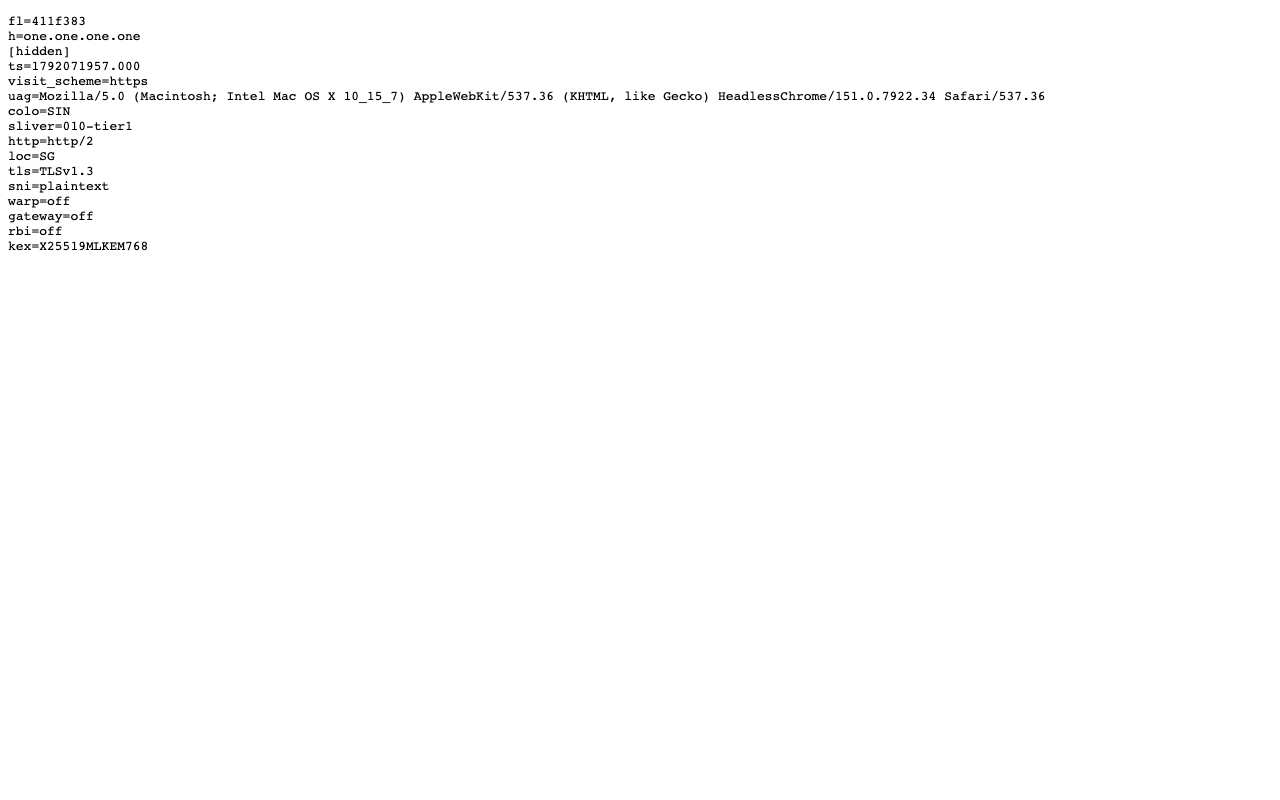
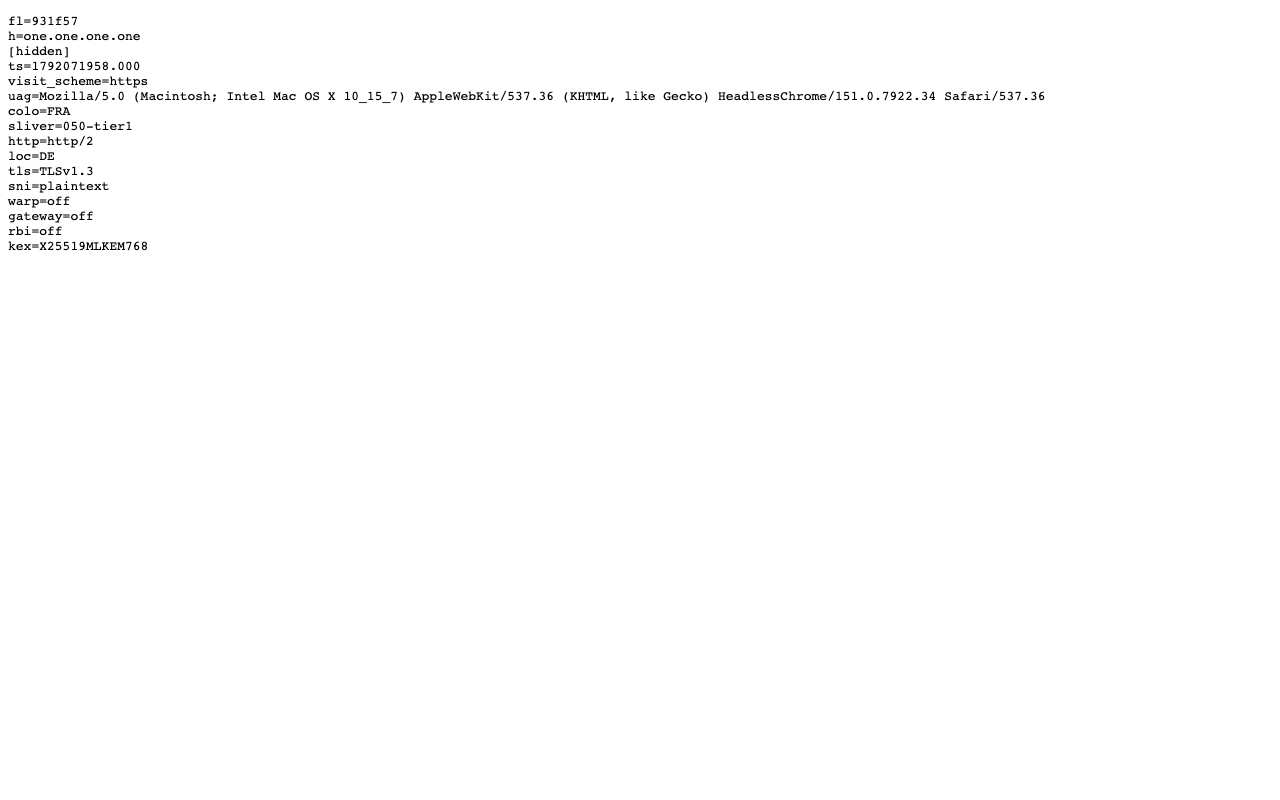
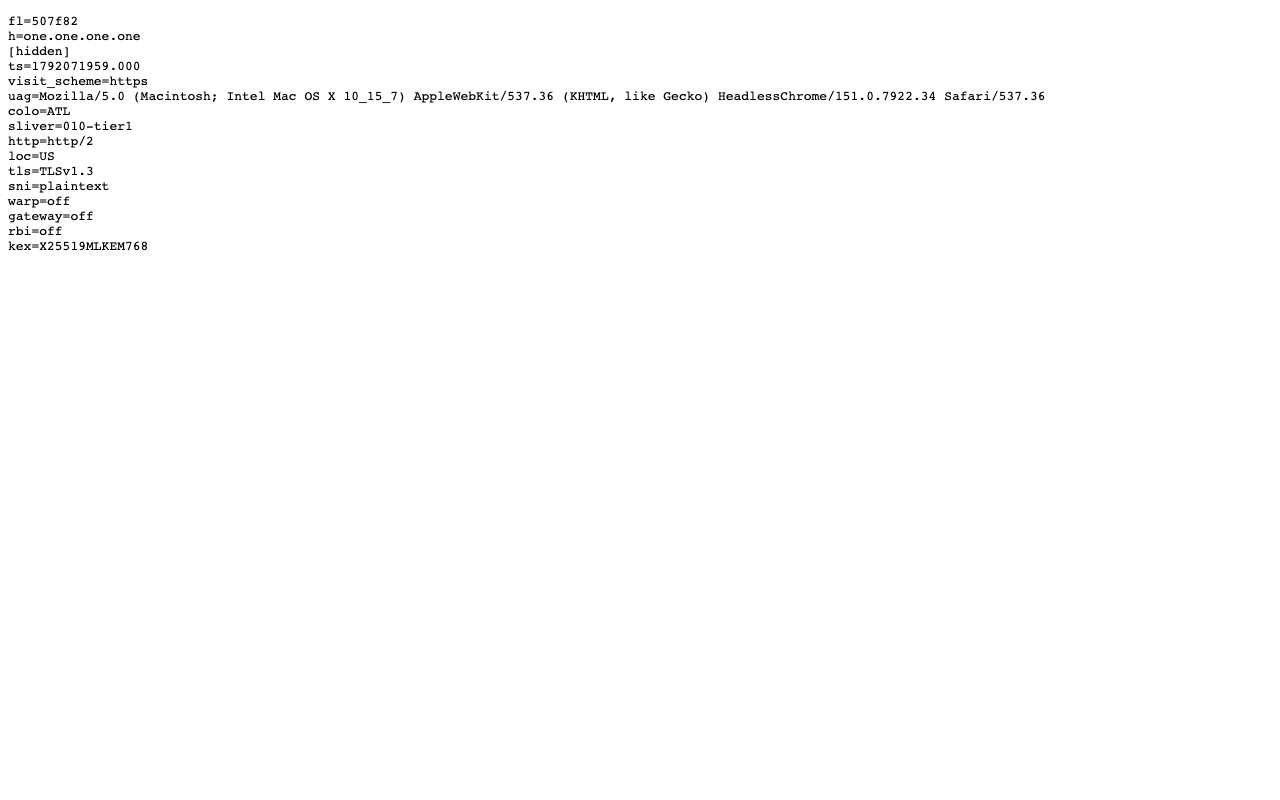
'Edge' is relative: it means the part of a provider's network nearest the people using it. CDNs such as Cloudflare run edge servers in hundreds of cities. When you open a Cloudflare-protected site, a nearby data centre ends your HTTPS connection, serves cached files and forwards the rest to the origin. Edge servers often identify themselves. Cloudflare's cf-ray header and its /cdn-cgi/trace page include a 'colo' code, a three-letter airport code for the data centre that answered. With a web proxy there are two edges. AnyProxy's own regions are the first: Singapore, Frankfurt and Virginia on the free tier, with Tokyo and Los Angeles on Pro and São Paulo listed as coming soon. Your browser connects to the region you pick. The second is the destination's CDN edge, which answers the proxy server, not you. On 15 October 2026 Cloudflare's trace page reported colo=SIN through the Singapore region and colo=FRA through Frankfurt. Through the Virginia region it reported colo=ATL, Atlanta. The edge a CDN picks follows network routing, which does not always match the map. For speed, the edge that matters most is the one between you and the proxy, so pick the closest region that the site accepts.
In practice
Edge server in the real world
Cloudflare's trace page names the edge data centre that answered. Through AnyProxy on 15 Oct 2026 it gave colo=SIN with loc=SG from the Singapore region, colo=FRA with loc=DE from Frankfurt, and colo=ATL with loc=US from the region AnyProxy labels Virginia. So the destination's edge is chosen by where the proxy server sits, not where you are, which is why a proxied site behaves as if you were in that country.
Sources: Cloudflare — global network · Cloudflare trace page used in the tests
We checked
What one.one.one.one/cdn-cgi/trace reported through each AnyProxy region
Questions about Edge server
Related terms