Proxy vs VPN at Work: Corporate Filter Compatibility (2026)
Corporate filters (Zscaler, Cisco Umbrella, Cloudflare Gateway) block YouTube, Instagram, and social. Proxy in a browser tab often survives category-based filters; VPN protocols get fingerprinted.
Updated 15 Oct 2026·5-row comparison
Quick answer
For one blocked page on a locked work laptop, a web proxy is the only no-install option, if your filter has not blocked it and your policy allows it. On your own device, a VPN covers more.
TL;DR
On a work laptop that blocks installs, a web proxy is the only one of the two you can open, but your employer's filter can still see and block the proxy's domain, and your acceptable-use policy still applies. A VPN needs install rights and covers all apps. We have not tested either against a corporate filter. AnyProxy publishes this page and sells a web proxy, so weigh our view accordingly.
Side-by-side
Web proxy vs VPN
Dimension
Web proxy
VPN
Work laptop with installs locked
Opens in the existing browser
Cannot be installed
Corporate category filter
Can block the proxy domain as a proxy/anonymizer site; not tested by us
Can block VPN servers or protocols; not tested by us
What IT can see
The proxy's domain name and traffic volume; not page contents
A VPN connection and traffic volume
Apps beyond the browser
Not covered
Covered
Your employer's acceptable-use policy
Applies
Applies
Context
Why this comparison matters
Corporate filters such as Zscaler, Cisco Umbrella and Cloudflare Gateway sort sites into categories that admins can block, and proxy or anonymizer services are usually one of those categories. That means a web proxy may itself be blocked. What a proxy does avoid is the install step. AnyProxy publishes this page and sells a web proxy, so weigh our view accordingly.
Pick Web proxy when
Web proxy is right
Your work laptop blocks installs and you need one page that is blocked by category by mistake.
Your policy allows it, or IT has approved it.
Pick VPN when
VPN is right
It is your own device on work Wi-Fi and you can install apps.
You need several apps, not one page.
Your employer already provides a VPN for remote work; use that one.
What breaks if you pick wrong
Installing a VPN on a locked laptop fails. Opening a proxy that your filter categorises as an anonymizer fails too, and may be logged. The quickest legitimate fix for a wrongly blocked work site is often asking IT to recategorise it.
We checked
What a site and a network can see through AnyProxy
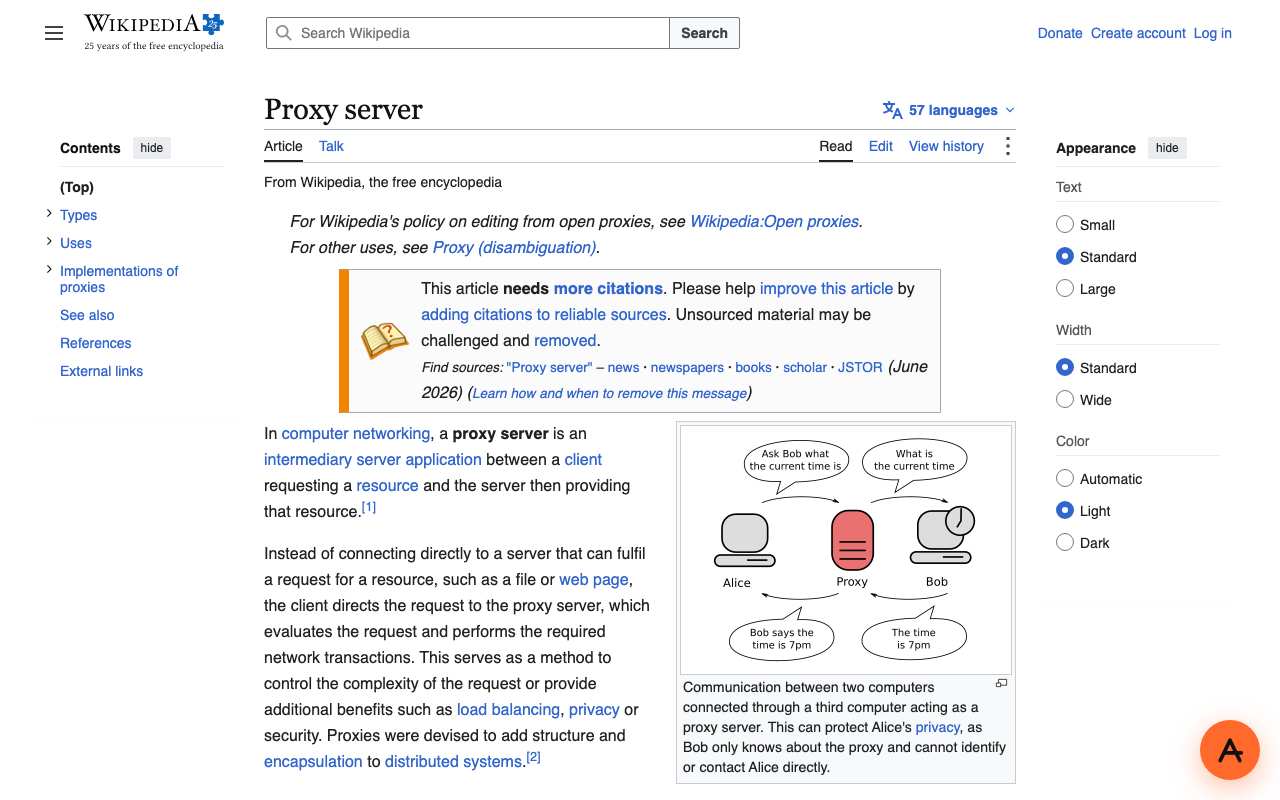
Open the English Wikipedia article "Proxy server" through AnyProxy
Worked · SG exit · 2026-10-15
Full article with contents, infobox diagram and appearance menu. AnyProxy adds only a small round button in the corner; no toolbar over the page.
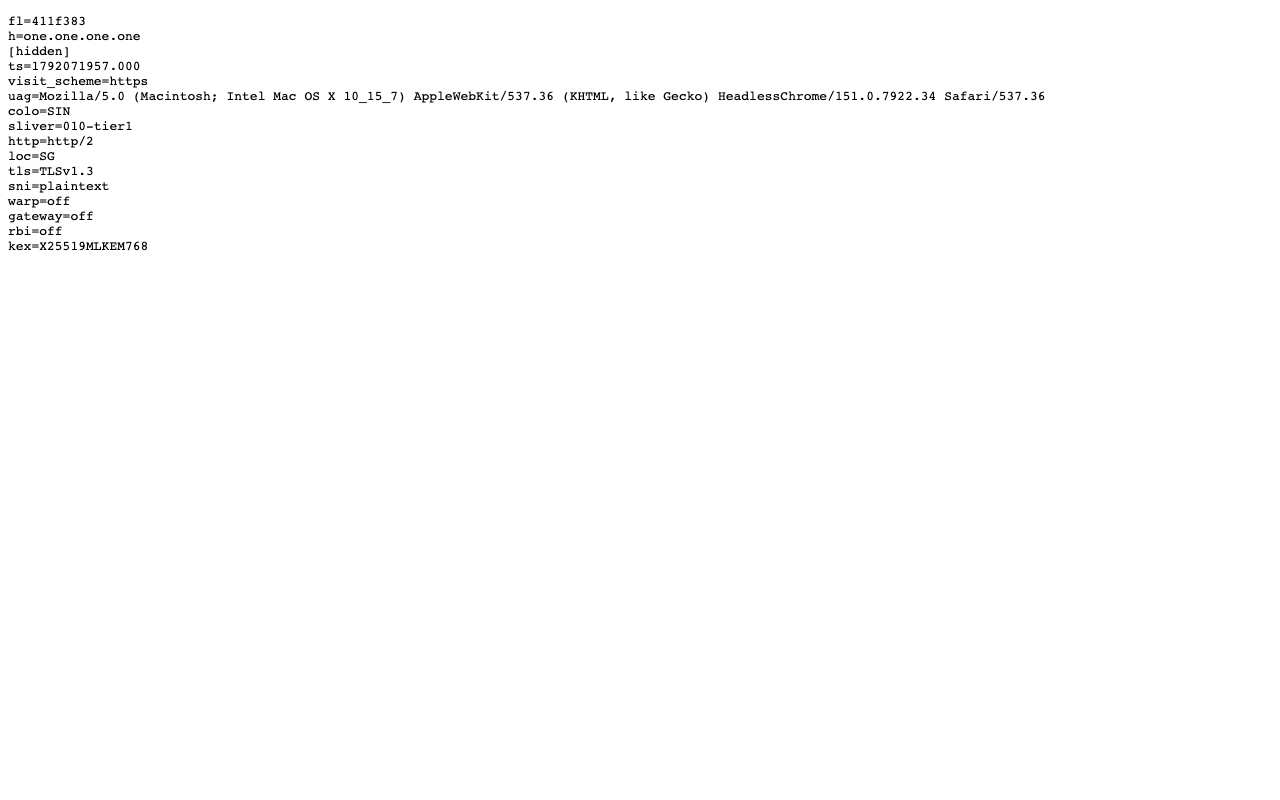
Open one.one.one.one/cdn-cgi/trace through AnyProxy
Worked · SG exit · 2026-10-15
Cloudflare's trace shows loc=SG, colo=SIN, tls=TLSv1.3, http=http/2 and sni=plaintext for the proxy's own connection; the IP line is hidden.
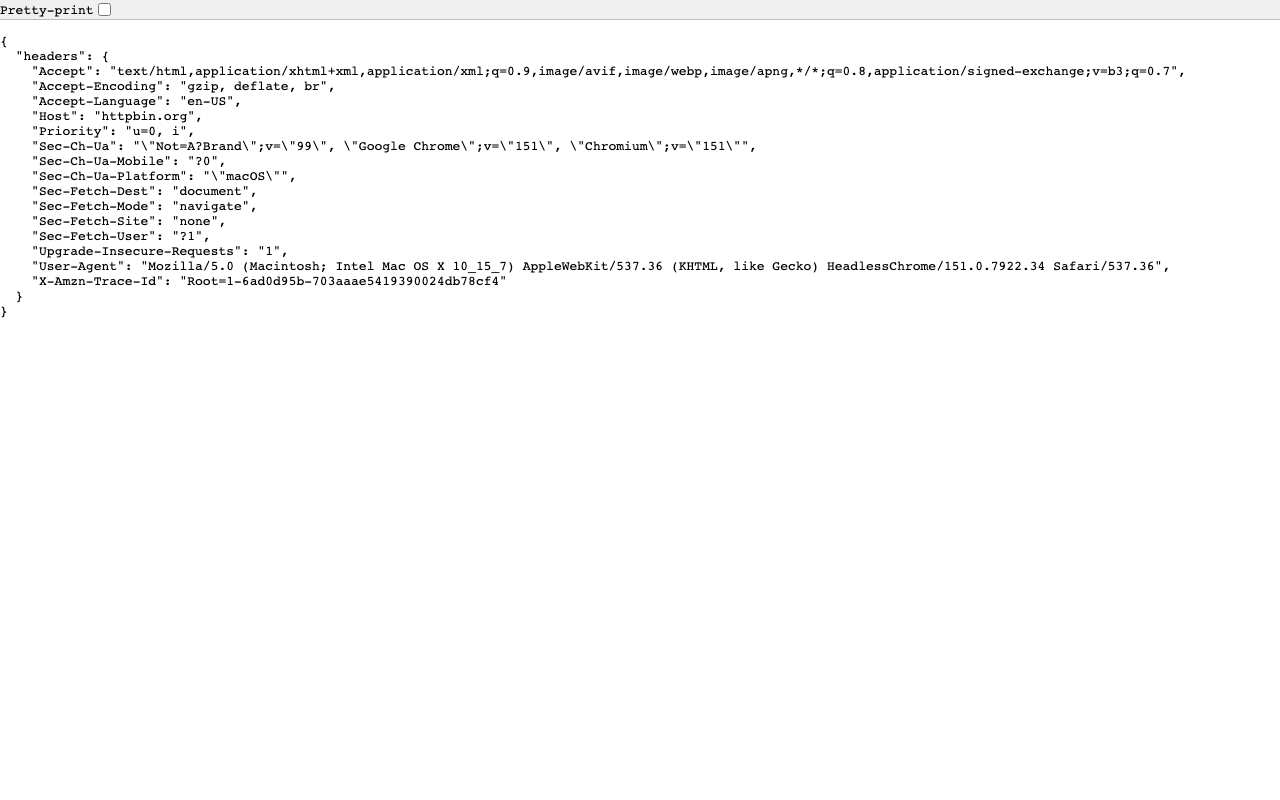
Read the request headers a site receives (httpbin.org/headers) through AnyProxy
Worked · SG exit · 2026-10-15
The site saw the browser's own User-Agent and Accept-Language and no Via or X-Forwarded-For header.
Open AnyProxy behind Zscaler, Umbrella or Cloudflare Gateway
Not tested
We have no access to a corporate filter, so we make no claim that a proxy gets through one.
FAQ
Questions people ask
Will my employer see which pages I open through a proxy?
Not the pages inside HTTPS, but they can see you connected to the proxy's domain, when and how much. Some company laptops also inspect HTTPS with a company certificate, in which case IT can see more.
Do corporate filters block web proxies?
They can. Filters like Cisco Umbrella and Zscaler group sites into categories, and proxy or anonymizer sites are a common blocked category. We have not tested AnyProxy against them.
Is using a proxy at work against the rules?
It depends on your employer's acceptable-use policy. A private employer can forbid it even where it is legal. Check the policy or ask IT first.