Residential Proxy vs Datacenter Proxy: IP Reputation and Cost
Residential proxies use IPs from real home ISPs — high trust, high cost, ethical concerns. Datacenter proxies use cloud IPs — cheap, fast, easy to detect. When each is right.
Updated 15 Oct 2026·6-row comparison
Quick answer
For reading blocked pages in a browser, a datacenter-based web proxy is usually enough and free. For automated collection from sites that block datacenter addresses, residential proxies are what that market sells.
TL;DR
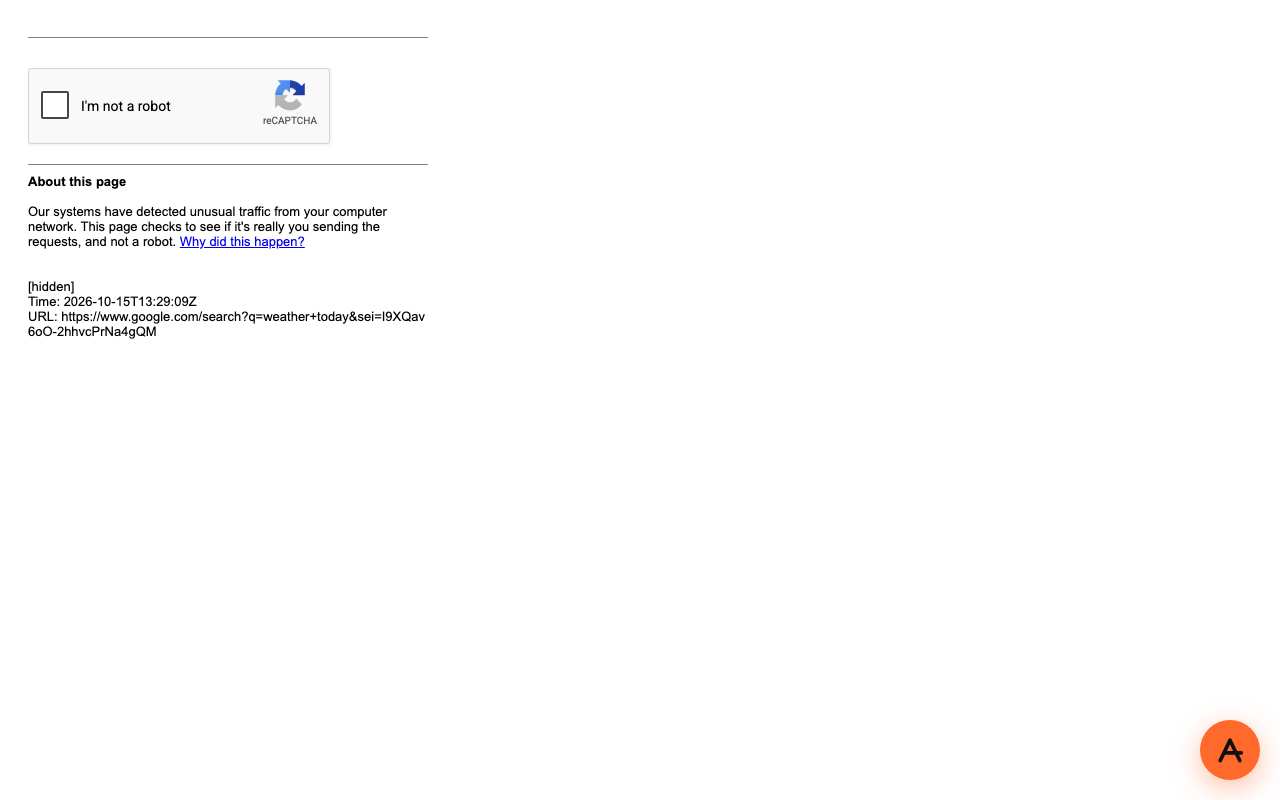
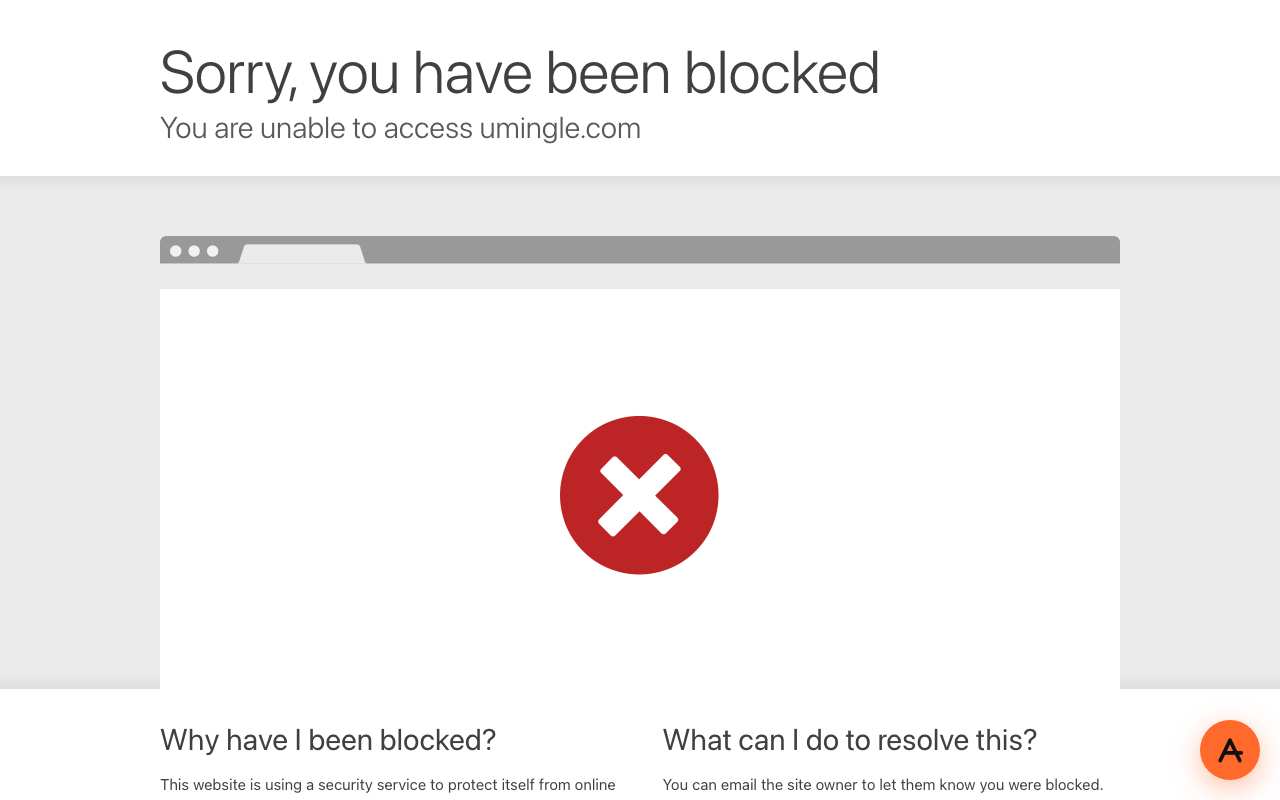
Residential proxies borrow IP addresses from home internet connections; datacenter proxies use server addresses. Sites treat them differently: through AnyProxy's datacenter servers on 15 October 2026, Reddit showed "blocked by network security", Google search showed its "unusual traffic" CAPTCHA and umingle.com was blocked by Cloudflare. Residential IPs avoid much of that but cost per gigabyte. AnyProxy publishes this page and sells a web proxy, so weigh our view accordingly.
Side-by-side
Residential proxy vs Datacenter proxy
Dimension
Residential proxy
Datacenter proxy
Where the IP comes from
Home ISP connections
Hosting and cloud providers
Bot checks and blocks
Fewer, because addresses look like ordinary users
More: Reddit, Google search and umingle blocked AnyProxy on 15 Oct 2026
Pricing model
Per gigabyte (e.g. 911Proxy from $0.80/GB, Oct 2026)
AnyProxy: free tier, Pro $4.99/month or $39/year
Consent and sourcing
Depends on how the provider recruits home devices; check its policy
Addresses rented from hosting providers
Typical use
Automated collection, ad verification
Browsing, development, bulk traffic
Sign-up needed
Yes, paid account and setup
AnyProxy free tier: no
Context
Why this comparison matters
Anti-bot systems know which address ranges belong to hosting providers. Traffic from those ranges gets more CAPTCHAs and blocks, which is why some sites fail through any web proxy. Residential networks are built from home connections, often via apps or SDKs on users' devices, so ask how a provider gets consent. As one price point, 911Proxy advertised residential traffic from $0.80 per GB in October 2026. AnyProxy publishes this page and sells a web proxy, so weigh our view accordingly.
Pick Residential proxy when
Residential proxy is right
You collect data automatically from sites that block hosting-provider addresses.
You have checked how the provider sources and pays for its residential IPs.
Pick Datacenter proxy when
Datacenter proxy is right
You want to read a blocked page in a browser.
The site you need does not block datacenter traffic (Wikipedia, YouTube watch pages and Stack Overflow loaded through AnyProxy).
You do not want a per-gigabyte bill.
What breaks if you pick wrong
Use a datacenter proxy on Reddit or Google search and you hit blocks and CAPTCHAs, as our screenshots show. Buy residential traffic just to read Wikipedia and you pay per gigabyte for something a free web proxy opened.
We checked
Sites that block datacenter addresses, seen through AnyProxy on 15 October 2026
Open reddit.com through AnyProxy
Did not work · SG exit · 2026-10-15
Reddit's 'You've been blocked by network security' page. Same from Frankfurt and Virginia.
Open reddit.com through CroxyProxy
Did not work · DEFAULT exit · 2026-10-15
The same 'You've been blocked by network security' page, so this block is not specific to AnyProxy.
Google search 'weather today' through AnyProxy
Did not work · SG exit · 2026-10-15
Redirected to google.com/sorry: 'unusual traffic from your computer network' with an I'm not a robot box. Same via Frankfurt.
Open umingle.com through AnyProxy
Did not work · FR exit · 2026-10-15
Cloudflare 'Sorry, you have been blocked': the site's own Cloudflare settings refuse datacenter traffic. Same from Singapore and Virginia on 12 Oct.
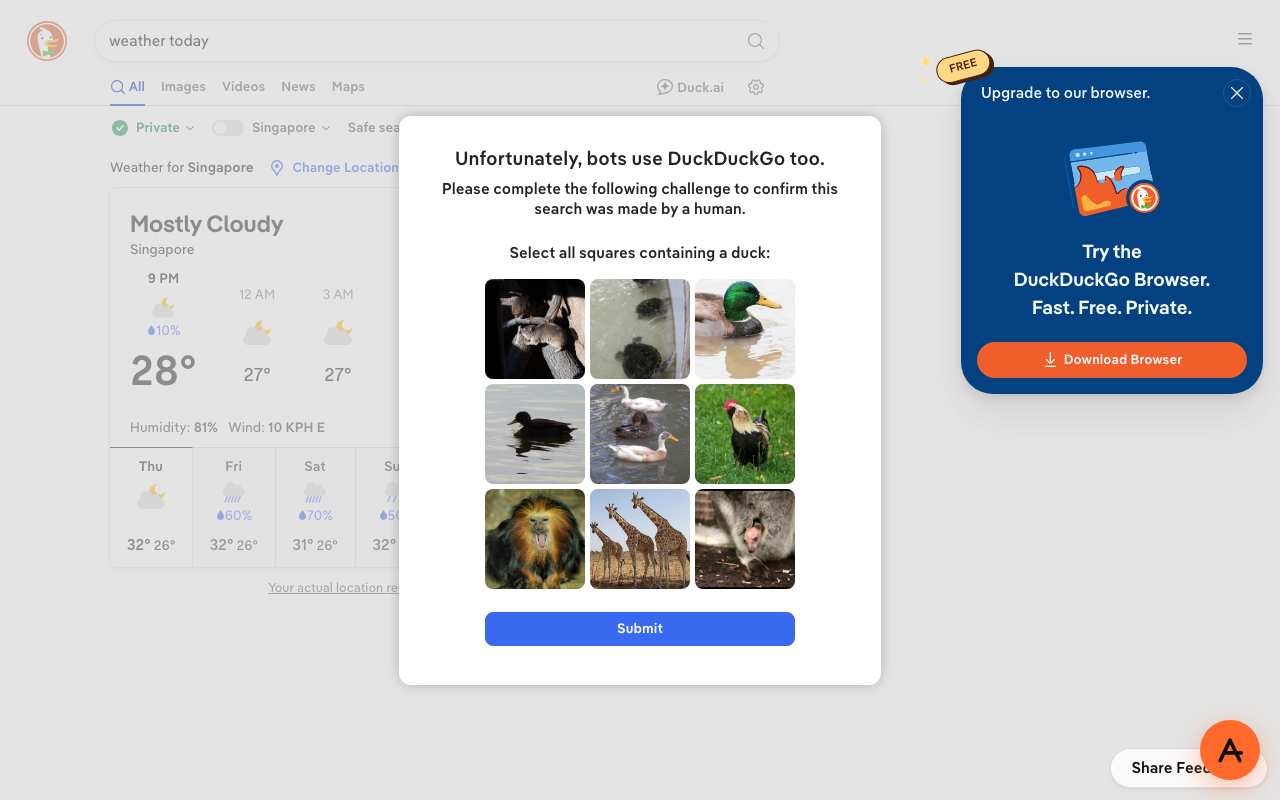
DuckDuckGo search 'weather today' through AnyProxy
Datacenter. Free users get servers in Singapore, Frankfurt and Virginia; Pro adds Tokyo and Los Angeles. Sites see a hosting-provider address, which is why some, like Reddit, block it.
Which sites block datacenter proxies?
On 15 October 2026 through AnyProxy: Reddit ("blocked by network security", also through CroxyProxy), Google search (CAPTCHA) and umingle.com (Cloudflare block). DuckDuckGo showed a bot check.
Are residential proxies legal?
The technology is legal in most places. The open question is consent: whether the people whose home connections carry the traffic agreed to it and are paid. Read the provider's sourcing policy.
Can a site tell which kind I use?
Often. Address ranges are registered to ISPs or hosting companies, and anti-bot services use that. Residential addresses are harder to tell from ordinary visitors.