YouTube through a web proxy has to travel further than YouTube opened directly: from your browser to the proxy region, and from there to YouTube. How much that costs depends mostly on how far you are from the region you picked. On a crowded network, the video quality YouTube chooses matters too.
Here is the fix order, cheapest first.
Fix 1 — Switch to the nearest region
AnyProxy’s free regions are Singapore, Frankfurt and Virginia. Pro adds Tokyo and Los Angeles. The region menu on anyproxy.site pings each region from your browser and shows the result in milliseconds, so you can see which is closest from where you are; pick the lowest number.
Distance shows up clearly in our own measurement. On 15 October 2026, from a test machine in India, we timed how long en.wikipedia.org took to open (median of four runs each):
| Route | Median time to open |
|---|---|
| Direct, no proxy | 1.2 s |
| AnyProxy Singapore | 1.4 s |
| AnyProxy Frankfurt | 2.4 s |
| AnyProxy Virginia | 3.7 s |
That is one location and one site on one evening, not a benchmark, but the pattern holds in general: the nearest region costs little, the far side of the world costs a lot. Video makes many requests, so the gap adds up.
One more reason to choose carefully: through Frankfurt, YouTube treats you as an EU visitor and shows a “Before you continue” cookie screen first. Press “Reject all” or “Accept all” to get to the video.
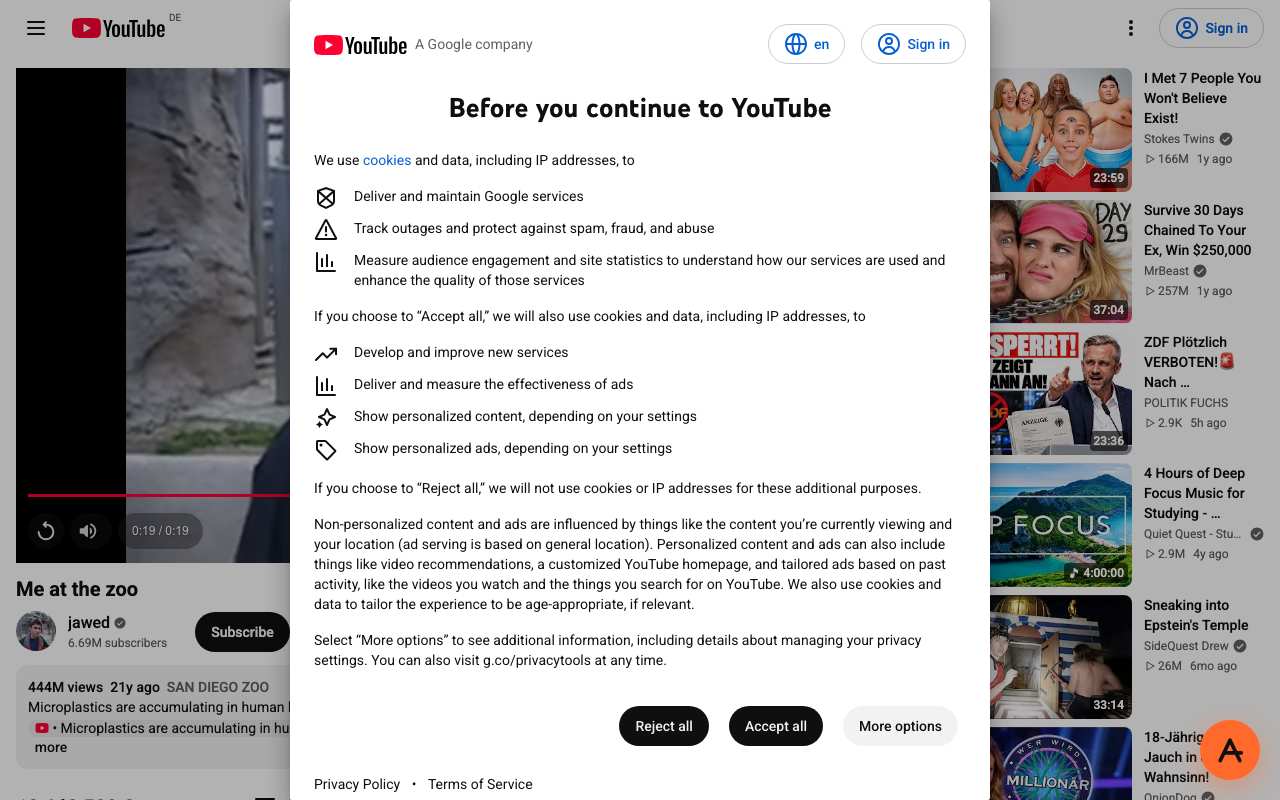
YouTube through AnyProxy Frankfurt, 15 October 2026: the video played to 0:19 behind the EU cookie screen.
Fix 2 — Lower YouTube’s video quality
Click the gear icon on the YouTube player and open Quality:
- Auto lets YouTube adjust to your connection, which is a reasonable default.
- 480p if you are on a busy shared network, such as a hotel or office.
- 360p if you are on a weak mobile signal.
Higher quality needs more bandwidth, and bandwidth is the first thing to run out on crowded networks. AnyProxy does not cap video quality on either Free or Pro.
Fix 3 — Close busy background tabs
Other tabs that stream, sync or auto-refresh share the same connection. Close the ones you are not using.
On a Chromebook, press Search + Esc to open the Task Manager and see which tabs use the most network.
What not to expect from Pro
Pro ($4.99 a month or $39 a year) removes ads and adds the Tokyo and Los Angeles regions plus priority support. It does not speed up Singapore, Frankfurt or Virginia, and it does not unlock a higher video quality. It helps with buffering only if Tokyo or Los Angeles is nearer to you than the free regions. See pricing.
What does not help
Restarting the browser. Buffering is about bandwidth and distance, not browser state.
A VPN on top of the proxy. Traffic then takes yet another detour, which usually makes it slower, not faster.
Clearing the cache. It can fix stale errors, not slow playback.
It might not be buffering at all
Two things look like buffering but are not:
- YouTube Shorts. In our 15 October 2026 test through Singapore, the Shorts page loaded its feed, likes and comments, but the video area stayed black. A regular video (/watch) played to the end on the same day. If a Short will not play, open it as a regular video.
- A page that never finishes loading. That is a loading problem, not buffering; see fix proxy not loading.
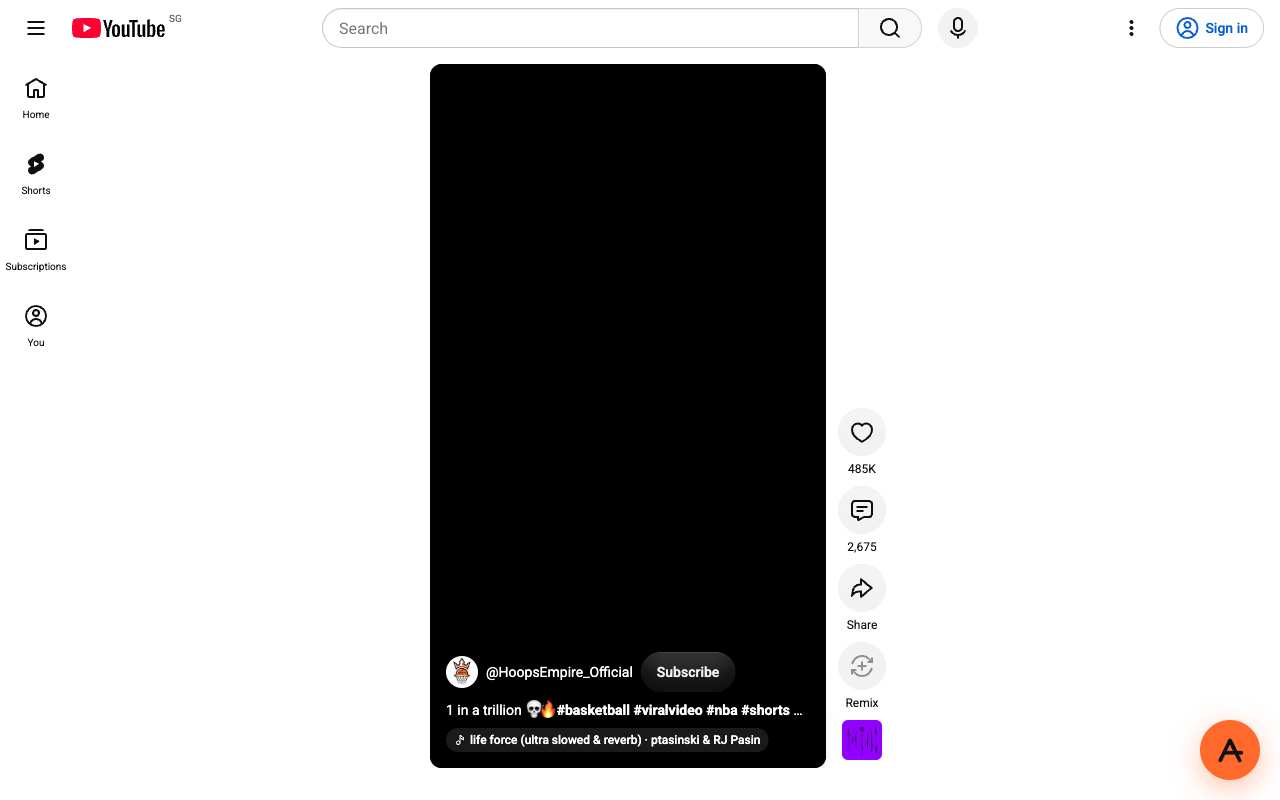
A YouTube Short through AnyProxy Singapore, 15 October 2026: page loaded, video stayed black.
When it is the network, not the proxy
Some networks are simply slow or busy, and some limit video. To check:
- Open a YouTube video directly, without the proxy, if your network allows it. Buffers there too? The network is the bottleneck.
- Try a video on another site. Same problem? The network again.
- Try the same video on mobile data. Smooth there? The Wi-Fi is the problem.
No proxy or VPN can add bandwidth that is not there. Wait for a quieter time or move to a better connection.
Related
- Unblock YouTube on managed networks — the setup guide.
- Fix proxy not loading — for problems before playback starts.
- Chromebook setup — for managed-device quirks.