When a page will not open through a proxy, the fastest fix depends on who refused it. Your network, the proxy, and the site you asked for all fail in different ways, and each looks different on screen. The screenshots below are from our own tests through AnyProxy in October 2026.
Step 1 — Find out which side failed
Look at what the tab shows, then match it here:
| What you see | Who refused | Worth trying |
|---|---|---|
| anyproxy.site itself never loads, or your network shows its own “blocked” page | Your network | Mobile data, another network |
| A Cloudflare “Verifying…” box that never finishes | The destination’s bot check | Another region, once |
| “Sorry, you have been blocked” | The destination’s firewall | Not a region problem; see below |
| “Access Denied” with a list of reasons | The destination’s own filter | Not a region problem; see below |
| The site opens on its home page instead of your link | Nobody; this is by design | Navigate from the home page |
| A cookie consent screen you do not usually see | The destination, reacting to the proxy’s country | Pick a region outside the EU |
| A blank or half-drawn page | The page relies on something the proxy did not handle | Reload, then try another region |
Step 2 — Fixes for each case
Your network blocks anyproxy.site
If the proxy page itself never appears, the block sits on the network you are using. Schools, offices and some public Wi-Fi put proxies in a “proxy avoidance” category.
- Open anyproxy.site on mobile data. If it loads there, the Wi-Fi is the problem.
- Ask the network admin if you have a legitimate need.
- See how to unblock a site at work for the options that do not break your organisation’s rules.
Cloudflare “Verifying…” never finishes
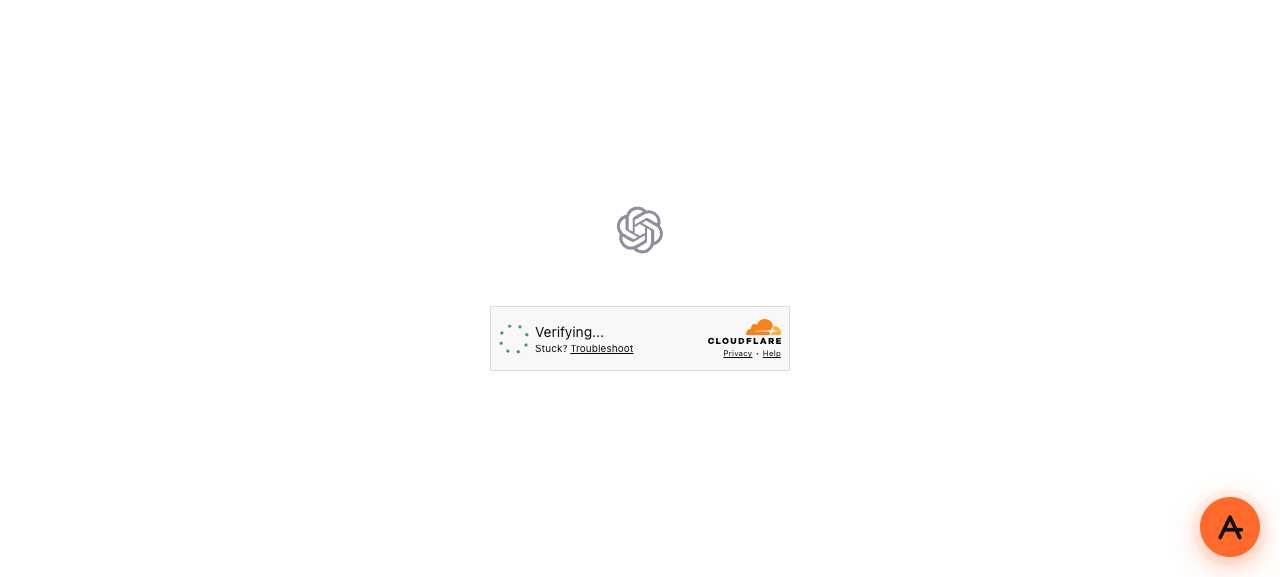
chatgpt.com through AnyProxy on 12 October 2026: the Cloudflare check stayed on “Verifying…” from Frankfurt, Singapore and Virginia. A retest on 15 October showed a blank page.
The site you asked for is checking whether the visitor is a person. Through a proxy that check does not always complete. Try one other region. If it fails everywhere, that site does not currently work through AnyProxy. Many Cloudflare-protected sites do: Stack Overflow, 4chan, nixos.wiki and three others all opened in the same test.
“Sorry, you have been blocked”
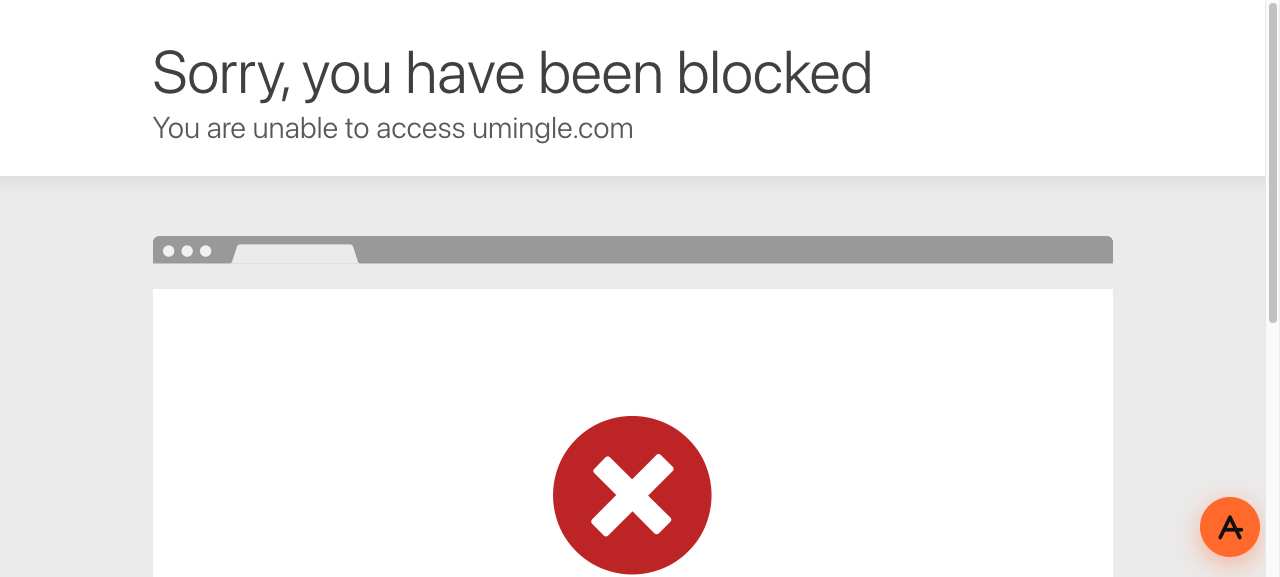
umingle.com through AnyProxy Frankfurt, 12 October 2026. The same page appeared through Singapore and Virginia.
This is not a check you can pass. The site’s firewall refuses data-centre addresses outright, and every web proxy runs on data-centre servers. Switching region will not help. If you need the site, use a network where it is not filtered instead of a proxy.
“Access Denied”
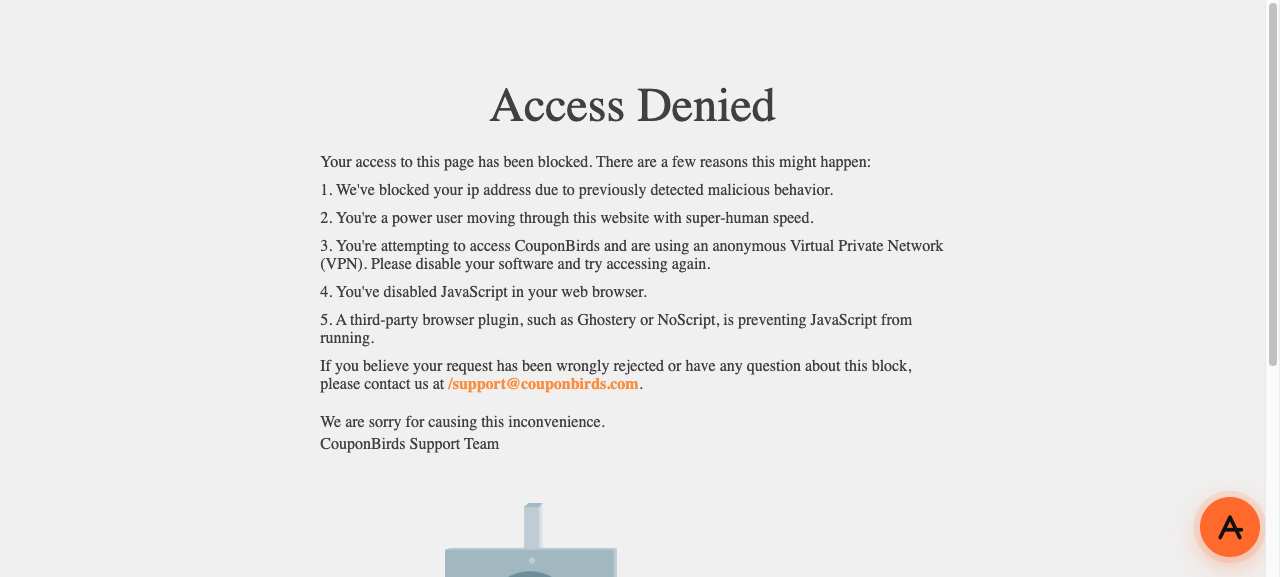
couponbirds.com through AnyProxy Frankfurt, 12 October 2026. Its own page lists “anonymous VPN” among the reasons.
Same cause as above, with the site’s own wording. Some sites block known proxy and VPN addresses as a policy. A proxy cannot fix that.
You land on the home page instead of your link
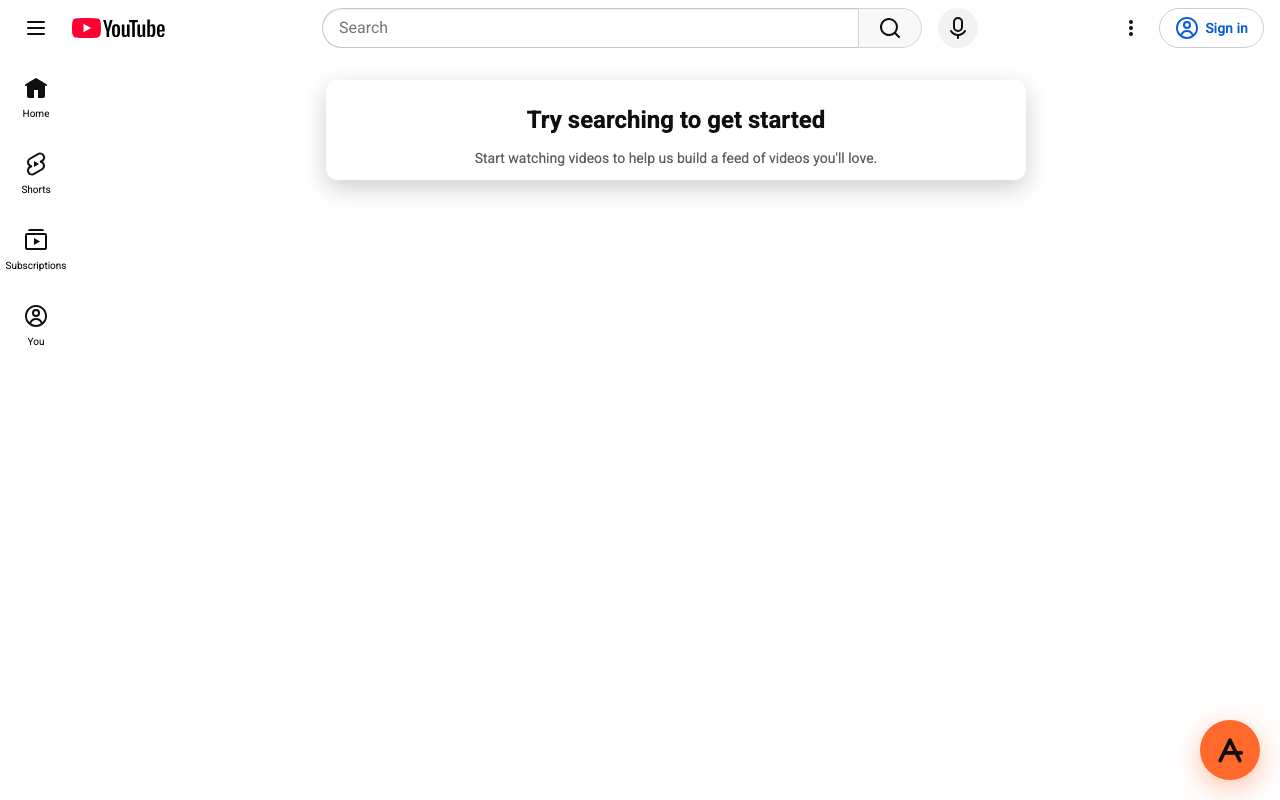
Pasting a YouTube video link opened youtube.com’s home page (15 October 2026).
AnyProxy opens the site you submit, not a deep link inside it. That stops anyone from sharing a ready-made proxy link to a fake login or a pre-filled form. Once the site is open, search or click through as you normally would. Links you click inside the site work.
A cookie consent screen appears
Sites decide what to show from the country of the server that visits them. Through our Frankfurt region, YouTube treats you as an EU visitor and shows a “Before you continue” consent screen first. Through Singapore it did not. Press “Reject all” or pick a non-EU region. See the YouTube test results for the screenshots.
A blank or half-drawn page
Some pages are built entirely by scripts after they load, and occasionally one of those scripts fails through the proxy. Reload once. Try another region. If you can, open a simpler part of the site, such as a single article rather than a feed. Report the address to [email protected] so we can look at it.
Step 3 — Quick checks that rule out your browser
If several different sites fail, the problem may be on your side:
- Private or incognito window. It turns off most extensions. If the proxy works there, an ad blocker, script blocker or VPN extension is interfering.
- Another browser. If the proxy fails in one browser and works in another on the same device, the failing one has a stuck extension or setting.
- Clear site data for anyproxy.site. Chrome: Settings → Privacy and security → Third-party cookies → See all site data and permissions → search “anyproxy” → delete. Safari: Settings → Privacy → Manage Website Data → search “anyproxy” → Remove. Firefox: Settings → Privacy & Security → Cookies and Site Data → Manage Data → search “anyproxy” → Remove.
- Check the site is up. Open it directly from any network that allows it. If it is down for everyone, no proxy helps.
Contacting support
If none of this explains it, email [email protected] with your country, the site address, the region you picked, a screenshot of the tab, and whether it also fails on mobile data. The screenshot tells us straight away which of the cases above you hit.
Related troubleshooting
- Fix YouTube buffering in proxy — for video-specific issues.
- Log in through a proxy — for authentication problems.
- Chromebook setup — for managed device quirks.