DNS leak
A DNS leak is when your device keeps asking its usual DNS server (often the ISP's) to look up site names while you think a VPN or proxy is handling your traffic, so the network still learns which sites you visit.
Explanation
In depth
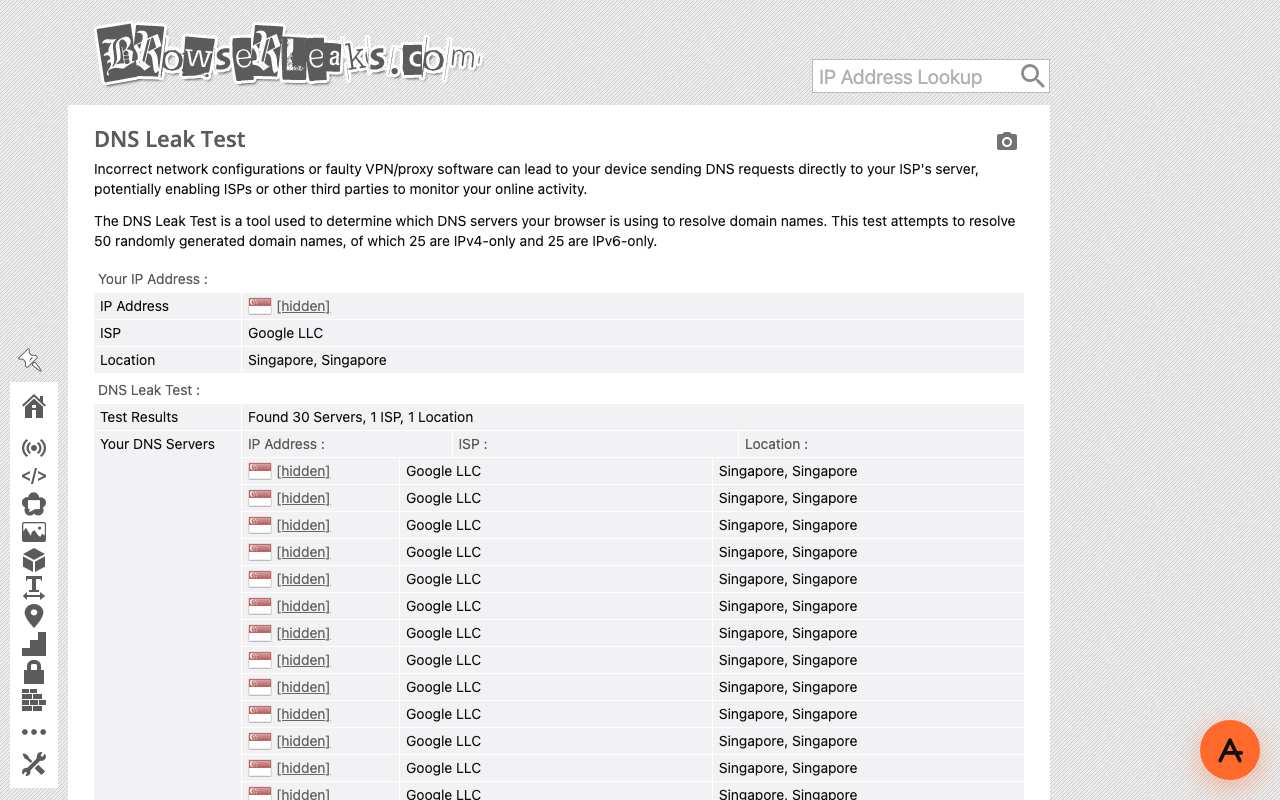
Before connecting to a site, a device asks a DNS resolver to turn the name into an address. Those questions are usually unencrypted and go to the resolver your network hands out. A VPN should send them through its tunnel to its own resolver; if it does not, the ISP or Wi-Fi operator can log every name you look up, and, in countries that filter by DNS, still return a fake or dead answer for blocked sites. Leak test sites detect this by making your browser look up random one-time names and recording which resolvers ask their servers. With a web proxy the picture is different, and we checked it. On browserleaks.com/dns opened through AnyProxy's Singapore region, all 30 resolvers detected belonged to Google LLC in Singapore: the proxy server's resolvers, not the test machine's. That is expected, because the proxy, not your device, looks up the sites you open in its tab. What is not hidden: your device still looks up anyproxy.site itself, and every app or tab outside the proxy uses your normal DNS. A web proxy does not change your device's DNS settings.
In practice
DNS leak in the real world
A DNS leak happens when your traffic goes through a VPN or proxy but your device still sends name lookups to the local ISP. In Iran that is more than a privacy issue: the ISP resolver answers a blocked domain with a dead private address such as 10.10.34.35, so the page fails even though the tunnel is up. A web proxy avoids the problem by design — your device only ever resolves the proxy's own name; every other lookup happens on the proxy server.
Sources: OONI - Iran censorship study (2025) · BrowserLeaks - DNS leak test
We checked
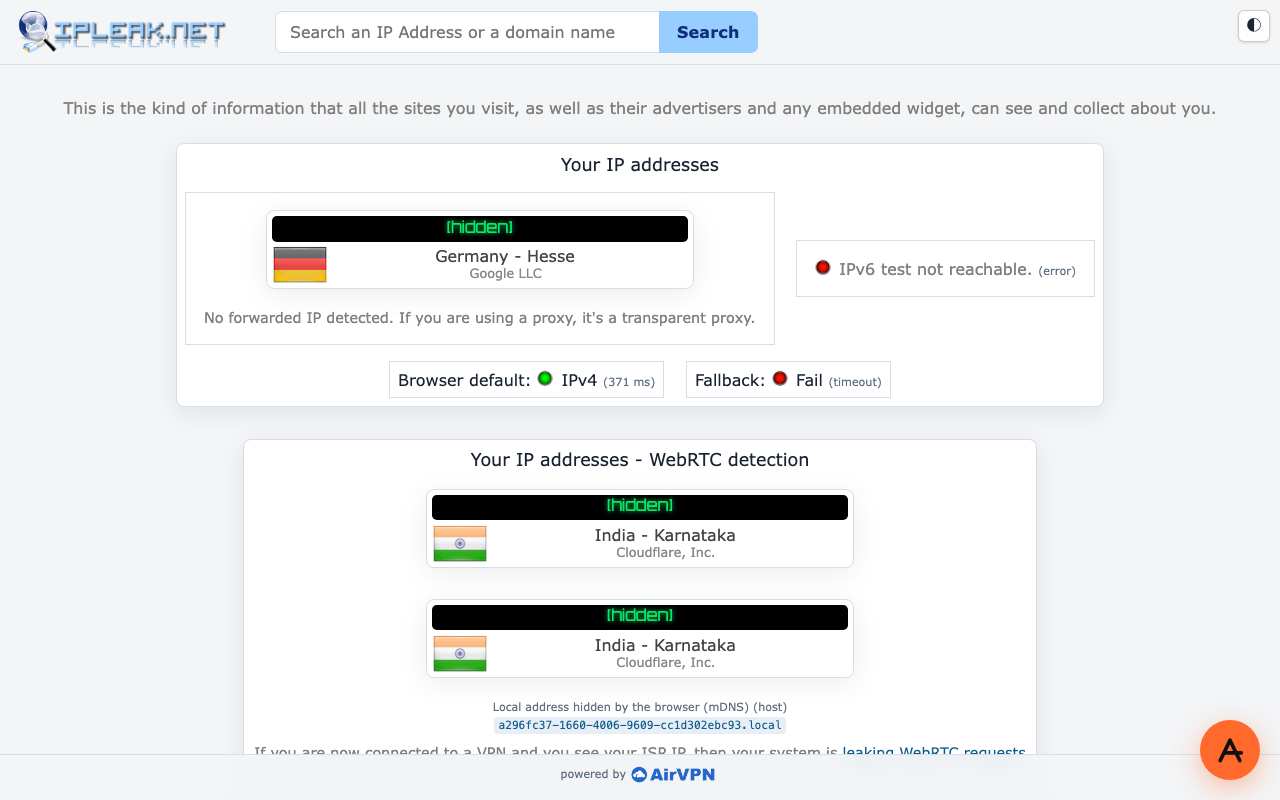
DNS and IP leak tests opened through AnyProxy
Questions about DNS leak
Related terms