AnyProxy

Get Pro
Glossary · Web tech

HTTP/2

Also calledhttp 2http/2 protocol
Definition

HTTP/2 is the version of the web's request protocol that lets a browser send many requests at once over a single encrypted connection instead of queuing them.

Explanation

In depth

HTTP/1.1 handles one request at a time per connection, so browsers open several connections (Chrome uses six per host) and still queue the rest. A modern page with a hundred images and scripts feels that queue. HTTP/2, first published as RFC 7540 in 2015 and now RFC 9113, splits one connection into many parallel streams, compresses repeated headers and uses a binary format. Browsers use it only over TLS and pick it during the handshake through a setting called ALPN, where 'h2' means HTTP/2. Server push was part of the original design, but Chrome removed it in 2022. HTTP/3 (RFC 9114) carries the same ideas over QUIC on UDP, and browsers fall back to HTTP/2 when UDP is blocked. A web proxy has two separate connections, and each picks its own version. On 15 October 2026, AnyProxy's regional hosts (sg., fr. and us.anyproxy.site) negotiated h2 with the browser and also advertised HTTP/3 in their alt-svc header. On the onward side, Cloudflare's trace page reported http=http/2 for the connection from each AnyProxy region. A site that only speaks HTTP/1.1 would get HTTP/1.1 on that second leg.

In practice

HTTP/2 in the real world

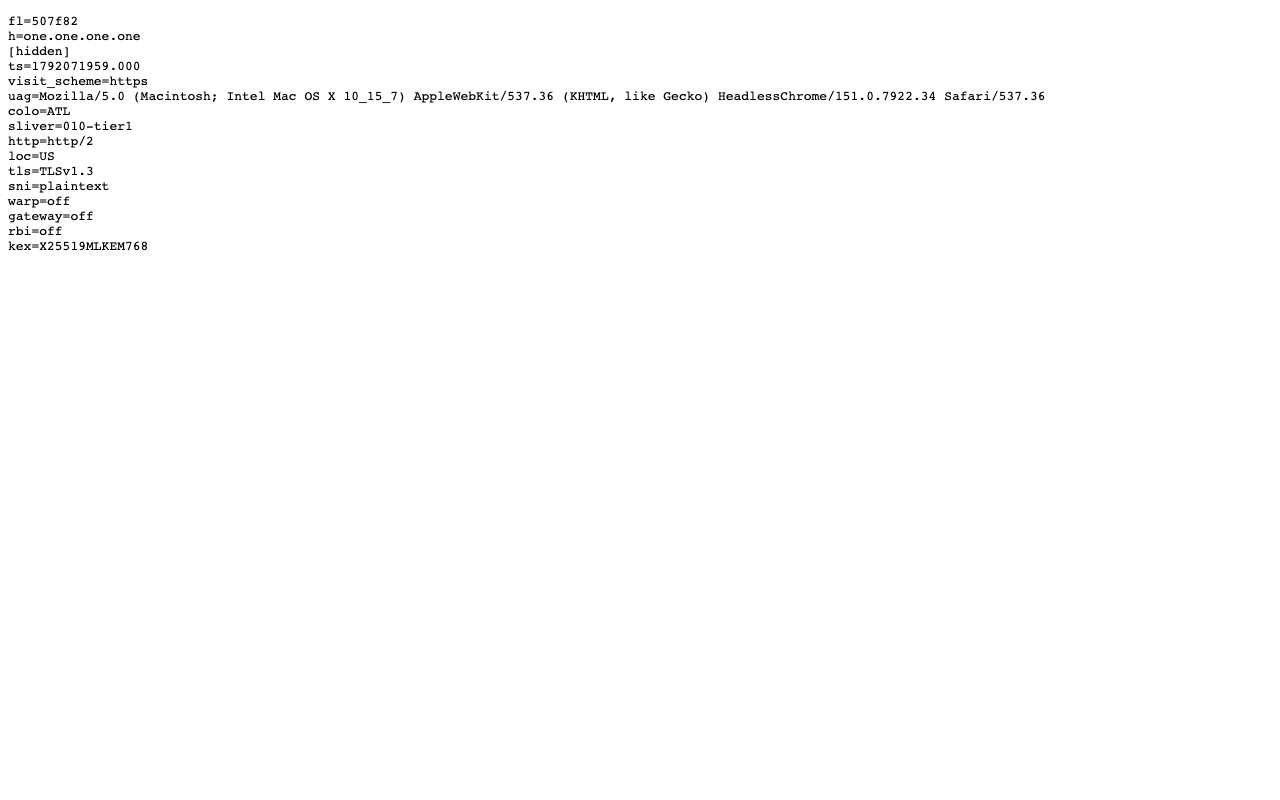
Both legs of an AnyProxy session were checked on 15 Oct 2026. Browser to proxy: openssl showed ALPN 'h2' and TLS 1.3 on sg., fr. and us.anyproxy.site, and their responses carry alt-svc: h3=":443", which invites the browser to switch to HTTP/3. Proxy to site: Cloudflare's trace page, opened through each region, reported http=http/2. The two versions are negotiated independently, so a fast first leg cannot fix a slow, old-protocol site behind it.

Sources: RFC 9113 — HTTP/2 · RFC 9114 — HTTP/3 · Chrome — Removing HTTP/2 Server Push · Cloudflare trace page used in the tests

We checked

What one.one.one.one/cdn-cgi/trace reported through each AnyProxy region
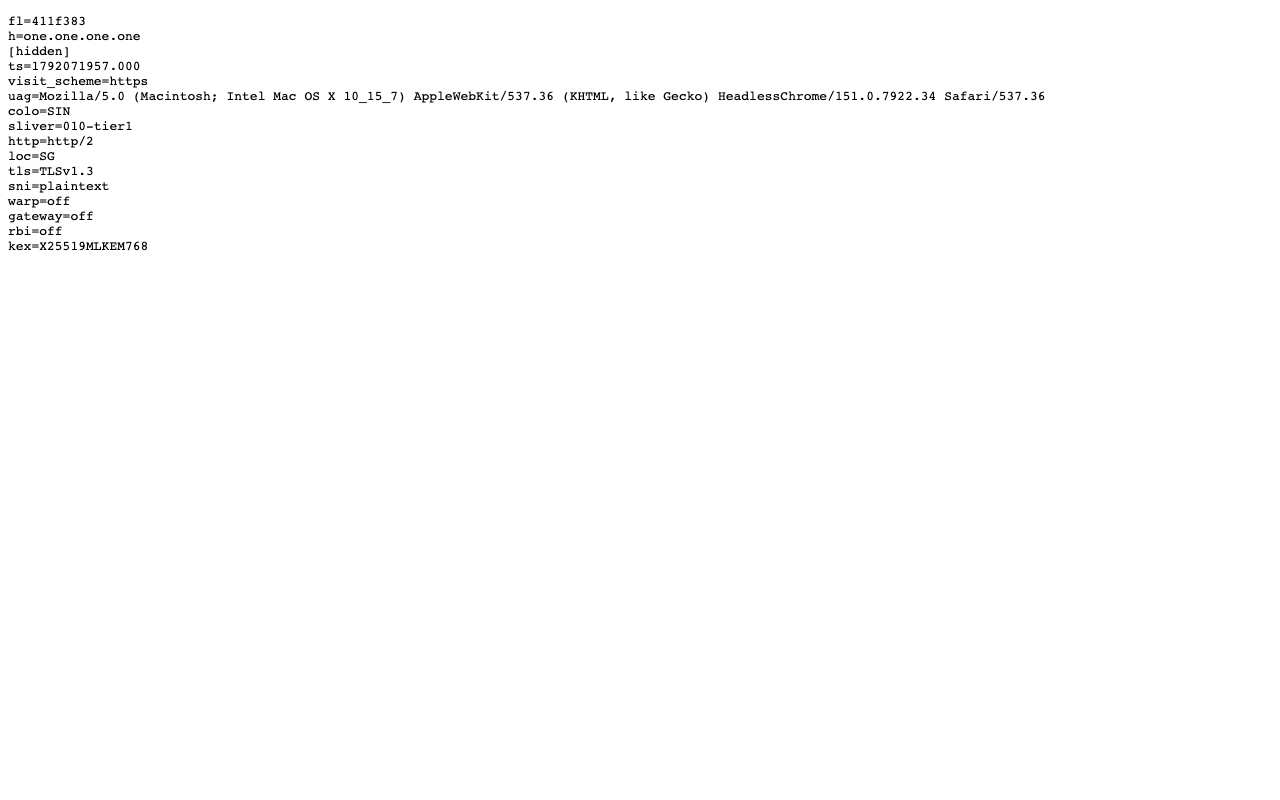
Cloudflare trace page opened through AnyProxy Singapore, listing colo=SIN, loc=SG, http=http/2, tls=TLSv1.3 and sni=plaintext, with the IP line hidden

Open Cloudflare's diagnostic page one.one.one.one/cdn-cgi/trace through the Singapore region

Worked · SG exit · 2026-10-15

Page loaded as plain text: colo=SIN, loc=SG, tls=TLSv1.3, http=http/2, sni=plaintext, kex=X25519MLKEM768. The ip= line (the proxy's exit address) was hidden before the screenshot.

Cloudflare trace page opened through AnyProxy Virginia, listing colo=ATL, loc=US, http=http/2, tls=TLSv1.3 and sni=plaintext, with the IP line hidden

Open Cloudflare's diagnostic page one.one.one.one/cdn-cgi/trace through the Virginia region

Worked · US exit · 2026-10-15

Page loaded as plain text: colo=ATL, loc=US, tls=TLSv1.3, http=http/2, sni=plaintext, kex=X25519MLKEM768. The ip= line (the proxy's exit address) was hidden before the screenshot. Cloudflare answered from its Atlanta data centre for the Virginia region.

Questions about HTTP/2

What is the difference between HTTP/2 and HTTP/3?
HTTP/2 runs over TCP and TLS. HTTP/3 runs over QUIC on UDP, which recovers better from lost packets. Browsers fall back to HTTP/2 when a network blocks UDP.
How do I know which version a site uses?
Browser developer tools show it in the Protocol column (h2, h3). Cloudflare sites also report it at /cdn-cgi/trace as http=http/2 or http=http/3.
Does a web proxy use HTTP/2?
It runs two connections. AnyProxy's browser-side hosts negotiate h2 and advertise h3; the onward connection uses whatever the destination supports.

Related terms

TLS handshakeThe TLS handshake is the opening exchange of every HTTPS connection, in which browser and server agree on encryption keys and the server proves which site it is.HTTPS proxyAn HTTPS proxy is a proxy you connect to over an encrypted (TLS) link, so even the name of the site you ask it for is hidden from your local network.Edge serverAn edge server is a server placed close to users, at the 'edge' of a network, so requests are answered nearby instead of travelling to a distant central data centre.

Put the concept to work

Try AnyProxy free — no install, no signup, six regions.

Open a blocked page