WhatsApp has been blocked in mainland China since September 2017, when the service was widely disrupted, including text messages (Fortune, 25 September 2017). It is still unreachable in current measurements: between 15 July and 15 October 2026, OONI’s volunteer tests from China reached WhatsApp’s website in 8.9% of 700 attempts.
A web proxy can get WhatsApp Web’s pages to a laptop browser. The hard part is the phone, and this page is honest about where our testing stops.
What we tested. On 15 October 2026, from outside China, WhatsApp Web loaded its “Scan to log in” QR code through AnyProxy Singapore. We have not tested from inside China, and we have not linked a phone, because that needs a real account.
What the Great Firewall does
China’s filtering runs at the national gateways, so it looks the same on China Telecom, China Unicom and China Mobile in OONI’s 2026 data. Documented methods include forged DNS answers and filtering on the site name in the encrypted connection’s setup (OONI’s 2019 Wikipedia study), and injected connection resets (GFW Report, August 2025). Since 2024 the authorities’ orders also reach app stores.
A web proxy gets around name- and address-based blocks for pages in your browser, because the browser talks to anyproxy.site, not WhatsApp. Two limits matter here:
- It only covers the browser. The WhatsApp app on your phone does not go through the proxy.
- anyproxy.site can be blocked or disrupted too. We have not tested whether it loads from China. On 20 August 2025 the firewall cut most HTTPS traffic in and out of China for about 74 minutes; during an event like that, every service outside China fails, AnyProxy included.
The prerequisite — set up WhatsApp before you arrive
WhatsApp Web is linked from the WhatsApp app on your phone. In China:
- Apple removed WhatsApp from its China App Store in April 2024, at the Cyberspace Administration of China’s request (Caixin, 19 April 2024).
- Verifying a phone number needs WhatsApp’s servers, which are blocked.
So install WhatsApp and sign in before you travel.
The phone has to reach WhatsApp too
This is the step most guides skip. When you scan the QR code, the WhatsApp app on your phone contacts WhatsApp’s servers to link the browser. The proxy carries the laptop’s browser traffic, not the phone’s. On a Chinese mobile or Wi-Fi network, the phone’s connection to WhatsApp is blocked, so linking may fail even though the QR code shows on your laptop. We have not tested this from China, and we cannot say what will work for your phone and network.
The setup, on a laptop
- Open anyproxy.site in a laptop or desktop browser. Phone browsers do not work: WhatsApp Web sends them to a page telling you to use a computer.
- Type
web.whatsapp.com. Do not use a wa.me chat link: through Frankfurt one stalled on AnyProxy’s loading screen in our test. - Pick the region with the lowest ping in the region menu and press Open. The “Scan to log in” page should appear.
- On your phone, open WhatsApp and go to Settings, then Linked devices, then Link a device.
- Scan the QR code on the laptop screen.
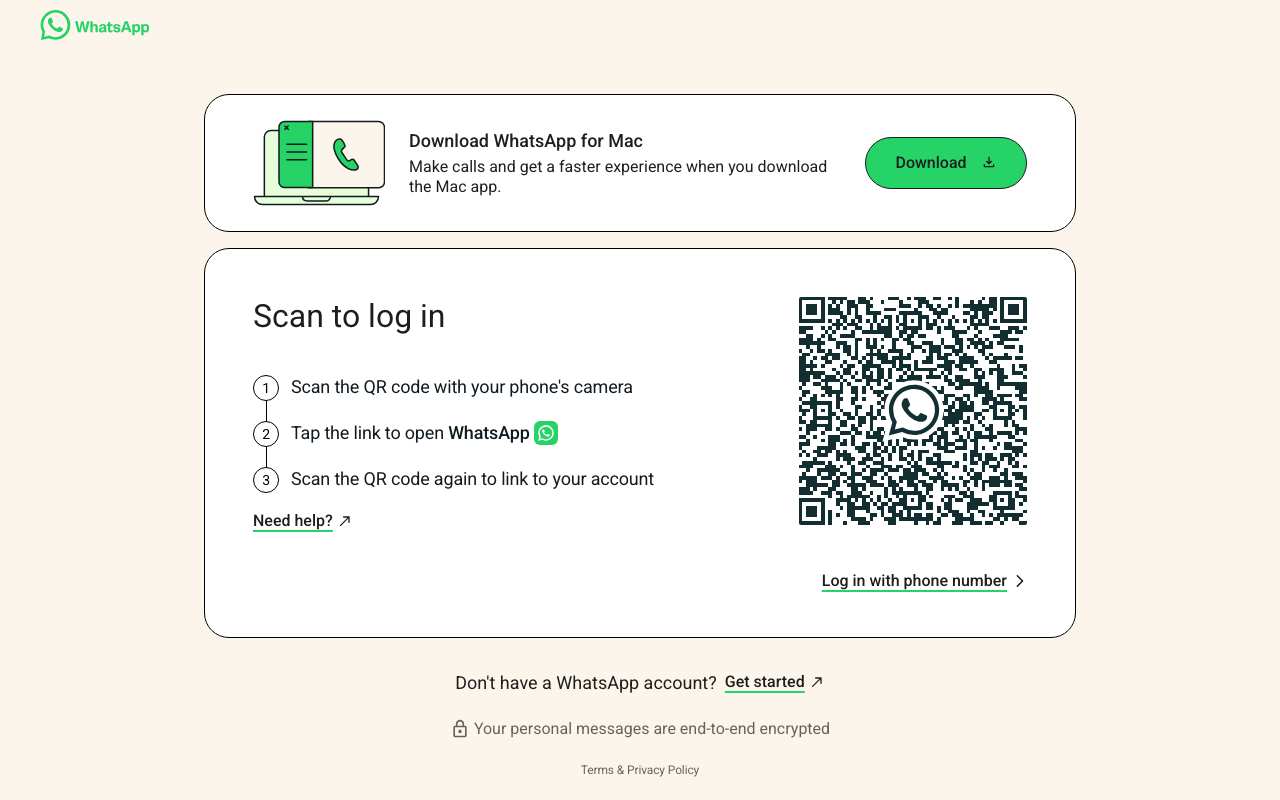
web.whatsapp.com through AnyProxy Singapore, 15 October 2026, tested from outside China. We stopped at the QR code.
If linking works, WhatsApp keeps the browser linked between sessions, but it can log linked devices out, for example after a long time without using your phone.
What to expect after linking (not tested by us)
We have not linked a phone through the proxy, so we cannot confirm which features work. Before you rely on it:
- The proxy operator handles your decrypted WhatsApp Web page. WhatsApp’s end-to-end encryption covers messages between devices, but the web page itself runs through the proxy. AnyProxy is not a no-logs service; see the privacy page.
- Calls: WhatsApp Web’s page points you to the desktop app for calls, and browser call traffic is not carried by AnyProxy and can reveal your real IP address.
See how to log in through a proxy for general sign-in guidance.
Region choice
We have not measured speed from China. The region menu on anyproxy.site pings each region from your browser and shows milliseconds, so pick the lowest. Singapore, Frankfurt and Virginia are free; Pro adds Tokyo and Los Angeles. Distance matters: from India on 15 October 2026, a page took a median 1.4 s through Singapore and 3.7 s through Virginia.
Legal note
You are responsible for complying with Chinese law on internet-access tools. AnyProxy is an ordinary web service and makes no political claims. This page describes technical function; it is not legal advice.
Related
- Log in through a proxy
- Fix proxy not loading
- Unblock WhatsApp — all WhatsApp test results
- Unblock sites from China — OONI measurements and tests for China