Managed networks — school, office, library or hotel Wi-Fi — block YouTube in a few common ways, sometimes all at once. Knowing which layer is filtering you explains why a web proxy works and where it stops.
What we tested. On 15 October 2026 we opened YouTube through AnyProxy’s free regions from a desktop browser, not from inside a managed network. We did not sign in.
Why managed Wi-Fi blocks YouTube
Usually bandwidth or policy. Video is heavy on a shared connection, and the people who run the network may want it used for work, study or its main purpose. The filter is typically one of:
- DNS filtering — the network’s resolver refuses to look up
youtube.com. A public resolver such as 1.1.1.1 gets around this layer alone. - IP-level blocking — the firewall drops traffic to YouTube’s addresses. Changing DNS does not help here.
- Hostname (TLS SNI) filtering — the firewall reads the site name in the encrypted connection’s setup and blocks it.
A web proxy gets around all three, because your browser asks for anyproxy.site, not youtube.com. The proxy fetches YouTube from a server outside the network.
What it does not get around: a filter that blocks proxy sites themselves.
How to open YouTube on a managed network
- Open anyproxy.site in the browser on your Chromebook or laptop.
- Type
youtube.com. If you paste a video link, AnyProxy opens YouTube’s home page instead, by design; search for the video or click through. - Pick a region and press Open. The region menu pings each region from your browser and shows milliseconds; pick the lowest. YouTube opens in the same tab.
No account, no download, no extension.
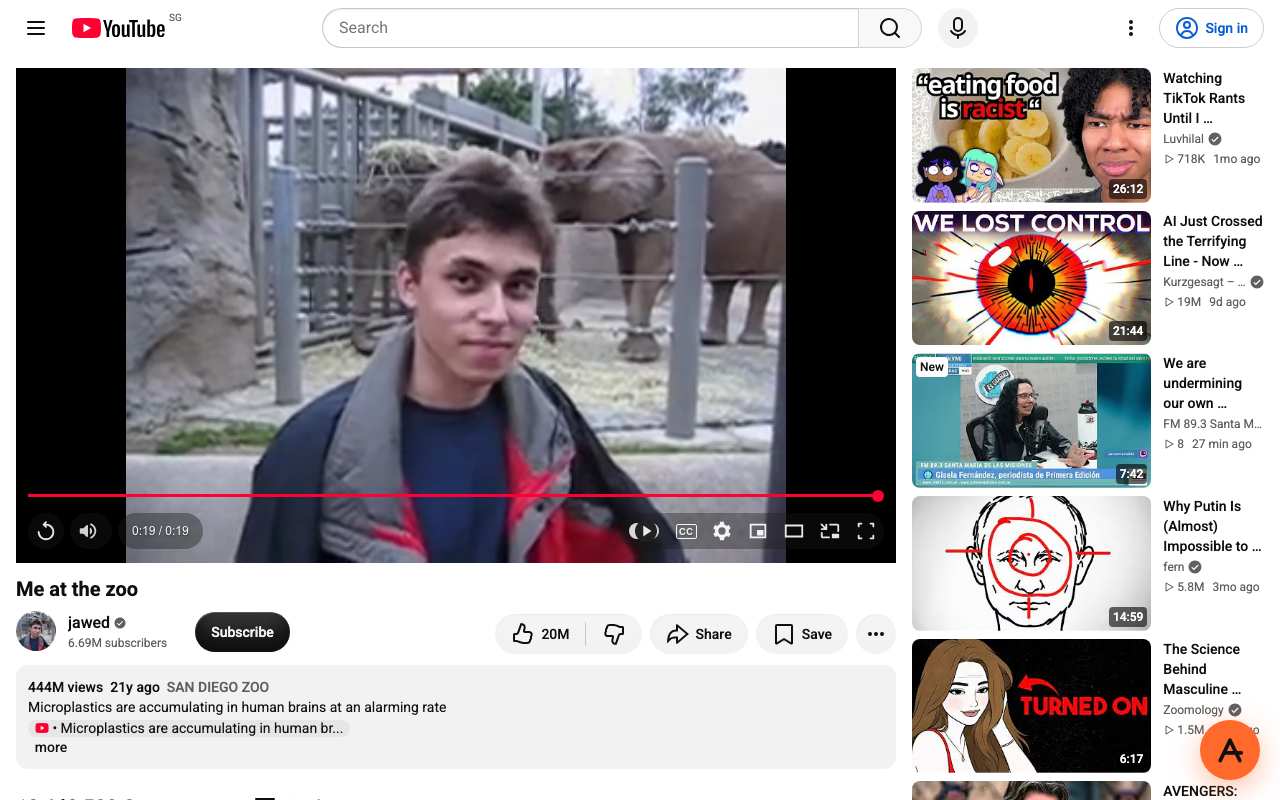
A regular YouTube video through AnyProxy Singapore, 15 October 2026: it played to the end.
What worked and what did not, 15 October 2026
| Task | Region | Result |
|---|---|---|
| Play a regular video (/watch) | Singapore | Played to the end |
| Play the same video | Frankfurt | Played, behind YouTube’s EU “Before you continue” cookie screen |
| Search YouTube in Thai and Vietnamese | Singapore | Results loaded |
| Open a YouTube Short | Singapore | Feed, likes and comments loaded; the video area stayed black |
| Paste a video link on anyproxy.site | Virginia | Opened YouTube’s home page, as designed |
| Play a video in a phone-sized browser | Singapore | Mobile site loaded; the video did not start |
| Sign in | — | Not tested |
Free and Pro use the same engine; there is no video quality cap on either. If playback stutters, see fix YouTube buffering.
What the network still sees
Your device opens an encrypted connection to an AnyProxy server such as sg.anyproxy.site. The network sees that name, the time and the amount of data, not the YouTube pages inside. Two exceptions:
- HTTPS inspection. If the device has an organisation’s certificate installed for inspection, the organisation may see the pages too.
- Browser history. Proxied addresses include YouTube’s address in encoded form and stay in the device’s history.
For more on how network filters work, see the Wi-Fi filters guide.
Signing in
We have not tested signing in to Google through the proxy. If you do, the proxy operator handles the decrypted page, including your password, and Google will see a login from the proxy’s country. Read how to log in through a proxy first. On a school or work device, avoid signing in to personal accounts through any proxy.
Proxy or VPN on a managed network?
A proxy vs VPN comparison goes into more detail. The short version:
- Managed Chromebook or work laptop → a web proxy is the only one you can open, if the network allows it. VPN installs are usually blocked.
- Your own laptop on managed Wi-Fi → a VPN covers every app; a proxy is quicker for one browser tab. The network’s rules apply either way.
- Phone → a proxy opens in the mobile browser, but YouTube’s mobile site did not start playback in our phone-sized test.
If anyproxy.site itself is blocked
Then the network blocks proxy sites, and switching region will not help. On a school, work or hotel network, that is the operator’s decision; ask them if you have a legitimate need. See how to open blocked sites without a VPN for how proxies work on networks where you are free to use one.
Other sites
The same steps work for TikTok, Instagram and Discord, each with its own dated test results. Instagram sent logged-out visitors to its login page in our tests, and Reddit refused all three regions.
Acceptable-use note
AnyProxy is a general-audience web service, not intended for children under 13. On a workplace, school, campus, hostel or hotel network, that network’s acceptable-use policy applies to you whatever the proxy can technically do. Check it before use.