Proxy vs VPN on Managed Networks: Which Runs on a Locked Chromebook?
Managed Wi-Fi blocked YouTube, Instagram, TikTok? Proxy runs in the browser tab you already have — no install permission needed. VPN needs install rights most managed devices do not grant.
Updated 15 Oct 2026·6-row comparison
Quick answer
On a locked device, a web proxy is the only option that needs no install, if the network has not blocked the proxy site. On your own device, either works, but follow the network's acceptable-use policy.
TL;DR
On a device you are not allowed to install apps on, a web proxy is the only one of the two you can open, because it is just a website. A VPN needs install rights. Neither is invisible: the network still sees the name of the site you connect to, and a filter can block the proxy's domain itself. AnyProxy publishes this page and sells a web proxy, so weigh our view accordingly.
Side-by-side
Web proxy vs VPN
Dimension
Web proxy
VPN
Device that blocks installs
Opens in the existing browser
Cannot be installed
Your own laptop or phone on managed Wi-Fi
Works in a browser tab
Works if the network allows VPN connections
Apps other than the browser
Not covered
Covered
What the network sees
The proxy's domain name (sent in plaintext SNI) and traffic volume
A connection to the VPN server and traffic volume
Can the network block it?
Yes, by blocking the proxy's domain
Yes, by blocking the VPN server or protocol
What the destination site sees
The proxy server's address and country
The VPN server's address and country
Context
Why this comparison matters
Managed networks are run by a school, employer, hotel or campus. Managed devices add admin controls, such as Chrome policies that block every extension and app not on an approved list. A web proxy needs no install, but the TLS connection to it usually carries the proxy's name in plaintext (the SNI field), so the network can see and block that name. AnyProxy publishes this page and sells a web proxy, so weigh our view accordingly.
Pick Web proxy when
Web proxy is right
The device blocks app and extension installs.
You need one website in one tab, not the whole device.
You are on a shared or borrowed computer.
Pick VPN when
VPN is right
It is your own device and you can install apps.
You need apps, not just a browser, to get through.
The proxy's domain is already blocked on that network.
What breaks if you pick wrong
A VPN on a locked device stops at the install step. A proxy on a network that has blocked its domain stops at the first page. And either tool can break the network's acceptable-use policy, which applies to you even when the traffic is encrypted.
We checked
What a site and a network can see through AnyProxy
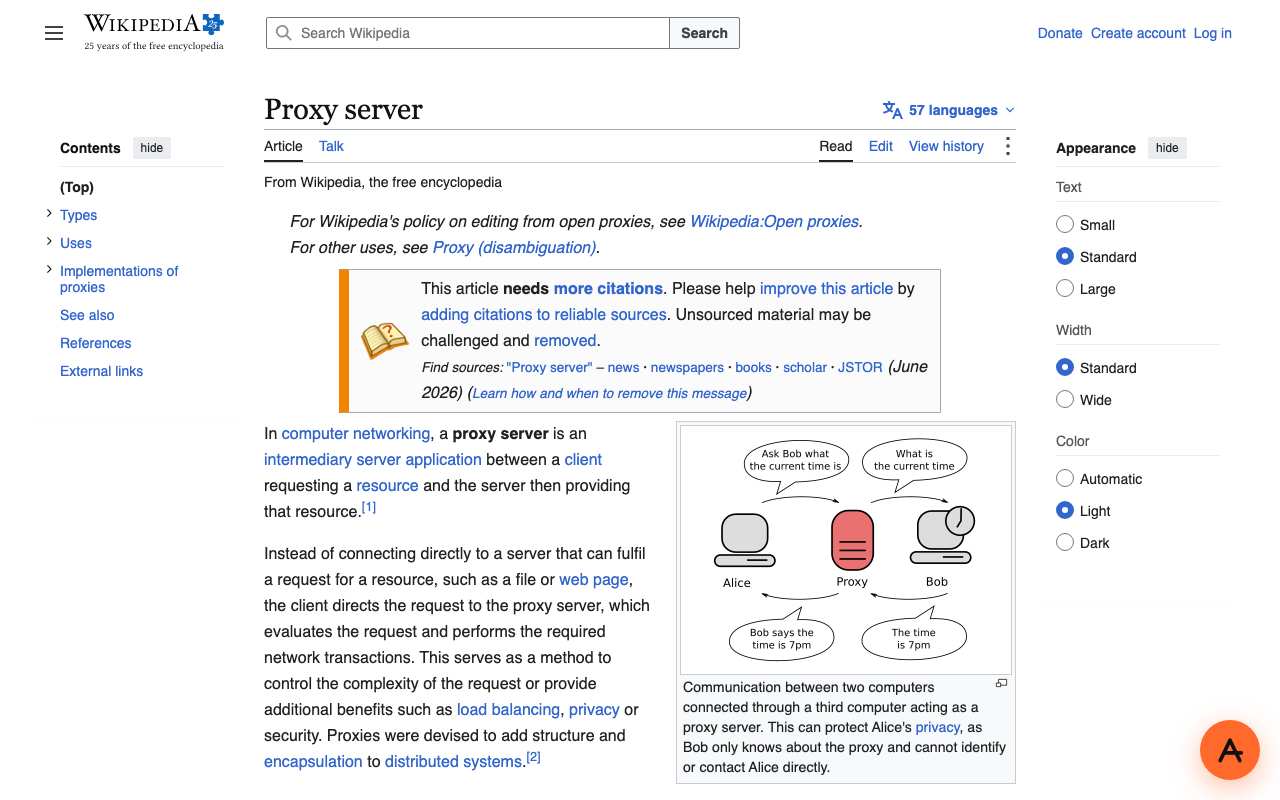
Open the English Wikipedia article "Proxy server" through AnyProxy
Worked · SG exit · 2026-10-15
Full article with contents, infobox diagram and appearance menu. AnyProxy adds only a small round button in the corner; no toolbar over the page.
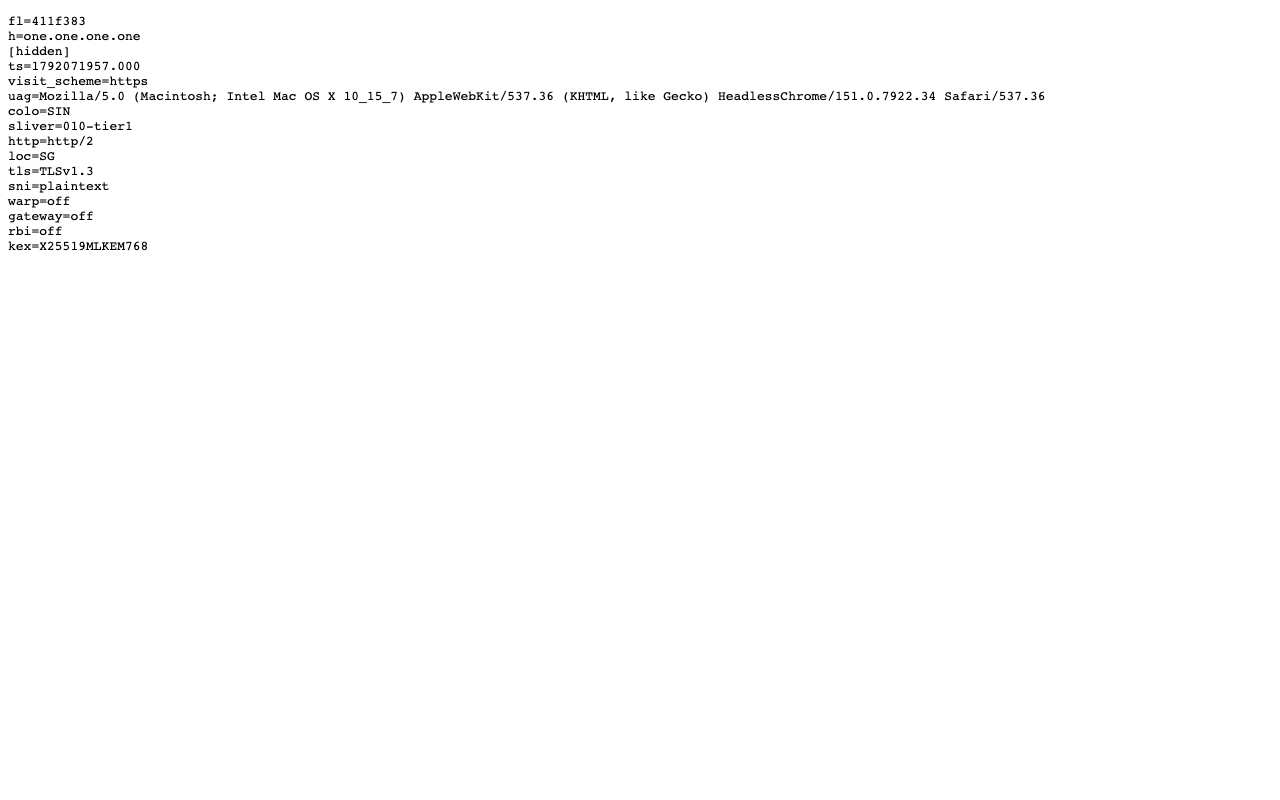
Open one.one.one.one/cdn-cgi/trace through AnyProxy
Worked · SG exit · 2026-10-15
Cloudflare's trace shows loc=SG, colo=SIN, tls=TLSv1.3, http=http/2 and sni=plaintext for the proxy's own connection; the IP line is hidden.
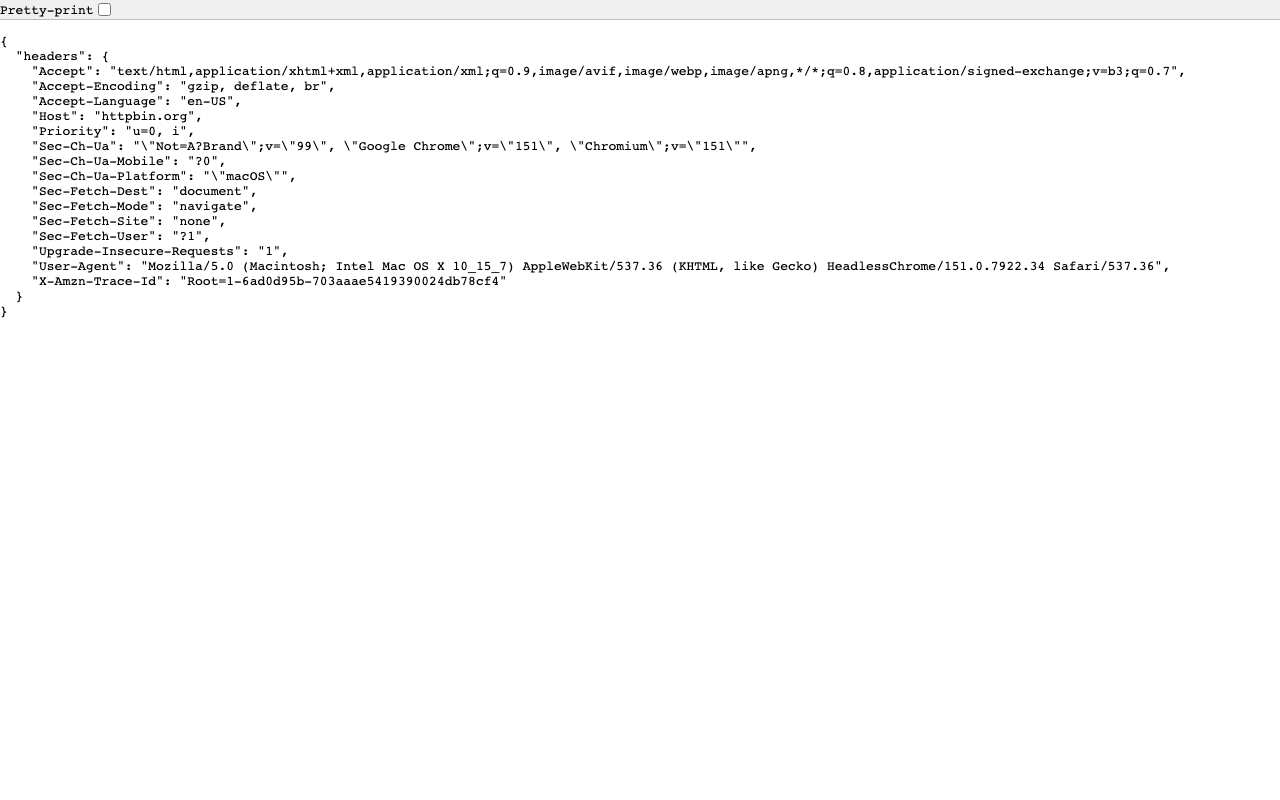
Read the request headers a site receives (httpbin.org/headers) through AnyProxy
Worked · SG exit · 2026-10-15
The site saw the browser's own User-Agent and Accept-Language and no Via or X-Forwarded-For header.
Use AnyProxy on a managed Chromebook or managed iPad
Not tested
We have no managed device to test on. The claims about install blocking come from Chrome Enterprise policy documentation, not from our own test.
FAQ
Questions people ask
Can the network see that I use a web proxy?
It can see that you connect to the proxy's domain, because the name is usually sent unencrypted when the connection starts (our Cloudflare trace shows sni=plaintext). It cannot read the pages inside the HTTPS connection.
Why can't I install a VPN on my school or work Chromebook?
Admins can block installs. Chrome Enterprise lets them block every extension with ExtensionInstallBlocklist set to "*" and allow only approved ones; app installs are controlled the same way.
What if the proxy itself is blocked?
Then it will not load on that network. Using a different network, such as mobile data, is outside the network's control; whether that is allowed depends on your school's or employer's rules.
Is it allowed?
That depends on the network's acceptable-use policy, not on the tool. Read it before using either.