You paste a link into a web proxy. The page goes white, a small logo spins, and a line of text says Just a moment… or Checking your browser before accessing. Sometimes a checkbox appears: Verify you are human. You tick it. The spinner comes back. A minute later the page gives up: Unable to connect to the website.
That page is Cloudflare’s bot check, and in our test it stopped every web proxy except one. Not CroxyProxy, not TrickyBird, not the ones in between. The spinner is not a slow server. It is a check that, by design, cannot finish inside a proxied tab.
This post explains what the check is doing, why clicking the box never helps, which kinds of Cloudflare wall a proxy can ever pass, what we changed so that the page usually loads on AnyProxy, and where it still does not. We tested it the boring way: six Cloudflare-protected sites, eight proxies, one day, screenshots kept.
Key Takeaways
- Cloudflare’s “Just a moment…” page is a browser check tied to the site’s own address. A web proxy shows the site under a different address, so the check is answered for the wrong site and Cloudflare refuses it. Clicking the box again fails the same way.
- There are three kinds of Cloudflare wall. The silent spinner and the checkbox can be passed, though not always (ChatGPT’s check failed through our Frankfurt server on 15 October 2026). “Sorry, you have been blocked” is a hard block, often on datacenter networks, and we know of no web proxy that opens it.
- On 12 October 2026, six Cloudflare-protected sites loaded 6 of 6 through AnyProxy and 0 of 6 through CroxyProxy, BlockAway, Proxyium, 4everProxy and TrickyBird. ProxySite and KProxy could not be tested.
- AnyProxy completes the check on your behalf. On our test sites the first load took three to eight seconds and later loads were immediate. Nothing to click, nothing to install.
What that spinning page is actually checking
The “Just a moment…” page is Cloudflare asking your browser to prove it is a browser. Cloudflare sits in front of a very large share of the web: W3Techs’ daily survey put it at 26.9% of all websites on 12 October 2026 (W3Techs, retrieved 2026-10-12). Any of those sites can switch on a check that runs before the real page is served.
The check is short. Your browser runs a small script, answers a few questions about itself, and if the answers look like a normal browser on a normal connection, Cloudflare hands back a pass and the real page loads. On a home connection you usually see the page for a second or two and then it disappears.
The part that matters for proxies: The pass Cloudflare hands back is tied to the address of the site that asked for it. A pass earned for one site is not valid for any other site, and a check started for one site cannot be finished under a different address. Think of it as a bouncer checking the name on your ticket against the name on the door. Right ticket, wrong door, no entry.
[For the basics of how a web proxy fetches and rewrites a page, see how a web proxy works.]
Why clicking the box never works through a proxy
A web proxy, by definition, shows you a site under the proxy’s own address. You open anyproxy.site/4chan.org, or some competitor’s equivalent, and the page in your tab is served from the proxy’s domain. That is the whole point: your network sees the proxy, not the site.
So when the site behind that tab is Cloudflare-protected, your browser runs the check for 4chan.org from inside a page that lives at the proxy’s address. From Cloudflare’s side the answer arrives from an address it never asked. It refuses. The proxy reloads, the check runs again, the same thing happens. That is the loop you see as a spinner that never ends, and it is why the checkbox makes no difference: you are passing the test, but for a site Cloudflare was not asked about.
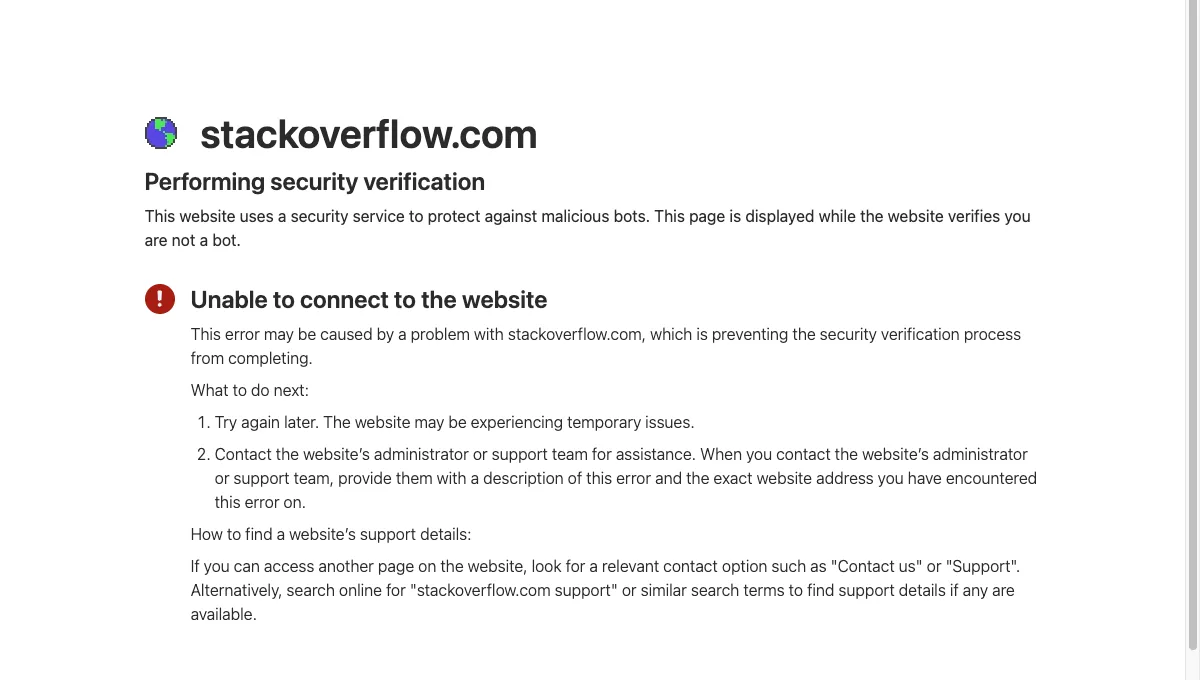
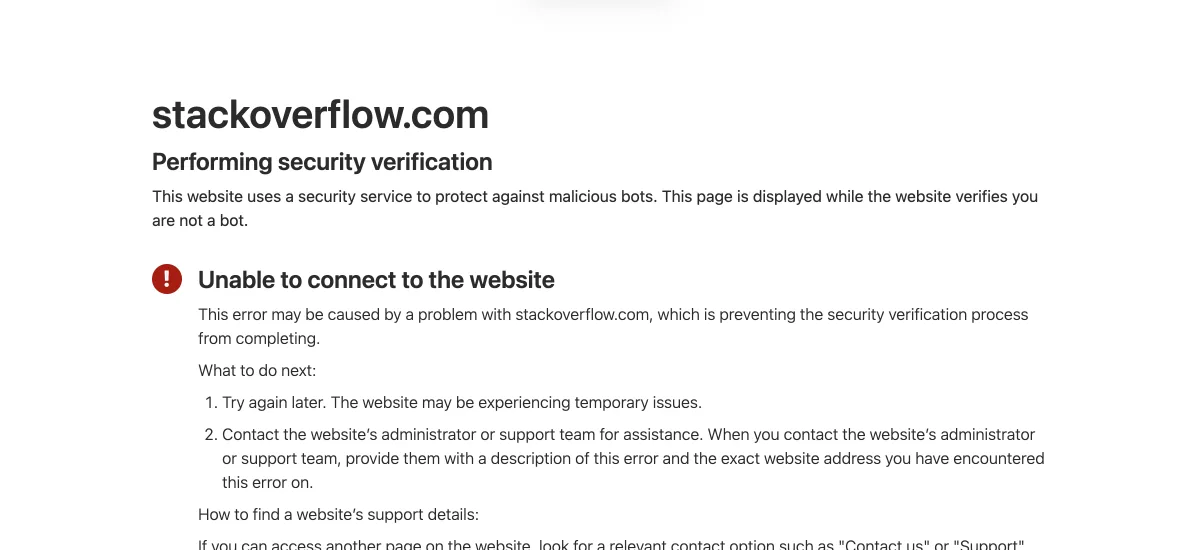
Every URL-rewriting proxy that leaves the check to your tab has this problem, because it puts the site under its own address. It is not a bug in any particular product. It is the design of the category meeting the design of the check.
The three kinds of Cloudflare wall
Three different pages get called “blocked by Cloudflare”, and only two of them are checks at all.
| What you see | What it is | Can a web proxy ever pass it? |
|---|---|---|
| “Just a moment…”, spinner, no checkbox | A silent browser check that runs in a second or two | Often, if the proxy completes it for the right address |
| “Just a moment…” with a Verify you are human checkbox | The same check, with an interactive step added | Often, same condition; stricter sites such as ChatGPT can still refuse |
| “Sorry, you have been blocked” | Not a check. The site owner has blocked whole networks, usually every datacenter | No. This is a decision, not a test |
The third one is worth recognising on sight, because no amount of waiting or reloading changes it. A site that shows Sorry, you have been blocked has a Cloudflare rule that refuses your connection, often every datacenter address, and web proxies run from datacenters. On the day of our test, umingle.com (on all three of our free regions) and apps.tokenpedia.com showed that page through AnyProxy; we left them out of the grid as a different problem rather than count them as checks. umingle.com was still blocked when we rechecked on 15 October.
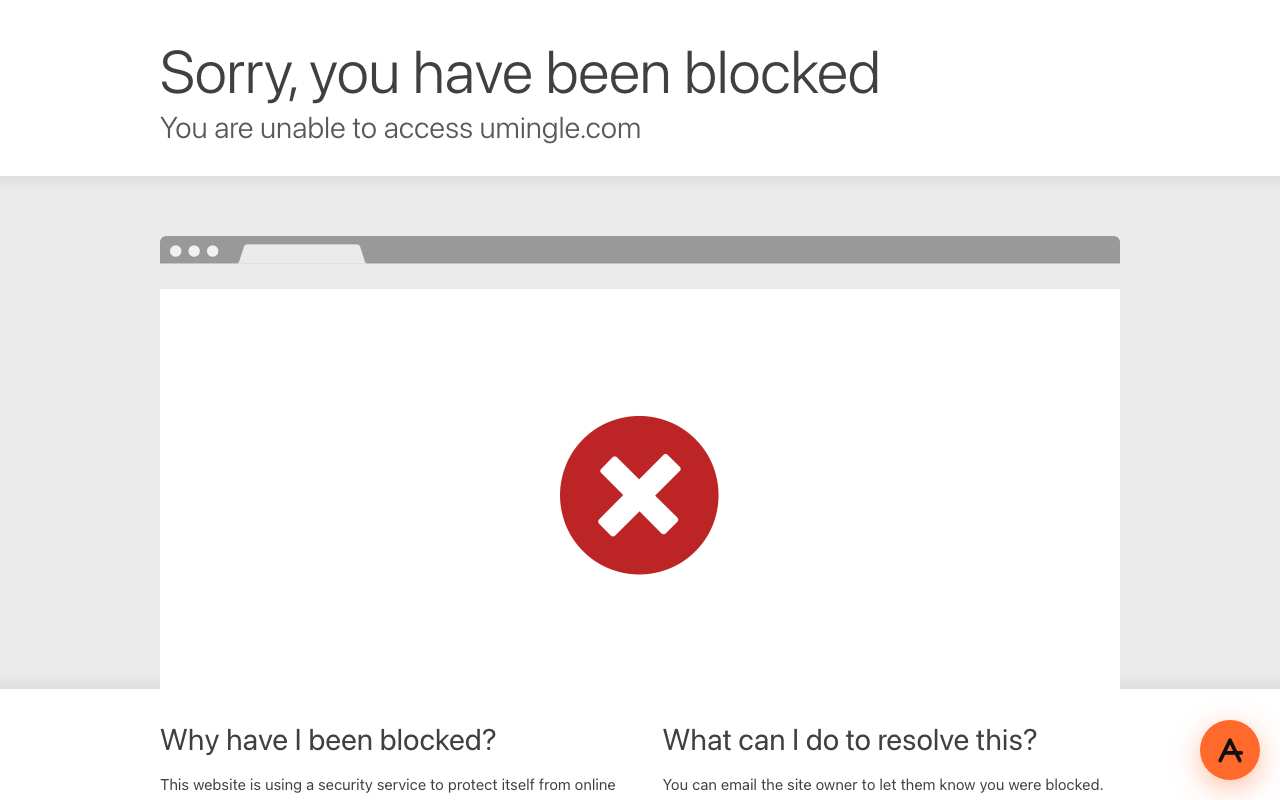
Caption: umingle.com through AnyProxy Singapore, 15 October 2026. A block rule, not a check; waiting does not change it.
[The glossary entry on the Cloudflare challenge keeps a short version of this table.]
What we changed
AnyProxy now completes the Cloudflare check on your behalf, for the site’s real address, before the page is handed to your tab. Your browser is never asked to answer a question for the wrong door.
In practice it feels like this. The first visitor to a site waits three to eight seconds; later visits open at once. You see our loading bar instead of Cloudflare’s spinner, and then the page.
What we saw during rollout: on the six test sites the first load took between three and eight seconds, and every reload after that was immediate. No checkbox appeared in the tab at any point.
There is nothing to click and nothing to install. You paste the URL exactly as before.
It does not always work. Hard-blocked sites stay blocked. And some checks are stricter than the ones on our six test sites: chatgpt.com stayed on Just a moment… through all three free regions on 12 October. On 15 October it loaded through Virginia and, in a visible browser, Singapore, but Frankfurt stayed on Cloudflare’s Verifying… box after 30 seconds.
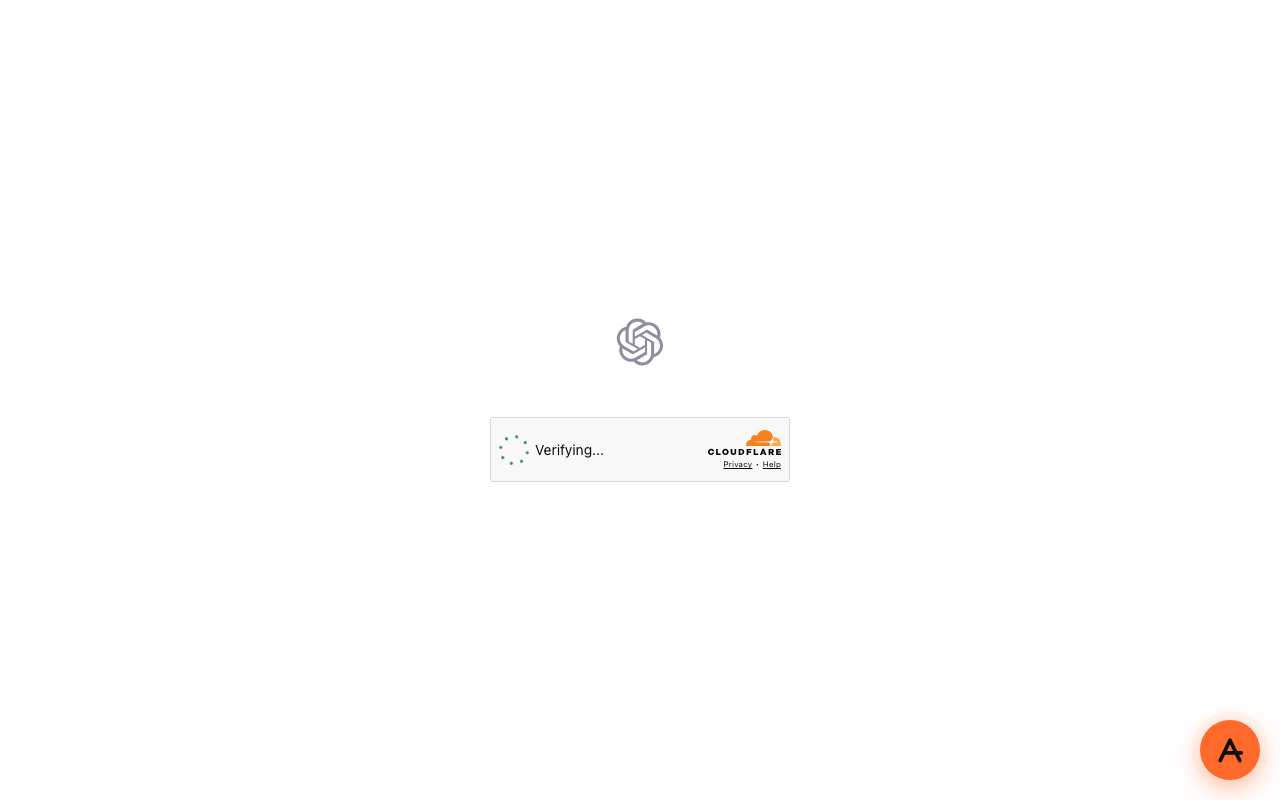
Caption: chatgpt.com through AnyProxy Frankfurt, 15 October 2026. The check did not finish.
Tested: six Cloudflare-protected sites, eight web proxies
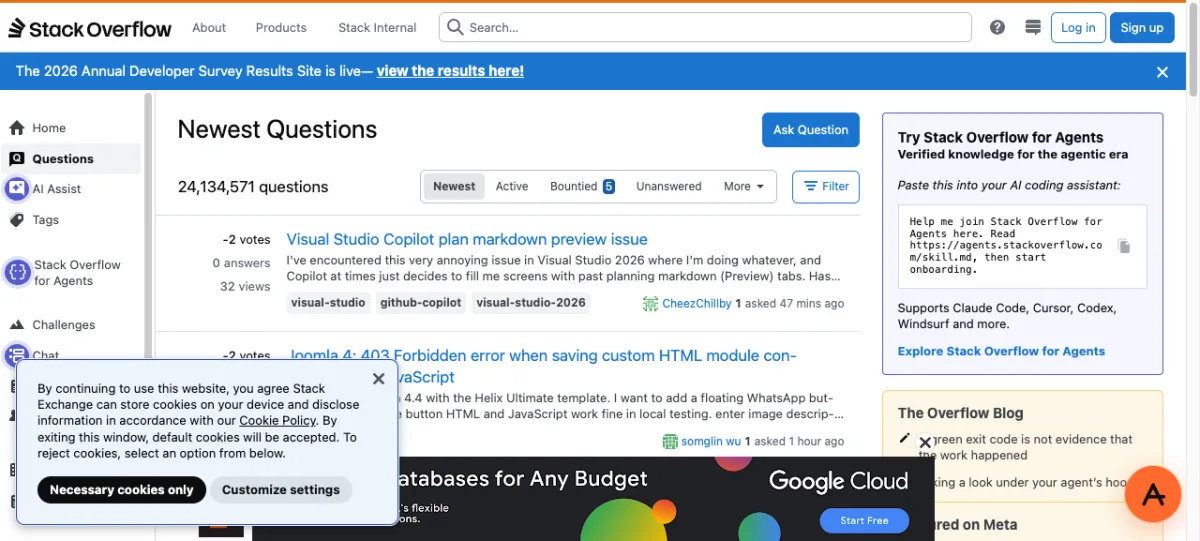
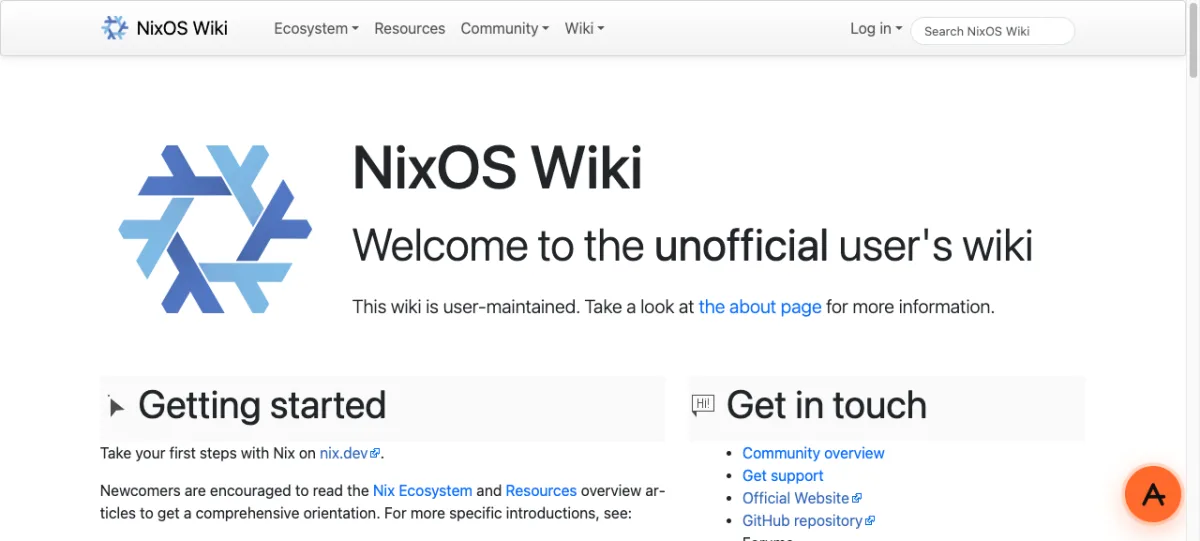
On 12 October 2026 we pasted the same six Cloudflare-protected sites into eight web proxies, from the same Mac, in the same Chromium window (AnyProxy on its Virginia region), and left each one for at least 25 seconds. We chose sites with a plain Cloudflare check and no login wall: a forum, a developer Q&A site, a wiki, two chat sites and a fan-fiction site.
| Web proxy | 4chan | Stack Overflow | nixos.wiki | Chatiw | Omegle Web | Glimmer Fics | Loaded |
|---|---|---|---|---|---|---|---|
| AnyProxy | loads | loads | loads | loads | loads | loads | 6 / 6 |
| CroxyProxy | stuck | stuck | stuck | stuck | stuck | stuck | 0 / 6 |
| BlockAway | stuck | stuck | stuck | stuck | stuck | stuck | 0 / 6 |
| Proxyium | stuck | stuck | stuck | stuck | stuck | stuck | 0 / 6 |
| 4everProxy | stuck | stuck | stuck | stuck | stuck | stuck | 0 / 6 |
| TrickyBird | stuck | stuck | stuck | stuck | stuck | stuck | 0 / 6 |
| ProxySite | not testable: every request bounced to its homepage | — | |||||
| KProxy | not testable: its domain served an invalid certificate | — |
“Stuck” means the tab ended on Cloudflare’s Performing security verification page followed by Unable to connect to the website, or sat on Just a moment… until we gave up. CroxyProxy, BlockAway and Proxyium share one engine, which is why their results are identical.

The ranked version of this grid is on the best proxies for Cloudflare-protected sites page, and each competitor’s page in our comparison section carries a Cloudflare row. On 15 October we rechecked Stack Overflow through AnyProxy and it still loaded.
Sites this can help with
The sites that turn on Cloudflare’s check are often not the giant social networks, which tend to run their own defences. They are the long middle of the web. Only the six sites in our grid were tested; for the rest, try it and see:
- Forums and boards. 4chan and a long list of smaller community sites.
- Developer and reference sites. Stack Overflow, many wikis, documentation hosts, package registries.
- Chat and talk-to-strangers sites. Chatiw and Omegle Web, both in our test.
- Reading and fan sites. Fan-fiction archives, web-novel readers, manga and comic readers.
If you have seen the spinner on a site through another proxy, it is worth pasting the same link into anyproxy.site. If it still sits on the check, wait half a minute, reload once or switch region. The unblock hub lists the big names; the Cloudflare fix matters most for the ones that are not on any list.
Frequently asked questions
Why does my proxy say “Checking your browser before accessing”?
That is Cloudflare’s older wording for the same check. The site you asked for has Cloudflare’s bot check turned on, and your proxy is running it under the proxy’s address instead of the site’s, so Cloudflare refuses the result. Through AnyProxy the check is completed for the site’s real address, and on most sites we tried the page then loads.
Why does the proxy get stuck on “Verify you are human” even when I tick the box?
Because ticking the box proves you are human for the wrong site. The check was started for the site you want but answered from the proxy’s address, and Cloudflare only accepts an answer that matches. The box is not broken. The address is.
Does a VPN fix the “Just a moment…” page?
Often, yes. A VPN does not change the site’s address in your browser, so the check can finish normally. The trade-off is the usual one: a VPN is an app, and on a managed Chromebook or a work laptop you may not be allowed to install one. The proxy vs VPN on managed networks page walks through that choice.
Does AnyProxy bypass Cloudflare?
No. It completes the check, for the right address, before the page reaches your tab. The site still runs its check and still gets a valid answer. What changes is who answers it. Sites that have chosen to block datacenter traffic outright stay blocked, and a strict check like ChatGPT’s does not always finish.
Why does the first load take a few seconds and later loads do not?
The few seconds are the check being completed for that site. Once it has passed, later visits opened at once in our tests.
Can I unblock a Cloudflare-protected site at school or on a Chromebook?
Often. AnyProxy is a web page, so it opens in Chrome on a managed Chromebook with nothing to install, and the Cloudflare check is handled for you. A school filter can still block anyproxy.site itself, and your school’s acceptable-use policy still applies, so check it first. The Chromebook guide covers setup.
The short version
- The “Just a moment…” page is a check tied to the site’s address. A web proxy answers it from a different address, so it can never finish in your tab.
- Silent and checkbox checks can usually be passed; ChatGPT’s is hit and miss. “Sorry, you have been blocked” cannot, by any web proxy we know of.
- On 12 October 2026, six Cloudflare-protected sites loaded 6 of 6 through AnyProxy and 0 of 6 through five other web proxies. Two more could not be tested.
- AnyProxy completes the check on your behalf: three to eight seconds on the first load of our test sites, immediate after that.
Paste the link that used to spin into anyproxy.site and see for yourself. For the full side-by-side, read which web proxy opens Cloudflare-protected sites in 2026.