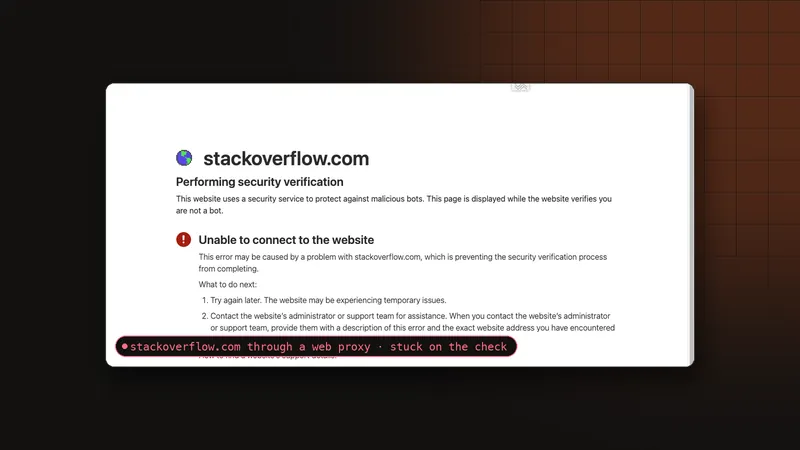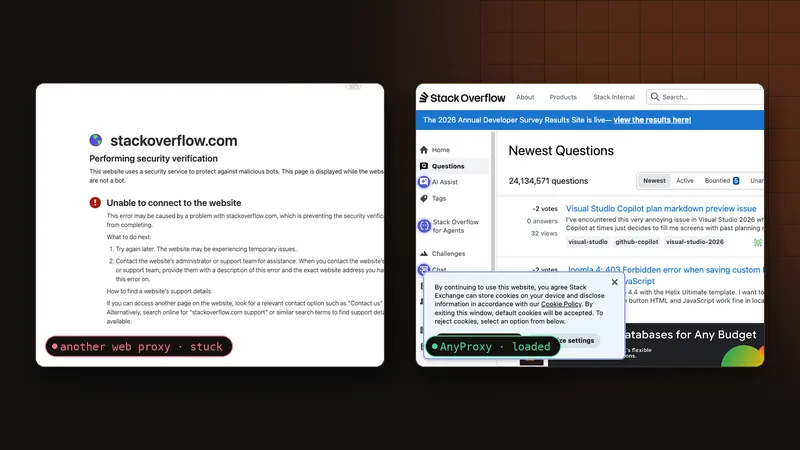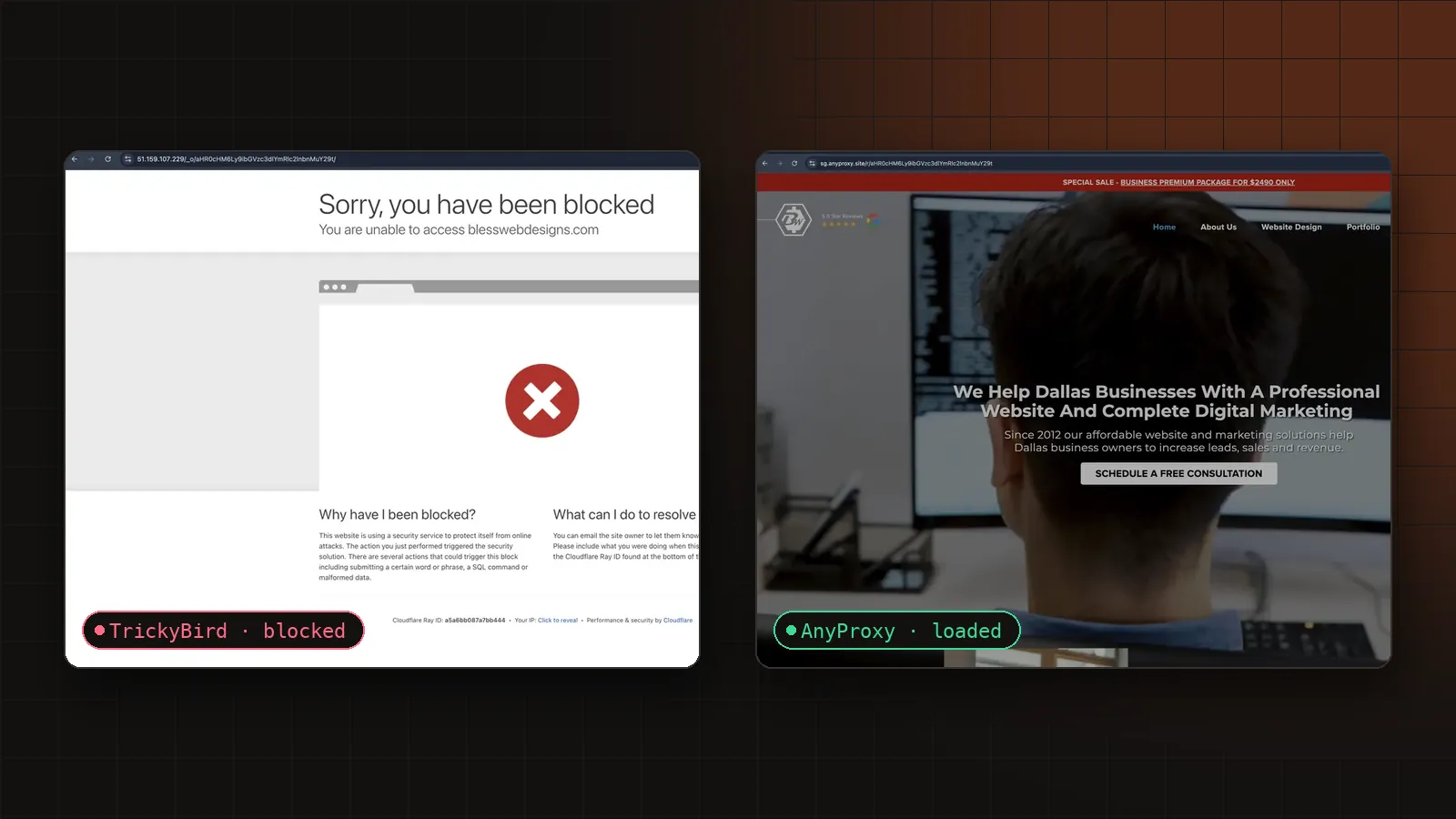
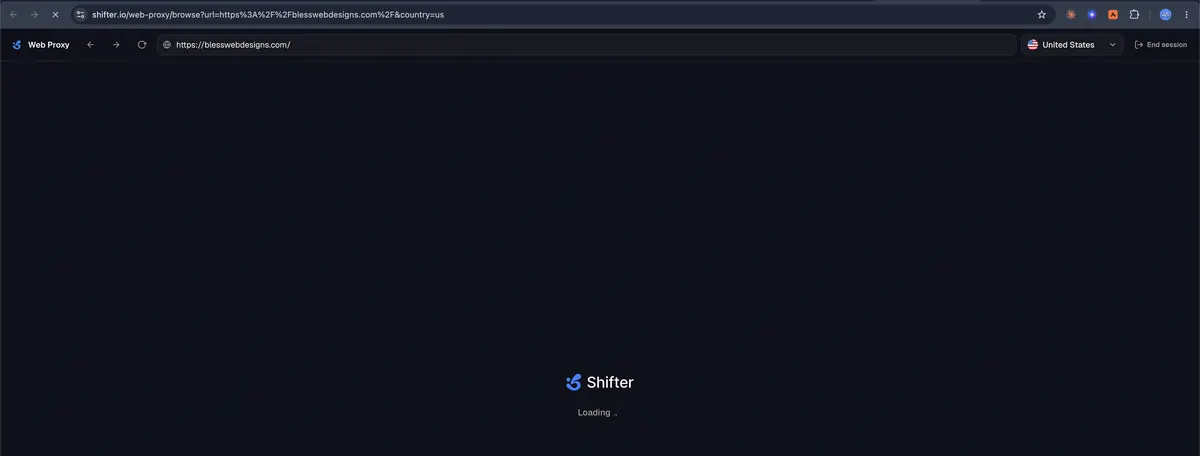
TL;DR: On 14 November 2026 we pasted the same Cloudflare-protected site, blesswebdesigns.com, into four web proxies within three minutes. TrickyBird and CroxyProxy both showed Cloudflare’s Sorry, you have been blocked. Shifter was still on its loading screen when we took the screenshot. AnyProxy, on its Singapore server, loaded the real site. That is one site on one evening, not every blocked site: on the same day AnyProxy still could not open medycynapracyportal.pl, which refused every route we have.
There are two kinds of Cloudflare page a web proxy runs into. One is a check: a spinner or a checkbox that wants to see a real browser. The other is not a check at all. It is a white page with a big red cross that says Sorry, you have been blocked, and underneath, You are unable to access the site.
A month ago we wrote that this second page is a decision, not a test, and that we knew of no web proxy that opens it (why every web proxy gets stuck on Cloudflare). That was true for AnyProxy too. This post is the update: what changed, a same-evening test against three other web proxies, and the sites where it still does not work.
Key Takeaways
- Same site, same Mac, same Chrome window, 14 November 2026, 20:04 to 20:06 IST. AnyProxy loaded blesswebdesigns.com. TrickyBird and CroxyProxy showed Cloudflare’s block page. Shifter had not finished loading.
- The block page is about the address your request comes from, not your browser. Every web proxy reaches sites from servers, and some sites refuse server addresses outright.
- AnyProxy now notices when a site refuses its servers and tries other routes until one returns the real page, then remembers that route for everyone. The first visitor waits a few seconds; later visits load straight away.
- The route that opens the hardest sites costs us per visit, so free use on those sites is 30 minutes a day (45 when signed in), with a countdown on the AnyProxy button. Pro has no daily limit.
The test
blesswebdesigns.com is the site of a Dallas web design agency. It sits behind Cloudflare and, on 14 November 2026, refused visitors coming from datacenter networks with the Sorry, you have been blocked page. It has no login wall, so whatever a proxy shows is what any visitor would see.
We opened it through four web proxies from the same Mac, in the same Chrome window, between 20:04 and 20:06 IST. For each one we typed https://blesswebdesigns.com/ into the proxy’s own address field, waited for the page to settle, and kept a screenshot with the proxy’s own bar visible, so you can tell which service each picture comes from.
| Web proxy | What the tab showed | Result |
|---|---|---|
| AnyProxy (Singapore) | The agency’s home page: “We Help Dallas Businesses With A Professional Website…” | Loaded |
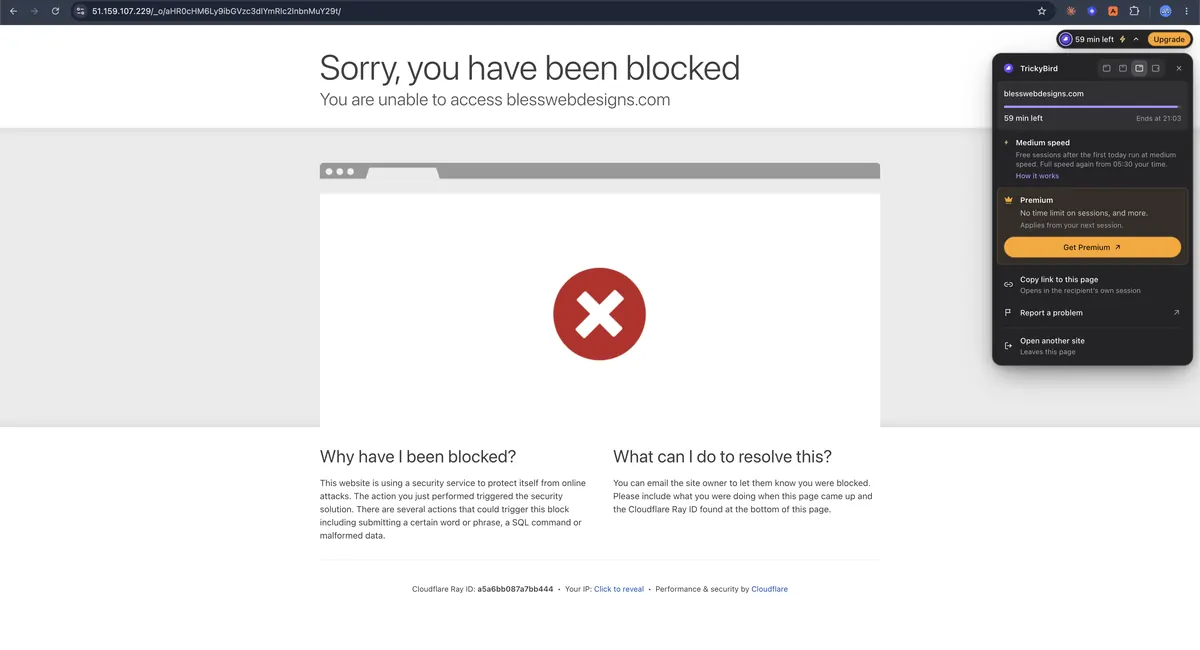
| TrickyBird | Sorry, you have been blocked, Cloudflare Ray ID a5a6bb087a7bb444 | Blocked |
| CroxyProxy | Sorry, you have been blocked, Cloudflare Ray ID a5a6bbf69f6f34cc | Blocked |
| Shifter (United States) | Shifter’s own Loading .. screen | Not loaded when captured |
A Ray ID is the reference Cloudflare prints at the bottom of the block page. Two different Ray IDs mean two separate refusals, a couple of seconds apart, by the same site.

Shifter is a different case. It did not show the block page. When we took the screenshot it was still on its own loading screen, with the United States selected. We are reporting what the tab showed at that moment, not claiming it never loads; if it does for you, it would be the only other one in this test.
And AnyProxy, with its bar opened so the screenshot shows which proxy it is: the site’s own home page, navigation, phone number and booking buttons, loaded from Singapore.

Why web proxies hit this page
The block page explains itself if you read it slowly. The site “is using a security service to protect itself from online attacks”, and the action you performed “triggered the security solution”. On a plain page load, that action is usually nothing more than where you are coming from.
Cloudflare lets site owners write rules about the network a request arrives from, not just the request itself. A common rule refuses whole hosting providers and cloud networks, because that is where most scrapers and bots live. Cloudflare sits in front of a large share of the web, 26.9% of all websites in W3Techs’ survey (W3Techs, retrieved 2026-10-12), so even a small fraction of owners turning that rule on adds up to a lot of blocked pages.
A web proxy is, by definition, a server reaching the site for you. Its address belongs to a datacenter. That is why the three failures above look identical even though the products are different: it is not a bug in one proxy, it is the category meeting a rule about addresses. Nothing a proxy does inside your browser tab changes it. Reloading does not help. Imitating Chrome more closely does not help. The rule is decided before your page is even considered.
If you want the full picture of the other Cloudflare pages (the Just a moment… spinner and the Verify you are human checkbox), and why those two can be passed while this one could not, read why every web proxy gets stuck on Cloudflare and the six-site Cloudflare test from October.
What AnyProxy does now
Until this month, AnyProxy had the same single weak spot as every other web proxy: one kind of address. When a site refused it, the site was gone for everyone.
Now the loader notices. When a site refuses our servers, you see blocks our server, finding another route… instead of the block page, and AnyProxy tries other routes until one of them returns the real site. The route that works is remembered, for every visitor and every region: Singapore, Frankfurt, Virginia, Tokyo and Los Angeles. The first person to open a site that way waits a few seconds (2 to 7 seconds in our tests); everyone after goes straight through. And when the site starts accepting our own servers again, AnyProxy quietly switches back.
We are deliberately not publishing how the routes work. What matters for you is the behaviour: you paste the link, and either the site loads, or, after a few seconds of trying, you see the site’s own block page instead of an endless spinner.
The fair part: a daily allowance on the hardest sites
The route that opens sites like this one costs us money on every visit, unlike the rest of AnyProxy. So we put a clear limit on it instead of a hidden one:
- Free: 30 minutes a day on sites that need that route, or 300 MB, whichever comes first. Signed in: 45 minutes. Every other site works exactly as before, with no new limit.
- Pro: no daily limit, plus the Pro regions and no ads.
A small countdown appears on the AnyProxy button while you are on such a site (the 30m in the screenshot above), with a short note at 5 and 2 minutes left. When the allowance is used up you get a clear card, not a broken page. See pricing for Pro.
What still does not work
Some sites refuse every route we have, not just our servers. On the same day as this test, medycynapracyportal.pl showed Cloudflare’s block page through all of them. When that happens AnyProxy stops trying after a few seconds and shows you the site’s own block page, and it does not keep retrying that site for a while.
Two more honest limits:
- This is one site, one evening. We picked blesswebdesigns.com because it shows the hard block on datacenter networks today. Other sites change their rules, and the result for a given site can change too.
- Competitors change as well. We tested TrickyBird, CroxyProxy and Shifter once each, on 14 November 2026. If one of them opens the site for you later, that is real and good; we would still rather show you the screenshot from the day than claim “works with everything”. For broader comparisons see AnyProxy vs TrickyBird and AnyProxy vs CroxyProxy.
How to tell which wall you are facing
If a site will not open through a web proxy, the page you land on tells you a lot:
| You see | What it means | Worth retrying? |
|---|---|---|
| Just a moment… spinner | Cloudflare is checking the browser | On AnyProxy, yes: the check is completed for you |
| Verify you are human checkbox | A visible version of the same check | On AnyProxy, yes |
| Sorry, you have been blocked with a Ray ID | The site refuses the network your request came from | Elsewhere, no. On AnyProxy, it now tries another route automatically |
| Access denied from a non-Cloudflare page | The site’s own block, often by country or network | Sometimes: try another AnyProxy region |
Frequently asked questions
Is “Sorry, you have been blocked” an error in my browser?
No. It is the site’s security rule answering before the page loads. Clearing cookies or switching browsers does not change it, because the rule looks at the network the request comes from.
Why did TrickyBird and CroxyProxy show the same page?
Both reach the site from datacenter servers, and the site refuses datacenter networks. Two different products, one rule. AnyProxy’s own servers are refused too; the difference is that AnyProxy now finds another route instead of stopping there.
Does AnyProxy open every blocked site now?
No. It opens more of them. Some sites refuse every route we have (medycynapracyportal.pl on 14 November 2026); then you see the site’s own block page after a few seconds.
Is there a limit on free use?
Only on the sites that need the extra route: 30 minutes a day (45 when signed in), or 300 MB, whichever comes first. Every other site has no new limit. Pro has no daily limit.
The short version
- A web proxy used to have one kind of address, and sites that refuse it were simply closed to its users.
- On 14 November 2026, the same blocked site showed Cloudflare’s block page through TrickyBird and CroxyProxy, was still loading on Shifter, and loaded fully on AnyProxy.
- AnyProxy now finds another route when a site refuses its servers, remembers it for everyone, and switches back when the site relents. Free use on those sites is 30 minutes a day; Pro is unlimited.
If you have a link that keeps saying Sorry, you have been blocked, paste it into AnyProxy and see what happens.