Video is one of the most common reasons people open a web proxy. The question that trips people up is “why does YouTube play through the proxy but Netflix does not”. The usual answer, “DRM detects the proxy”, turned out not to match our own test. This page lists what played and what did not when we tried, and explains the real reasons.
How we tested. On 15 October 2026 we ran the same tasks a visitor would, through AnyProxy’s Singapore, Frankfurt and Virginia servers, logged out, and checked each screenshot by eye. A video counts as played only when its clock moved. We never sign in with real accounts, so logged-in playback is untested everywhere on this page.
What played and what did not (15 October 2026)
| Service | Result | What we saw |
|---|---|---|
| YouTube, regular video | Played | “Me at the zoo” played to the end (0:19) through Singapore; through Frankfurt it played behind YouTube’s EU consent screen |
| YouTube Shorts | Did not play | Feed, creator, likes and comments loaded; the video area stayed black, in headless and regular Chrome |
| TikTok | Played | A For You video and a single video page played through Singapore; a profile’s video grid failed through Virginia |
| Vimeo | Failed | Cloudflare “Verify to continue” check failed; the embed player stayed white at 00:00 |
| Dailymotion | Page loaded | Home page loaded; playback not checked |
| Instagram Reels | Failed logged out | instagram.com/reels/ stayed blank (it was also blank without the proxy) |
| Snapchat Spotlight | Did not play | Layout, likes and comments loaded; the video stayed black |
| Spotify | Account needed | Browse pages and a public playlist loaded; pressing play asked for a free Spotify account |
| Netflix | Sign-up page only | Singapore sign-up page with Singapore-dollar prices; playback needs an account |
| Disney+ | Storefront only | Singapore and German storefronts loaded; playback needs an account |
| Widevine DRM test clip | Played | Google’s Shaka Player demo played the Widevine-protected Sintel clip for 38.5 s |
Results change when sites change. Each site’s page under /unblock/ carries its own dated results, for example YouTube and Vimeo from Iran.
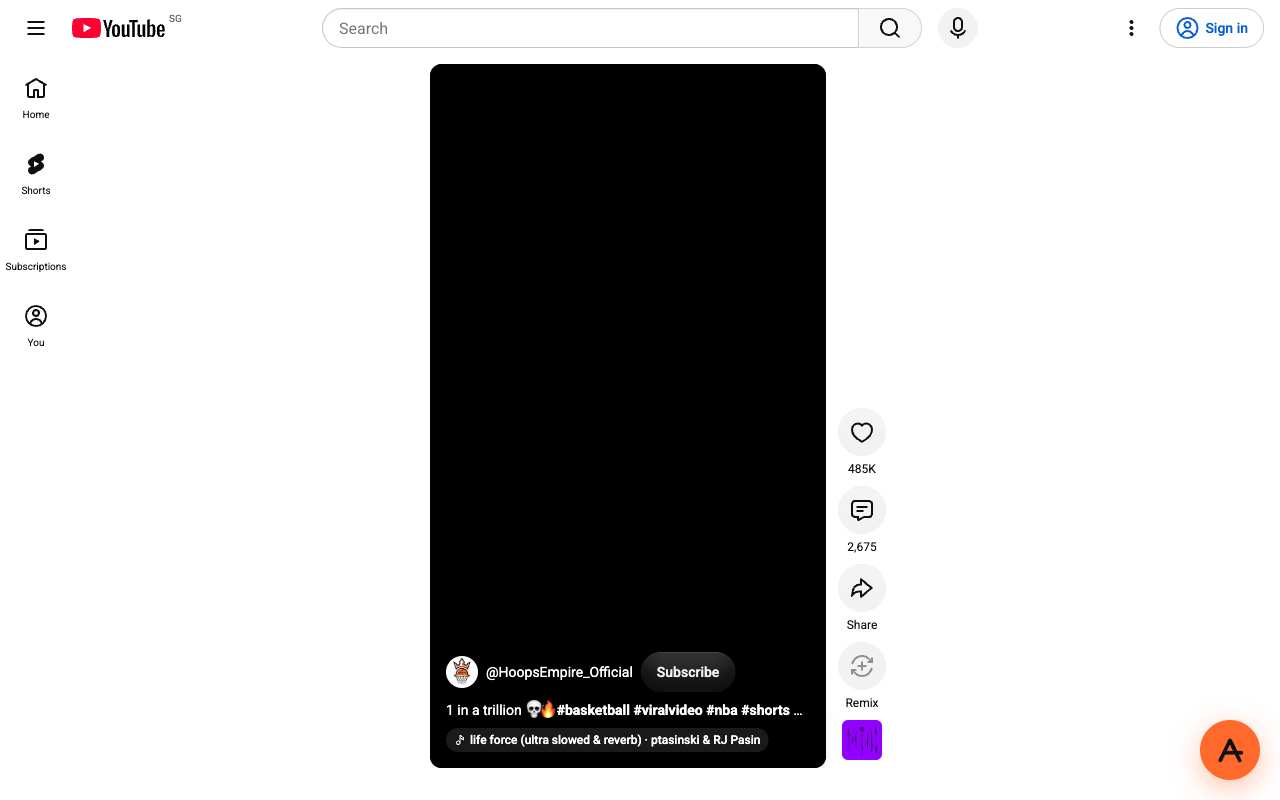
Caption: A YouTube Short through AnyProxy Singapore, 15 Oct 2026: everything around the video loaded, the video stayed black. A regular /watch video played the same day.
Why DRM is not the whole story
DRM (digital rights management) encrypts video so that only an approved component in your browser can decrypt it, and only after the service’s licence server agrees. In browsers this runs through Encrypted Media Extensions, a W3C standard, with Widevine in Chrome and Firefox, FairPlay in Safari and PlayReady in Edge.
A web proxy does not replace your browser’s decryption module, and in our test DRM by itself did not stop proxied playback: the Widevine-protected Sintel clip in Google’s Shaka Player demo played through AnyProxy Singapore with DRM keys attached. That stream uses an open licence server and needs no account.
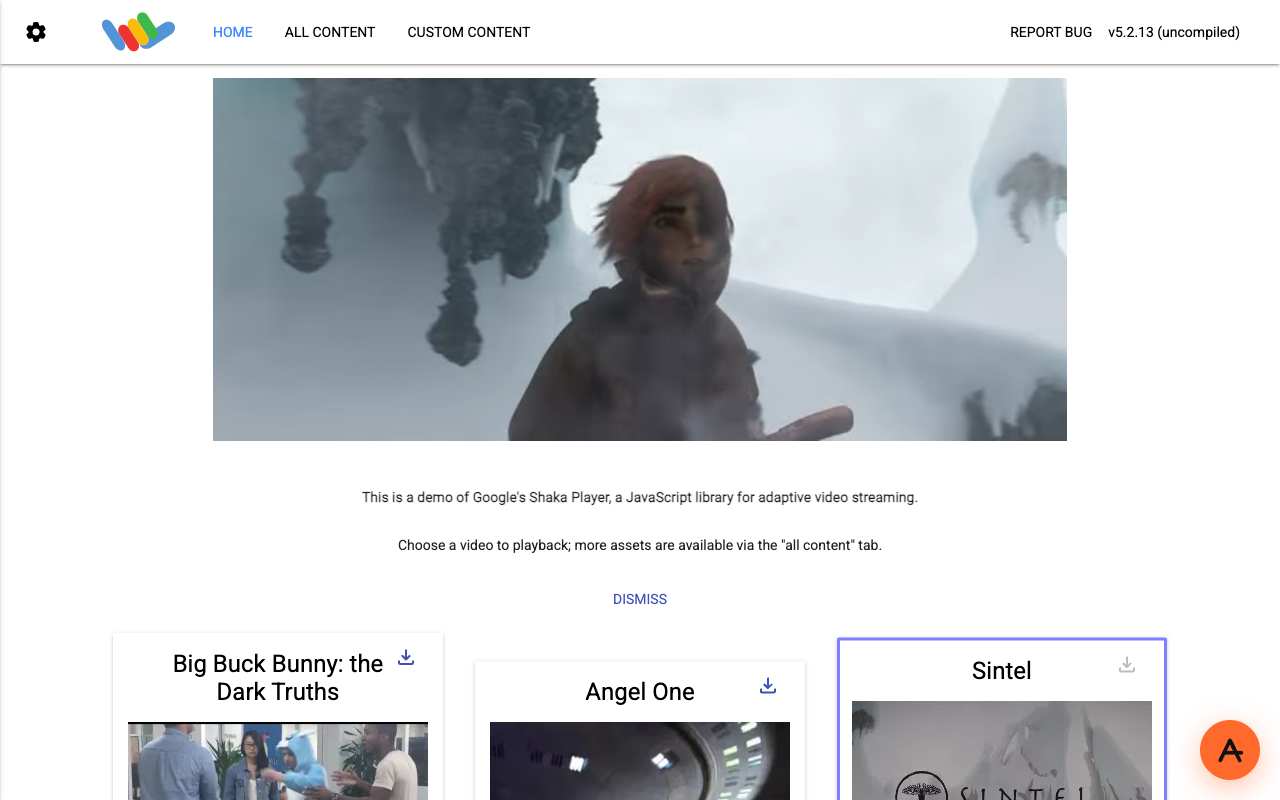
Caption: Widevine-encrypted Sintel clip playing in Google’s Shaka Player demo through AnyProxy Singapore, 15 Oct 2026.
Paid services add checks of their own on top of DRM:
- An account and subscription, which a licence server can check before releasing keys.
- Region and licensing rules, because catalogues are licensed per country.
- Proxy and VPN detection. Netflix’s help centre has a page for its “You seem to be using a VPN or proxy” error (Netflix Help).
So the honest answer for Netflix and Disney+ is: their sites load through AnyProxy, playback needs an account we did not test, and Netflix says it detects proxies. AnyProxy lists them as not supported. Using a service from another country can also break its terms.
Why some free video fails anyway
The failures in our table were not about DRM:
- Different players. YouTube Shorts uses a different player from regular watch pages, and its video stayed black. If a Short will not play, open the same video as a normal youtube.com/watch link.
- Bot checks. Vimeo’s main site sits behind a Cloudflare check that failed for our proxy addresses.
- Login walls. Instagram, Spotify and some TikTok pages limit what logged-out visitors see, and they apply that more strictly to data-centre addresses such as a proxy’s.
Does Pro change video quality?
No. Free and Pro use the same engine, and there is no 720p or 1080p tier. Video quality is whatever the site’s own player picks for the connection it sees. Pro ($4.99 a month or $39 a year) removes ads from AnyProxy’s own pages, adds servers in Tokyo and Los Angeles, and includes priority email support. If one of those two regions is much closer to you, the shorter distance can help video start and buffer less; otherwise Free behaves the same.
Live streams
We did not test live streams for this update, so we make no claims about specific live services. Two things follow from how they work. Watching a live stream is ordinary web video and behaves like the service’s normal video. Going live yourself, or joining a video call, uses your camera and often WebRTC, which a web proxy does not carry, and WebRTC can reveal your real IP address.
Buffering troubleshooting
If proxied video buffers, work through this order:
- Switch region. The region picker shows a live ping from your browser to each region; pick the lowest. In our measurement from India, the nearest region (Singapore) loaded a page in a median 1.41 s and the farthest (Virginia) in 3.65 s (details).
- Lower the video quality manually in the player’s settings if “Auto” keeps stalling.
- Close background tabs that use the same connection.
- Try a clean window without extensions to rule out interference.
- Compare networks. If video buffers on your Wi-Fi but not on mobile data, the Wi-Fi is the bottleneck.
Upgrading to Pro is not a buffering fix unless a Pro region is closer to you. Detailed troubleshooting: /help/how-to-fix-youtube-buffering-in-proxy/.
Streaming on managed devices
On a school or work device, a web proxy only works if its own site is not blocked, and the network can see that you connected to AnyProxy and how much data you used. AnyProxy’s /browse accepts a site’s origin, so you open youtube.com and then find the video. Read the acceptable-use policy first; see proxies on managed devices.
Streaming from restrictive countries
Where a video platform is blocked nationally, a proxy can reach it as long as AnyProxy’s servers are reachable. YouTube is blocked in Iran and China according to OONI measurements (4.6% and 3.0% of tests loaded, July–October 2026), and on 15 October 2026 a YouTube video played through AnyProxy Frankfurt (Iran hub test) and Singapore (China hub test). During a national internet shutdown, nothing outside the country works, AnyProxy included. Vimeo, blocked in Iran, did not play through AnyProxy either.
When a proxy is the wrong tool for video
Mobile apps: the YouTube, Netflix and other video apps do not go through a browser proxy. Use the website in a mobile browser, or a device-wide tool.
Paid streaming: Netflix, Disney+ and similar services check accounts, regions and proxies. No tool reliably changes that, and doing so may break their terms.
The one-page summary
- Regular YouTube videos and TikTok played through AnyProxy on 15 Oct 2026.
- YouTube Shorts, Vimeo and Snapchat Spotlight did not; Spotify and Instagram need an account.
- DRM alone did not block playback in our test; paid services add account, region and proxy checks we did not test past.
- Free and Pro are the same engine; Pro adds Tokyo and Los Angeles and removes ads, not a quality tier.
- Buffering: switch to the nearest region first.